

TP-Link RE615X AX1800 WiFi 6 Range Extender w/Ethernet Port | 1.8G Dual-Band Wireless Repeater Amplifier | Up to 2100 Sq. Ft., 64 Devices | Internet Signal Booster | APP Setup | EasyMesh Compatible
Original price was: $69.99.$59.99Current price is: $59.99.


Price: $69.99 - $59.99
(as of Aug 08, 2025 07:09:09 UTC – Details)
RE615X – AX1800 Mesh Wi-Fi 6 Range Extender
AX1800 Dual-Band Blazing Wi-Fi
The Dual-Band Wi-Fi with 1024-QAM technology boosts overall speeds up to a super-fast 1800 Mbps.
Get More Range with Your Existing Router
A single router has limited Wi-Fi coverage and always causes Wi-Fi dead zones. RE615X wirelessly connects to your existing router and boosts more Wi-Fi signals throughout your home, allowing you to enjoy smooth Wi-Fi 6 network experiences everywhere with great speed, capacity, and coverage.
EasyMeshTM
EasyMeshTM works as a whole home Wi-Fi solution between different access points, providing strong, seamless, stable, and scalable wireless connections covering your whole home stable connection. If you already have EasyMeshTM or OneMeshTM devices, you can economically expand your network with TP-Link’s EasyMeshTM router or range extender, without replacing your existing devices.
𝐃𝐮𝐚𝐥-𝐁𝐚𝐧𝐝 𝐖𝐢𝐅𝐢 𝟔 𝐄𝐱𝐭𝐞𝐧𝐝𝐞𝐫 𝐁𝐨𝐨𝐬𝐭𝐞𝐫 𝐰𝐢𝐭𝐡 𝟏.𝟖 𝐆𝐛𝐩𝐬 𝐓𝐨𝐭𝐚𝐥 𝐁𝐚𝐧𝐝𝐰𝐢𝐝𝐭𝐡 – Extend your home network with full speeds of 1201 Mbps (5 GHz) and 574 Mbps (2.4 GHz). Enjoy smoother and more reliable streaming, gaming, downloading with high-performance WiFi 6 range extender RE615X.
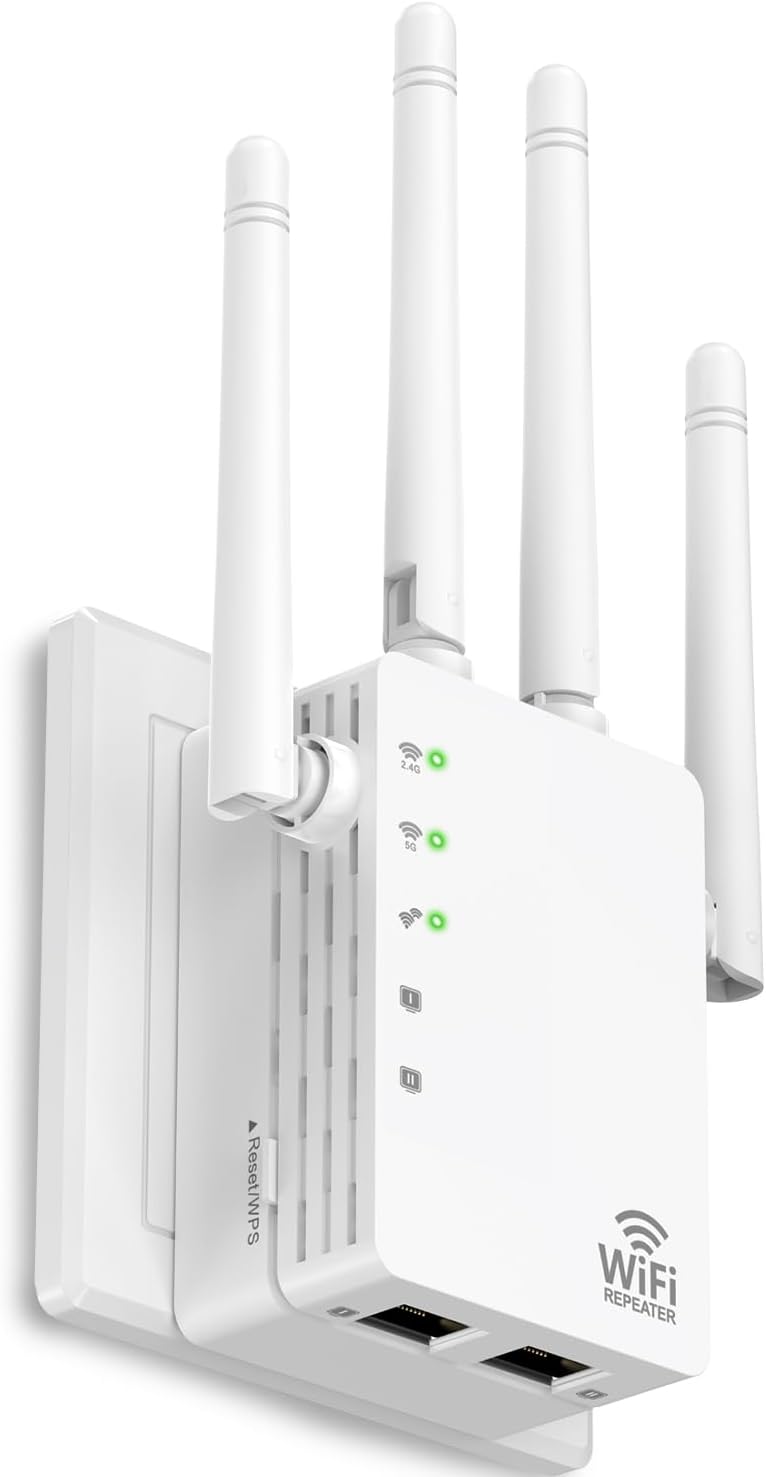
𝐌𝐚𝐱𝐢𝐦𝐢𝐳𝐞𝐝 𝐂𝐨𝐯𝐞𝐫𝐚𝐠𝐞 𝐮𝐩 𝐭𝐨 𝟐𝟏𝟎𝟎 𝐒𝐪. 𝐅𝐭 – Two high-gain directional antennas with Beamforming technology enhance signal strength, reliability, and range, providing whole-home Wi-Fi coverage and eliminating dead zones for up to 64 devices.
𝐎𝐮𝐫 𝐂𝐲𝐛𝐞𝐫𝐬𝐞𝐜𝐮𝐫𝐢𝐭𝐲 𝐂𝐨𝐦𝐦𝐢𝐭𝐦𝐞𝐧𝐭 – TP-Link is a signatory of the U.S. Cybersecurity and Infrastructure Security Agency’s (CISA) Secure-by-Design pledge. This device is designed, built, and maintained, with advanced security as a core requirement.
𝐄𝐚𝐬𝐲𝐌𝐞𝐬𝐡-𝐂𝐨𝐦𝐩𝐚𝐭𝐢𝐛𝐥𝐞 – Easily expand your network for seamless, whole-home mesh connectivity by connecting the RE615X to any EasyMesh-compatible router.
𝐍𝐨𝐭 𝐓𝐨 𝐢𝐧𝐜𝐫𝐞𝐚𝐬𝐞 𝐒𝐩𝐞𝐞𝐝 – Please note that all Wireless Extenders are designed to increase or improve WiFi coverage and not to directly increase speed. In some cases improving signal reliability can affect overall throughput.
𝐖𝐢𝐅𝐢 𝐄𝐱𝐭𝐞𝐧𝐝𝐞𝐫 𝐰𝐢𝐭𝐡 𝐆𝐢𝐠𝐚𝐛𝐢𝐭 𝐄𝐭𝐡𝐞𝐫𝐧𝐞𝐭 𝐏𝐨𝐫𝐭 – Experience wired speed and reliability anywhere in your home by connecting your favorite device to the gigabit ethernet port.
𝐒𝐦𝐚𝐫𝐭 𝐀𝐝𝐚𝐩𝐭𝐢𝐯𝐞 𝐑𝐨𝐚𝐦𝐢𝐧𝐠 – Seamlessly move throughout your home with automatic connections to the strongest signal, ensuring uninterrupted coverage and optimal performance.
𝐀𝐜𝐜𝐞𝐬𝐬 𝐏𝐨𝐢𝐧𝐭 (𝐀𝐏) 𝐌𝐨𝐝𝐞 – Easily turn any wired connection into a powerful Wi-Fi hotspot using the Gigabit ethernet port and AP mode.
𝐄𝐚𝐬𝐲 𝐒𝐞𝐭 𝐔𝐩 𝐢𝐧 𝐌𝐢𝐧𝐮𝐭𝐞𝐬 – Easily set up and manage your WiFi in a few quick and easy steps using the TP-Link Tether app (Android, iOS). Find the optimal location for the best WiFi connection with intelligent signal indicator.
𝐔𝐧𝐢𝐯𝐞𝐫𝐬𝐚𝐥 𝐂𝐨𝐦𝐩𝐚𝐭𝐢𝐛𝐢𝐥𝐢𝐭𝐲 – The AX1800 range extender is compatible with almost all WiFi-enabled devices and routers or access points. It even supports new AX phones, laptops and other devices.
Customers say
Customers find the WiFi extender works well with TP-Link routers, providing strong signal coverage throughout their property. The device is easy to set up, with one customer noting the app’s intuitive interface, and customers consider it well worth the money. While some customers report doubling their Comcast speeds, others experience slower performance. The coverage and quality receive mixed feedback, with some praising the coverage while others report poor performance, and similarly, while some consider it an excellent extender, others find it terrible.
12 reviews for TP-Link RE615X AX1800 WiFi 6 Range Extender w/Ethernet Port | 1.8G Dual-Band Wireless Repeater Amplifier | Up to 2100 Sq. Ft., 64 Devices | Internet Signal Booster | APP Setup | EasyMesh Compatible
Add a review
Related Products



Original price was: $69.99.$59.99Current price is: $59.99.

J. Campbell –
So good I bought another one!
I live in an old house built in the forties that has a lot of lathe and plaster walls making dead spots prevalent all over the house. When youâre near the modem/router we get crazy good speed but as soon as you go down a hallway you start to drop off precipitously. I bought one of these range extenders as a shot in the dark to extend our wifi coverage to the backyard for these nice Ohio summer days on the iPad watching our Guardians play. The range extender worked so well I bought another one to further our household coverage!The range extender is slightly on the larger side as compared to an older extender I bought years ago that really didnât work. This one also has two antennae that stick out and swivel up and down. I guess this is a nice feature to have but I wish there was a way to tell how your signal strength was being affected by a slight movement up or down of the antennae. Otherwise I just leave one pointed straight up and the other slightly angled at about 45º in the hopes this works best.Normally Iâm opposed to downloading yet another app with the newest piece of hardware I buy but I did download Tether, the associated app with this device. To my surprise the app is extremely intuitive and well laid out and very user friendly. The app makes setting up the device extremely easy. Of note, when I did purchase the second extender it was just as easy to add the second one to the app. The app is a big reason I purchased another of the same extender rather than try another brand. Super easy to use and keeps things nice and tidy on the phone.The hardware/software combination has a ton of settings that Iâm sure more advanced users will revel in but I was able to set up the extenders in almost no time flat and I was up and running. My main modem/router has the capability to enable OneMesh software as does these extenders but I chose not to enable this feature. A big problem I have with the OneMesh feature is that all the smart devices in the house (of which we have about 40) all seem to float on different connection points and if the phone isnât on the same connection point the devices often donât work correctly. Iâve had no issues with connection, speed, or signal strength since purchasing these two range extenders for the house.I am truly pleased with this TP-Link range extender product and couldnât be happier with the results. I can now freely go about the house and keep a solid connection and I can sit about 100â from the house and stream content on my iPad in the backyard now. Couldnât recommend more highly. I do hope this review was helpful for you in some way. Cheers!
Tim –
Works as advertised
Quick and simple wireless installation using the tplink tether app. It truly boosts the signal (both 2.4 and 5) in the area where you plug it in. You can unplug and move it and don’t need to set up over again. Works flawlessly as advertised. I’m very happy with the product.
Kathy V. –
Works as advertised, easy setup
Perfect. Works well. Letâs multiple users access WiFi and extends my service to rest of house. Was annoying before – now I have WiFi service on opposite side of house from modem/router. Very pleased with this.
Brooke –
Great item
Works well and easy to set up. We even had to switch out our modem and router and setting it up a 2nd time was a breeze.Extends wifi to remainder of house and part of yard.Does seem to disconnect off and on a couple times throughout the day but nothing major.Huge lifesaver due to working from home
TopGear –
Must be configured wirelessly without Ethernet cable plugged in!
In my situation, which canât be the only one, I wanted to extend my signal to another room in my shop. The shop is roughly 80×100 with steel walls deciding the sections.The problem is my main WiFi router wouldnât get any signal going through the walls to the other room. Even though they were 20ft and 50ft away respectively.So I bought this to hardwire an Ethernet cable from my router to this extender to use the same network signal and essentially have a another WiFi emitting device in another room on the other side of a steel wall to get signal.The problem that you must be aware of is there is absolutely no way to set this up in access point mode UNTIL you have wirelessly connected to your network. I figured I could go into the initial setup and change modes immediately before going through the entire setup process, a process that ONLY works if your extender can connect to your wireless router, connect to it, finalize its settings, reboot to save them, then go back into your setup and finally be able to change modes to âaccess pointâ mode.So first point of contention, the device will NOT finish setup (errors and times out) if you have an active ethernet cable attached to it. In my case, that was the signal from one of the lan ports of my router plugging into this extender (remember, no signal through steel walls).So easy enough fix. Simple set the device up next to your existing router, then after finalizing setup, rebooting, changing to AP mode, moving router to its new location, and plugging in Ethernet cable, it works fine.My advice would be to have your team update the drivers / setup to immediately ask, as in the 1st step, the mode someone will be using this device. That would save tons of time and headache as Iâm sure many people would use this device hardwired from a long lan port run off their router like I am.After that, seems to work fine and exactly what I was looking for.Just be aware the install instructions donât exactly give you this info. And above all, if you plan on using the Ethernet port on the extender, DO NOT plug anything into it until AFTER your setup has completed and finalized. I had to do 2 hard resets of the device before I figured out that was what was stopping me from the initial setup as well.Just an FYIâ¦.
Dave –
Extended my WiFi – working great with TP-LINK
Great companion for the TP-LINK ROUTER. Easy to setup, work with TP-LINK software and android app.
Kindle Customer –
GREAT PERFORMANCE, SETUP AND SUPPORT
Bought this to replace a 6 year old Extender (not a TP Link) that was starting to fail. Had 3 extenders around the house, one being a 5-year-old TP Link that has performed flawlessly, The new RE6115X was a big improvement over all of them in terms of range no matter where I needed a signal, and ease of setting up. I needed some tech support to rename the 2.4 & 5G names that were defaulted by the two TP Links, and the wait time was less than 2 minutes and superb. The support rep made sure she knew what I needed to accomplish, and she led me through the process effortlessly. I will only use TP Link going forward.
Musabbeh Alshamsi –
بدÙ٠تÙØ·Ùع ا٠ÙÙد ÙÙاتصا٠ÙÙستØ٠اÙشراء
MiguiOceano –
ð DESCRIPCIÃNExtensor de red Wifi en modo repetidor y en modo AP (Punto de acceso)En Amazon hay otro modelo de Tp Link más económico: https://amzn.to/3DD77aI𧾠ESPECIFICACIONES- Medidas: 163 x 76.4 x 66.5 mm- Peso: 99.8 gramos- Color: Blanco- Bandas: 2.4 Ghz y 5 Ghz- Estándar de comunicación: IEEE802.11ac, IEEE 802.11n, IEEE 802.11g, IEEE 802.11b- Velocidad Transferencia Datos: 300 Mb/sg- Puerto Ethernet: 1 puerto ethernet 10/100/1000 mbps (rj45)- Consumo potencia: 10 w- 3 antenas externas- WPS- Botón de reinicio y encendidoð¦ CONTENIDO- Repetidor LAN- Manual de usuarioð² APP⢠TP-Link Tetherð¶ PRECIO⢠4 de Octubre de 2020: 64,99â¬ð¢ PROS* Buena cobertura* Aumenta su red inalámbrica* Fácil Configuración* Ubicación libre, sólo necesitas un enchufe* Wifi dual MIMO 3 à 3* Puerto Ethernet gigabyte* Indicador luminoso inteligente de señal para ayudar a encontrar la mejor ubicación* Botón WPS* App con buena gestión de tu red* Puerto Ethernet configurable como entrada/salidað´ CONTRAS* Pierdes un enchufe de corriente* No viene con cable de red* No es compatible con Alexa* No compatible para red Mesh de la serie Decoð CONFIGURACIÃNPara la configuración puedes hacerlo de dos modos:1 – Mediante el botón WPS. Para ello debes presionar el botón WPS en el router y antes de 2 minutos, pulsar el botón que viene en el repetidor. Comenzará a papadear en modo RE y en cuando se reconozca la conexión, ya quedará configurado.2 – Mediante la App Tether. En esta ocasión, debes de conectarte a la red wifi del repetidor, que viene con contraseña. Una vez conectado, entras en la App y ya te permite configurarlo, seleccionando la red wifi que desees y a la que deberás introducir su contraseña. En un par de segundos, ya quedará configurado.ð FUNCIONAMIENTOEste repetidor de TP-Link, puede funcionar en modo repetidor o en modo AP (punto de acceso)- REPETIDOR: El modo más usado, ya que te permite conectar tu dispositivo a la red wifi que desees y extender esa red wifi a zonas en donde no alcanza la red principal. Para ello, es recomendable situar el dispositivo en una zona alejada del router principal, pero con una señal de cobertura óptima.- MODO AP: En este modo, puedes crear una red wifi, pero en lugar de conectarse a la red principal por wifi, te conectas mediante LAN (cable de red) a través del puerto Ethernet que tiene el repetidor.Para ello debes tener una clavija de conexión que esté un poco lejos del router principal, ya que si lo conectas al lado, no te dará más distancia de la que te de el router general.ð¶ PUERTO ETHERNETLa clavija RJ 45 que tiene este repetidor puede funcionar de dos modos: como entrada y como salida.⢠ENTRADA : como ya comenté antes, funciona como entrada, cuando tengas el dispositivo configurado en modo AP, para ello necesita recibir la conexión a internet a través del puerto Ethernet.⢠SALIDA : Si configuras el dispositivo como repetidor, cogerá la conexión de internet a través de la comunicación wifi, en este caso, permitirá tener el puerto de Ethernet, configurado como salida, para que puedas dar servicio de internet a consolas, televisores, pc, portátil…8ï¸â£ VALORACIÃNAdquirà este dispositivo para enviar la señal de vÃdeo de un transmisor HDMI de una habitación a otra, hacia otro repetidor de este modelo.Antes de probar estos dispositivos, habÃa probado con otros de gama más baja y la señal tenÃa cortes y no era nada fluida. Con este modelo, puedo tener una calidad de imagen como si tuviese la salida directa de mi decodificador de satélite.Hay que comentar que la velocidad que nos indica, es la suma de las dos bandas: 600 Mbps a 2,4 GHz y 1300 Mbps a 5 GHz, pero no quiere decir que conseguirás una velocidad de 1900Mbps en tus dispositivos móviles. Esta velocidad que indica, es la velocidad que de comunicación entre dispositivos.Con el router principal de casa tengo una velocidad de unos 600mbps y si conecto este modelo a la red wifi en modo repetidor, me anda en una velocidad de 150mbps. Esta prueba la hice estando el repetidor al lado del router principal, por lo que no conseguÃa una velocidad alta. Decepción.Hice otra prueba, poniendo el repetidor alejado del router principal y la recepción de señal era bastante buena y tenÃa una velocidad de más de 100mbps a más de 11 metros de distancia, sin elementos que interfirieran en la señal. Muy bien.Es un dispositivo con bonito diseño, compacto aunque con un tamaño mayor que otros modelos. Tiene una fácil configuración mediante de su App TetherSi dispones de un router con emparejamiento WPS, no necesitas tener la app instalada. En el emparejamiento WPS, te creará una nueva conexión wifi con el mismo nombre que la que está clonando, pero con la terminación “_EXT” al final de la misma. La contraseña será la misma que la wifi principal. Para cambiar el nombre de la wifi o la contraseña, necesitarÃas hacerlo desde la App.La App es bastante completa y tiene la opción de realizar diferentes configuraciones:* Configuración rápida de internet* Cambiar propiedades de la red extendida* Asistente de localización, para determinar la mejor ubicación del mismo* Opción de compartir wifi de modo rápido* Control del led indicador de funcionamiento, horas de funcionamiento, deshabilitar..* Ajustes de la configuración LAN* Ajustes de configuración del servidor DHCP* Cambiar potencia de la señal wifi. Nivel de potencia bajo, medio, alto.* Programación de apagado del repetidor.Este router viene con un puerto ethernet de 1000mbps, cosa que los modelos más económicos sólo traen hasta 100mbps y con un wifi dual de 2.4 y 5Ghz con tecnologÃa Mimo, que en teorÃa nos permite una mayor cobertura y hace que pueda conectarse de forma simultánea con múltiples dispositivos de una manera más eficiente y con menos pérdidas.â CONCLUSIÃNUn repetidor con buenas prestaciones y una relación calidad/precio en la media del mercado.Cumple perfectamente con su función y en mi caso estoy satisfecho con su rendimiento..Es un repetidor fácil de configurar, ideal para todo el usuario medio sin grandes conocimientos de informática que sólo quiere aumentar la zona de cobertura wifi de su vivienda.ð RECOMENDABLE.â³ï¸ Espero que mi comentario âï¸ te haya podido servir de ayuda ð
lopezje1 –
Excelente producto fácil de configurar al momento funciona de maravilla
Rain –
Huge difference to my (very old) Netgear extender and pretty much plug and play. It is connected to a Starlink first generation router, is fully dual band and it works like a dream.
Naftalin –
Bu cihaz ile ana giriÅ modeminden kablosuz olarak aldıÄım internet baÄlantısını kablolu olarak TV ünitesine aktardım, sonuç mükemmel, hiç takılmadan net üzerinden youtube videolarını, çeÅitli platformlardan filmleri seyredebiliyorum.Ayrıca kablosuz olarak ta baÄlantı kurabiliyoruz.