

JLab Epic Wireless Mouse, Connect Via Bluetooth or USB Wireless Dongle, Multi-Device Toggle, Up to 3 Devices, OLED Display, Custom User Profiles, Adjustable Tracking, Full-Size, (12 Pack)
$630.12
Price: $15.99 - $630.12
(as of Sep 17, 2025 16:52:20 UTC – Details)
Product description
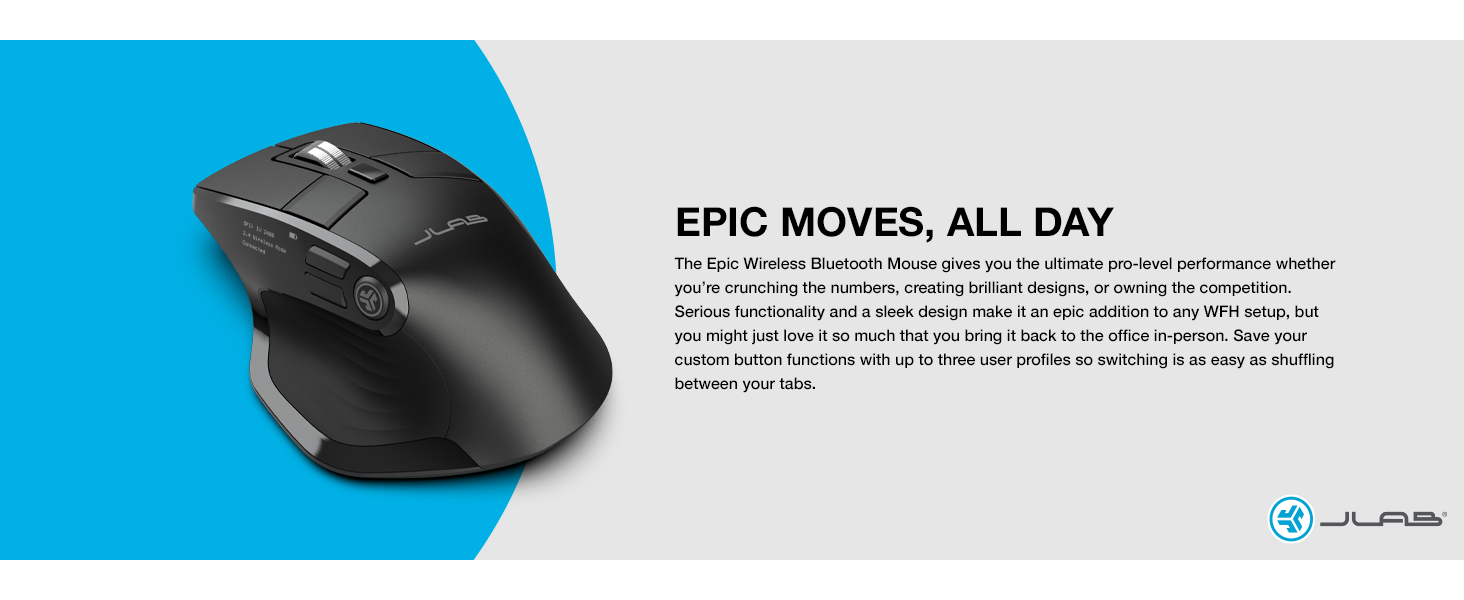
Wirelessly connect up to 3 devices Flexible Connections
The Epic Wireless Mouse is compatible with three—count ‘em, three!—device connection options. You can pair with nearly any type of device using Bluetooth 5.2, or USB. We hate pairing confusion too, so we made it super easy for you to switch between saved devices.
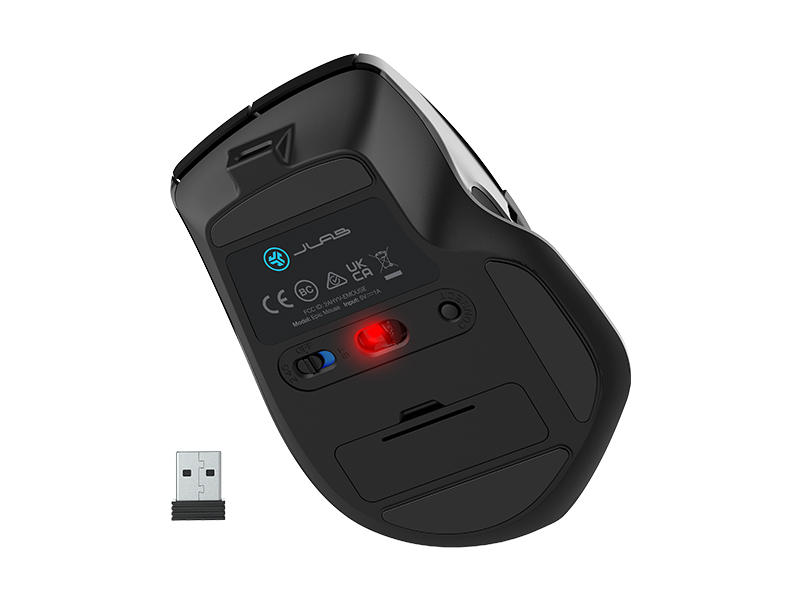 Customize your shortcuts with the JLab Work App Custom User Profiles
Through our JLab Work App, you can program specific buttons to fit how you like to use your favorite applications. And why choose? Paste your most used Excel formulas or paste the same text with a simple click of a button. With up to three unique profiles, you can easily switch between them depending on what you’re doing. Check out some example set-ups.
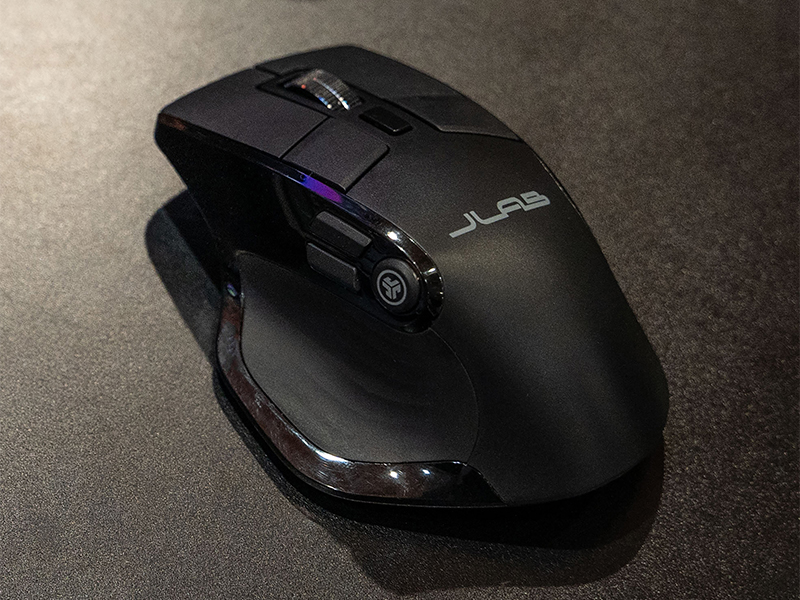 Ergonomic & Sleek Design Comfort in Hand
When you think about it, a computer mouse is kind of personal. After all, you might be holding it in your hand for almost eight hours a day. We thought about all the ways you need to use it and made sure to design for maximum comfort and functionality. You might say ergonomic, we just call it designed for you.
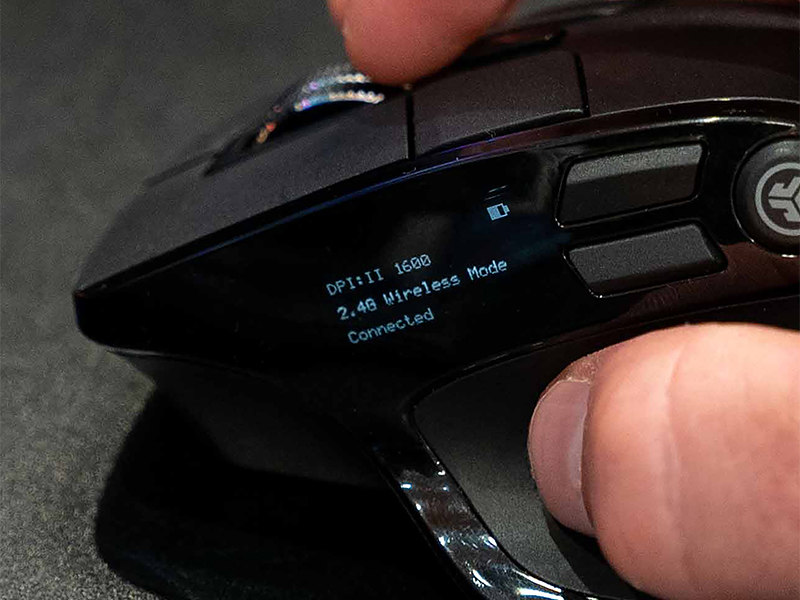
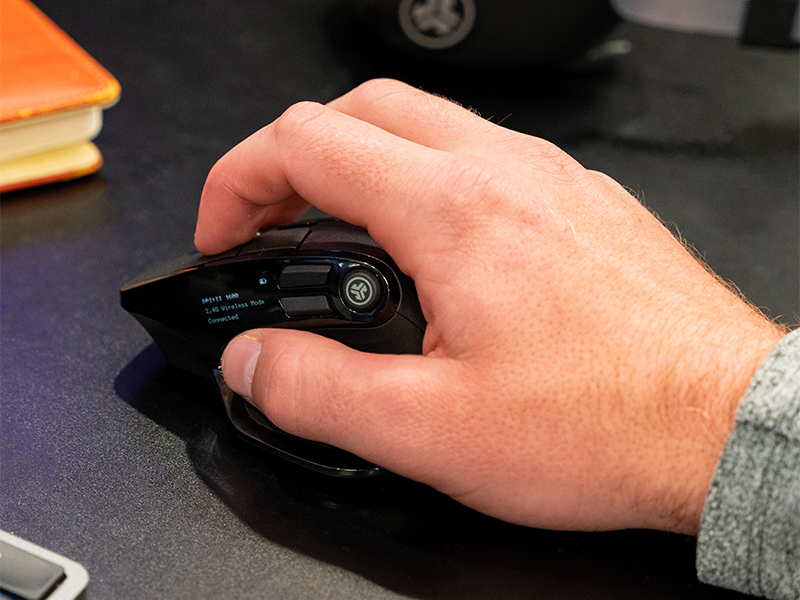 Settings at a glance OLED Display
Quick, real time access to battery life, DPI settings and device connection options. Ability to access hardware custom controls with no app required. You’re a wizard of efficiency and you’ve got the mouse to prove it.
DESIGNED FOR YOU 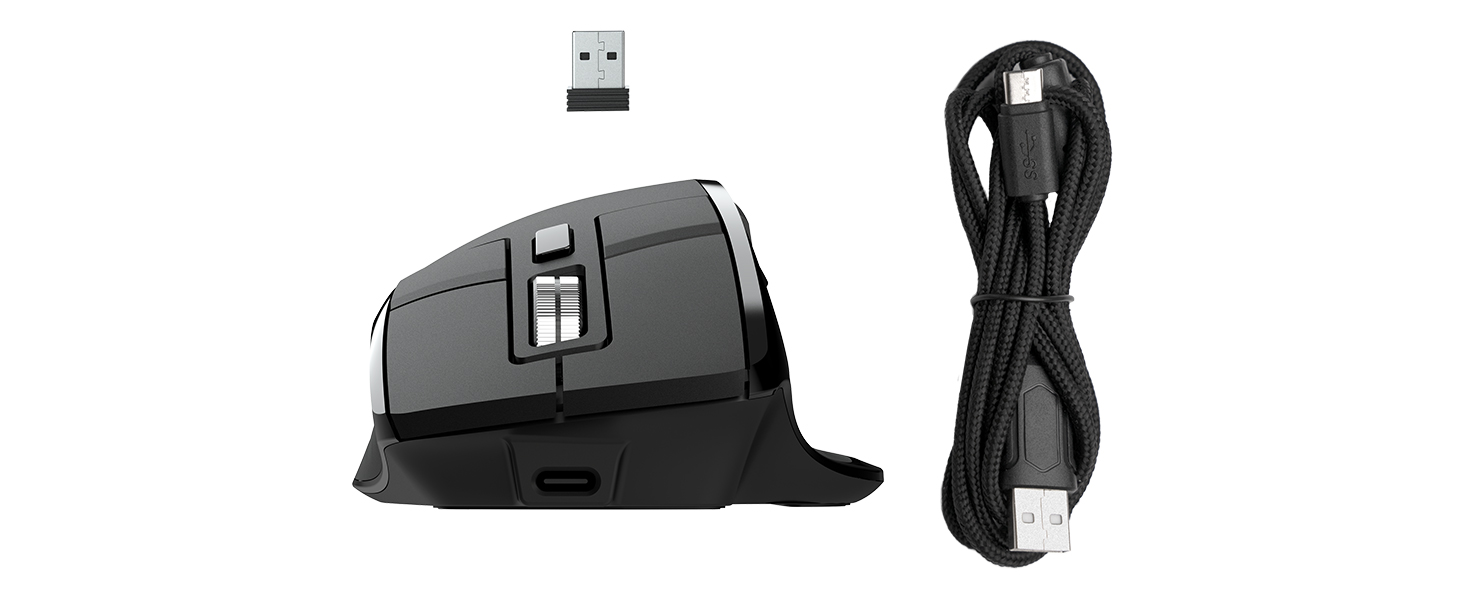
1
2
3
TECH SPECS
Battery Rechargeable 800 mAh Battery Life 6+ Months (battery life may vary based on user/computing conditions) Connection 1 USB Wireless Dongle (2.4 GHz) Connection 2 Bluetooth 5.2 Connection 3 Bluetooth 5.2 Number of Saved Devices Up to 3 Wireless range 30 feet Buttons Left Button 1 : Left click | Left Button 2: Left click | Right Button: Right click | Right Button 2: Right click | Scroll Wheel Middle Button: DPI Adjustment | Side Button 1: Forward | Side Button 2: Backward | JCon Button: Desktop DPI 1200 – 2400 Sensor Type Optical Frame Rate 4000 frames/sec Button Acting Force 60 ± 15 g Wheel Acting Force 30 ± 10 g
COMPARE JLAB MICE
Customer Reviews
3.9 out of 5 stars 256
4.4 out of 5 stars 354
4.4 out of 5 stars 973
4.4 out of 5 stars 973
Colors
1
1
1
2
Battery Life
6+ Months
4+ Months
4+ Months
6+ Months
Buttons
7
6
6
4
DPI Range
1200-2400
1200-2400
800-1600
800-1600
# of saved devices
3
3
3
3
Sensor Type
Optical
Optical
Optical
Optical
Works with the JLab Work App
✔
✔
✘
✘
Customers say
Customers find the mouse comfortable and silky smooth, with multiple programmable buttons and good build quality. The battery life is positive, and one customer notes it never needs charging. The connectivity and lag aspects receive mixed feedback – while some report no lag, others mention connectivity issues and problems with the scroll wheel. The mouse movement receives negative feedback, with one customer describing it as jumpy.
10 reviews for JLab Epic Wireless Mouse, Connect Via Bluetooth or USB Wireless Dongle, Multi-Device Toggle, Up to 3 Devices, OLED Display, Custom User Profiles, Adjustable Tracking, Full-Size, (12 Pack)
Add a review
Related Products


![Redragon M602 Gaming Mouse, Ergonomic RGB Gaming Mouse Wired with 7200 Adjustable DPI, 9 Programmable Buttons, Professional Software for Gamer Office [Black]](https://m.media-amazon.com/images/I/614timipKAL._AC_SL1500_.jpg)


$630.12

Jedi Sentinel –
Great mouse, for WORK
i freaking love this mouse, so this will be a detailed as hell review broken out into sections lol. been using it for a few weeks now, and its my new fav mouse for general use!*Note from after original post* I’m currently having issues with this mouse, my other jlabs products still work fine but my epic mouse doesn’t reassign key binds anymore. Likely specific to my mouse based on my other jlabs stuff.ill start with my usecase for this mouse: i purchased this to see if it would work for gaming. i am a gamer, and most of my computer work that isnt gaming related is very basic and short term stuff. im not spending hours on word or excel, not editing documents from my cubicle, i play video games. means anything i say here in refrence to “work” is extrapolation based on what ive seen in terms of computer based work.and ill list the one major issue i have with this mouse first, as its easily solvable. this mouse is made with a completly smooth plastic shell that is INCREDIBLY slippery. makes it hard to grip. however, if you have any form of grip tape, silicone sealent (what i use personally) or any other type of paintable rubber this issue is completly solved. i simply put a very thin layer of marine silicone sealent on it via a small paint brush while avoiding the buttons and it totally fixed the issue! took about 5 mins to do, and about 1 day to dry.battery life: the only “con” is that the only indicator of battery life is an icon on the little display screen, theres no accurate % displayed in the jlab work app. and said icon is about 1/8″ long on the display IRL, so i hope you have good eyes! the good news? your almost never gonna need to charge this thing! ive been using the 250hz refresh mode to intentionally use more power to see if i can run into a battery life limit but after two weeks of using this as my main mouse (about 2 hours a day average, gaming days 10 ish hours) the battery indicator has gone down by A SINGLE PIXEL.the little display: suprisingly high resolution! considering it measures 1″ wide by ~3/8″ tall, the resolution is high enough to easily read all the information displayed on it. granted, if you have poor eyesight you will struggle as the information is SMALL, but still. if you have decent to good eyesight at close range the info is all very readable and the display is a nice touch. displaying the current DPI, wireless mode, connection status and battery life is useful.general button layout: for a mouse thats styled after a gaming mouse in my opinion, the button layout is mixed. the thumb buttons suck for gaming, as the vertically stacked buttons arent as easy to press in the heat of the moment. having three thumb buttons is nice however. and what is espicially useful is the two smaller buttons at the base of the primary and right click buttons. easy to trigger! also, buttons are QUIET, which is sooo nice for someone who gets annoyed by the “clicky” meta that is everywere with gaming hardware. mouse wheel is ribbed and very responsive without slippage, so that wont screw you over.general hardware/internals: i like the innerds of this mouse. its got a decent sensor, i havent noticed any major slippage or lack of tracking accuracy, i havent been able to glitch it out or mess it up, and in general i havent noticed anything that feels super cheap. nice for a mouse of this price.the software: the jlab work app is great for people doing computer based work. buuuut very much not so for gamers lol. it lacks macro support, and you only have presets for DPI instead of a slider. no display of the exact battery charge is a bit annoying but the battery lasts long enough for that to be a non issue. the fact the apps page isnt resizable means i cant dock it to the side of my screen on a second moniter is also a minor inconvience, but for someone using this for its intended purpose of WORK, that also wouldent be an issue. you wont be messing with keybinds alot lol.a super nice feature is the inclusion of several inherent windows functions, email functions, word processor functions (basic ones), and other features that i would LOVE if i had to use my computer for work.the ergonomics: this mouse is suprisingly comfterble. its a larger mouse, the thumb wing is a must have feature on all my mice, and the tilt of the mouse means its halfway between a true ergonomic vertical mouse (those i love) and a flat mouse that gives me hand/wrist pains. you dont need to stretch anything to hit any of the buttons, and overall its a very comfortable mouse to use for hours on end.wireless experiance: this mouse can connect either via 2 bluetooth profiles (so you can have it connected to two different computers at once in a way, having profile one linked to your main machine and profile 2 linked to a backup) or a dedicated wireless dongle. the dongle is a better experiance as you dont have to do the usual bluetooth pairing dance.all in all? this isnt a perfect mouse, but man it it close. if jlab adds macro support to their software that would be AMAZING, and if there was a way to get rid of the LED screen and rearrainge the vertical thumb buttons to be next to eachother for easier reaching, it would be a 10/10 gaming mouse. currently its just a 8 or 9 out of 10 though.for casual use? easy 10/10. highly reccomend, hence the overkill review lol!also a small feature that initially might go unnoticed is there is a slight divot where your pinky finger rests. its not enough to fully support your finger but it makes moving and gripping the mouse much easier.
E Pierre –
I loved it…for 8 months
I’m not a gamer. I use this mouse strictly for work.I concur with most of the reviews about the excellent design and construction of this mouse. I love all the features and was happy about the performance of this mouse for the first 8 months…Now the bad news.The mouse scroll wheel has become jumpy. In the middle of scrolling in one direction, it will suddenly go in the opposite direction for a few seconds and then continue scrolling in the intended direction. This issue has started to be more and more acute as I have continued to use the mouse. I have tried every remedy, short of opening up the mouse. I can no longer tolerate the inconsistent scroll performance!The second issue is not as terrible, but added to the previously mentioned scroll issue, is now the death knell for this mouse. I have opted to use this mouse connected via the USB dongle. Since I consider this to be a more robust dedicated connection to my laptop, I was hoping that it would never be an issue. Occasionally, maybe 2 to 3 times a day, the mouse stops responding. When this happens, I simply power cycle the mouse via its power switch and then can work for a few hours without it happening again. I initially suspected that it needed more charging, but charging it more often did not resolve the issue.My conclusion is that this mouse seems intended to perform well for 6 to 8 months before it goes bad. I don’t consider this acceptable. I hope that Jlab reads some of these comments and resolves these issues before creating the next version of this mouse. I really loved this mouse, until these issues started to surface!I have recently replaced this mouse with a very similarly designed Logitech MX Masters 3S. Although it does not have the snazzy LCD, it does have a very similar look and feel of the JLab mouse. I’ll wait to use the Logitech mouse for a few months before I render a verdict.RIP JLab mouse…
Phill1728 –
Best mouse I’ve ever used!
This is the winner for me. Best mouse I have purchased to this date. I’ve tried a lot and this one has beat em all. All buttons are silent. I love that. Battery life is incredible I haven’t had to charge it yet and have been using it for weeks. It’s accurate and easy to use and has so many connection options it crazy. Great value when on sale especially but even at its normal price this things rocks!
Danielle –
The worst mouse I have ever used
Three times. That’s how many times I have bought this mouse and if it wasn’t for the fact that I’m past the return window, I would have 3 returns to match it.The most glaring issue with this mouse is just the fact that it doesn’t work. It has wonderful features, customization, affordable, very quiet, feels very nice in hand…. but the damn thing just cannot function.The problem is the laser inside of the mouse. Constantly, I have to keep hitting the mouse so that the laser in it will just stay on. It is so jittery and doesn’t register mouse movement.It is a shame, because I have the regular jlab mouse and it works great. If they could just fix the laser inside, I believe this mouse would be able to compete with the logitech mx keys mouse.I can no longer use my 3rd replacement and I only bought it a month ago. I will beswitching over to logitech.
PJM –
Mighty mouse is EPIC
This mouse is sleek. It matches the epic keyboard with the black shiny/black matte and silver accents. It feels very comfortable in the hands and has extra buttons for better functionality. It feels very durable and high quality and feels good in the hands. The movement is very smooth. The side panel display is.a plus and innovative. Joan is brilliant.
Arash Zamani –
This is my second one! I used to get wrist and finger pain with almost every mouse I tied, this one solved everything…
Jules23_UK –
First I don’t often leave product reviews but felt compelled on this item which says a lot.Second thing to understand is I am technologically FUSSY.All that said all I can say about this product is WOW. For the price point it is unbelievable as a mouse, super slick, super smooth and based on the overall look, feel and programmable functions of the mouse you wouldn’t think it was £60 cheaper than a similar shape and function Logitech mouse.The one mandatory function I was after was a key that can be programmed to show all desktops, which you wouldn’t think was hard and was possible on my now dead Logitech mouse, however it seems that unless you are looking for a wired gaming mouse or an over priced branded mouse isn’t a simple thing.Well this mouse delivers and no complaints from me which again………….says a lot!!!
Dolores –
Funciona bien los botones puedes poner muchas funciones
alex bottari –
display molto piccolo le scritte se non hai ottima vista non le distingui, se lo lasci fermo qualche minuto quando lo riprendi per i primi secondi va a scatti, stenta a uscire dallo stand by, se siete abituati con mouse leggeri e scorrevoli serve qualche giorno per abituarvi. fatto bene, ricaricabile usb tipo c, batteria che sembra capace, materiali discreti, quasi perfetto.
Mr. Graham J. Calcott –
Left & right buttons very dull, no positive, instant action. Much slower and very vague compared to my Jlabs Bud mouse.Using on usb but very slow to respond, again nothing like the Bud mouse. Bought to ‘upgrade’ my Buds mouse, but it has gone in the drawer as spare. Not a very good mouse for me.