
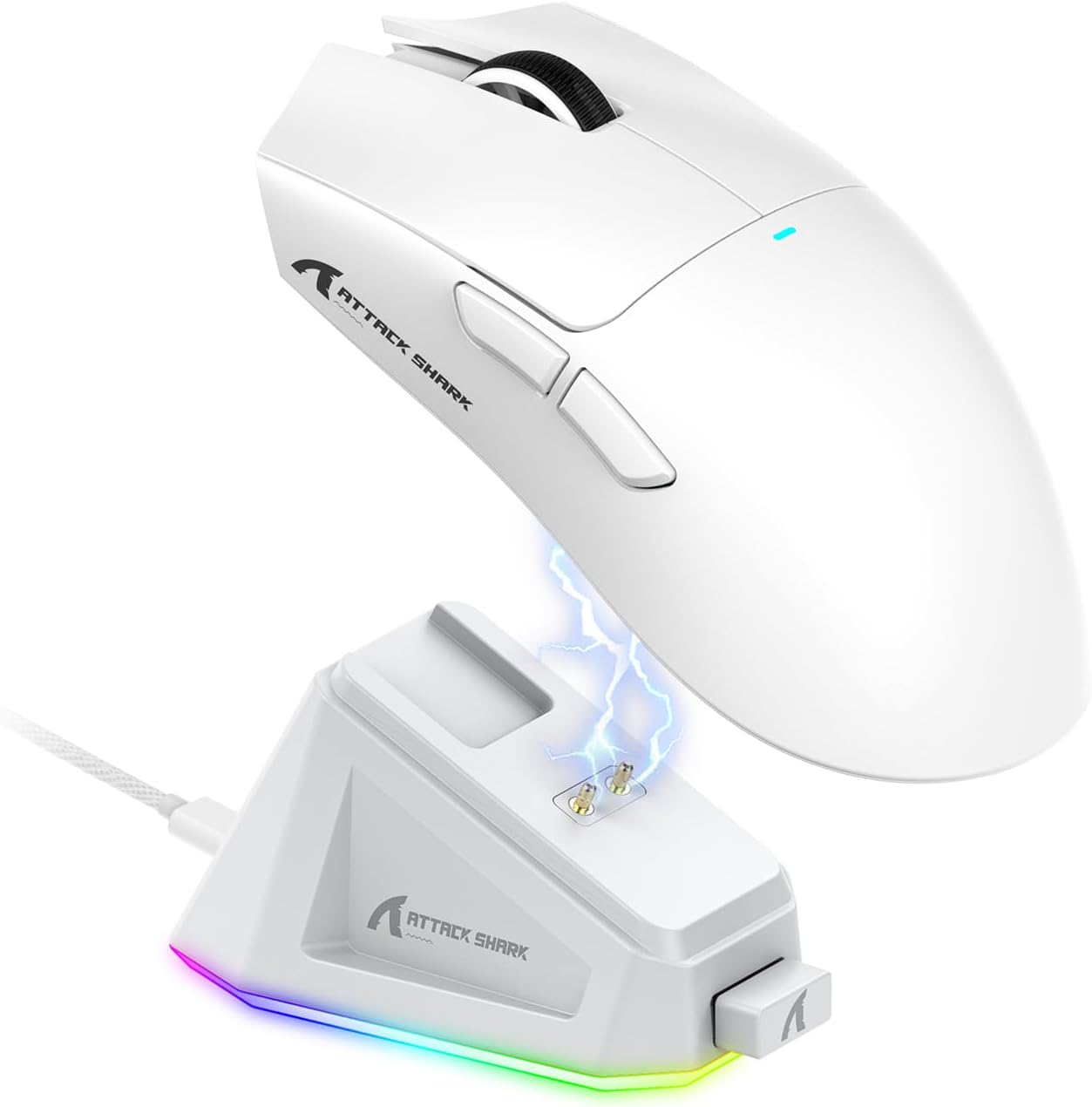
ATTACK SHARK X11 Ultra-Light Triple Mode Gaming Mouse PAW3311 Optical Sensor 22K DPI 5 programmable Buttons with Magnetic Charging Stand for PC/Mac White
Original price was: $37.99.$32.29Current price is: $32.29.




Price: $37.99 - $32.29
(as of Sep 25, 2025 17:16:19 UTC – Details)
Product description
The video showcases the product in use.The video guides you through product setup.The video compares multiple products.The video shows the product being unpacked. X11 MOUSE Merchant Video


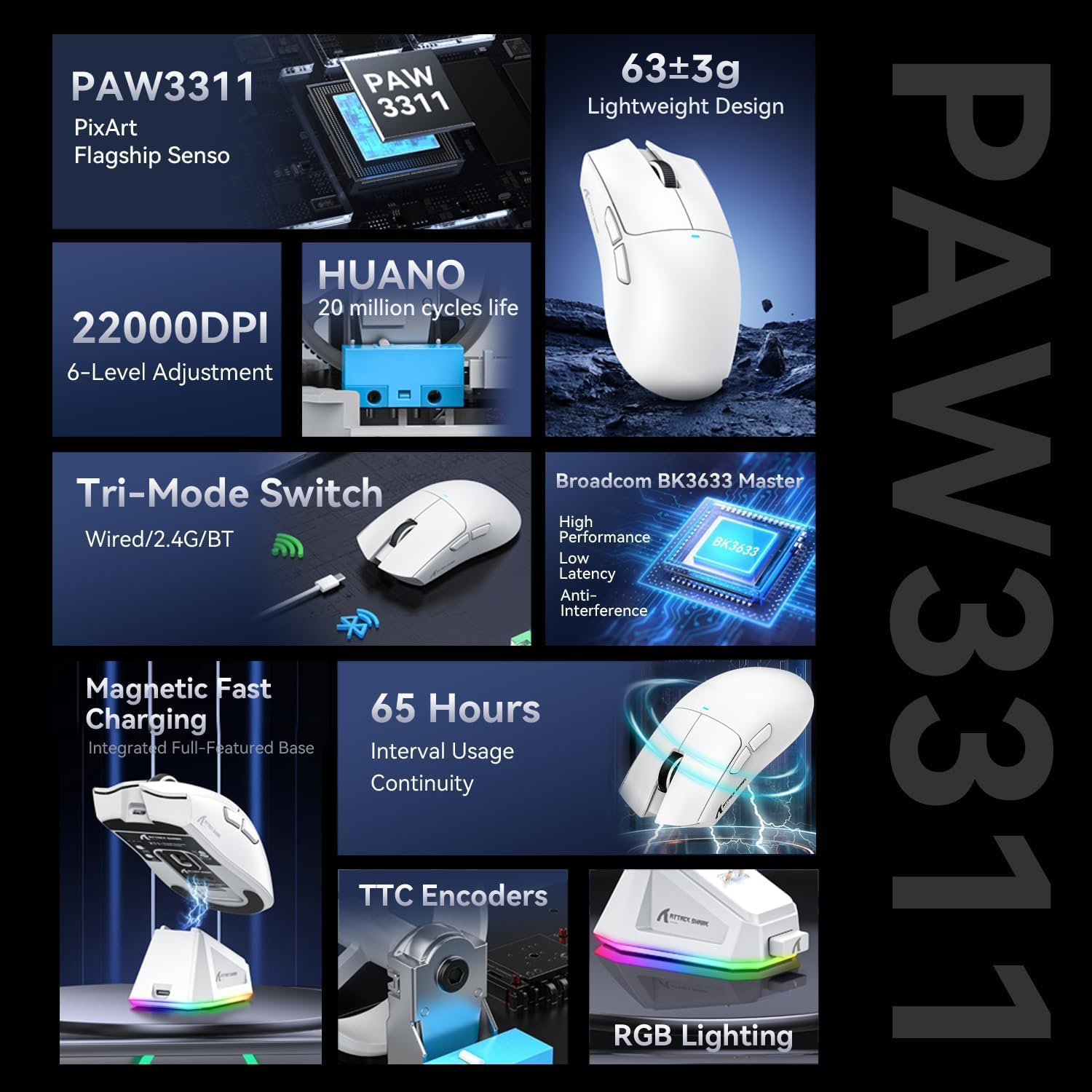
Product Model ATTACK SHARK X11 Sensor Model PixArt PAW 3311 Switches Model Huanyu 20 Million Times Connection Method 2.4Ghz Wireless/Bluetooth/USB-C Wired Polling Rate 125/250/500/1000 Hz DPI 800/1600/2400/3200/5000/22000 Acceleration 35G ACC Wireless Transmission Distance 10 meters Button 5 Programmable Buttons Frame Rate 300IPS System Support Window7/8/10/11/Mac Os Supported devices Wind Mouse Size 128*64*40.5 mm What’s in the package X11 Mouse *1,Charing Base*1,2.4G Receiver *1, USB-C Cable *1, Manual *1
【Magnetic Charging Dock】– Effortless Power, Always Ready Say goodbye to cables! The X11 wireless gaming mouse features a sleek magnetic charging dock for instant charging—just place the mouse on the dock, and it’s powered up for your next gaming session or workday. The dock includes a touch-sensitive RGB lighting control, letting you customize your setup with a simple tap.
【Flagship PixArt 3311 Sensor】– Precision Gaming & Work Dominate the competition with the PixArt 3311 gaming sensor, delivering 22,000 DPI for pixel-perfect accuracy. With 6 adjustable DPI levels, switch seamlessly between high-speed gaming and detailed design work. Whether you’re a pro gamer, streamer, or creative professional, the X11 keeps up with your demands.
【Triple Mode Connectivity】– Wired, 2.4GHz Wireless & Bluetooth Built for versatility, the X11 triple-mode mouse features the advanced BK3633 chip, supporting USB-C wired, 2.4GHz ultra-low latency wireless, and Bluetooth 5.0 connections. Easily switch between devices—perfect for gaming, office work, and multi-device setups.
【Ultra-Light 63g Design】– Faster Moves, Less Fatigue Experience unmatched agility with the X11 ultra-lightweight gaming mouse. Thanks to liquid nitrogen cooling injection molding, it weighs just 63g—reducing drag for faster flicks, smoother tracking, and less wrist strain during long sessions.
【20M-Click Huano Switches】– Durable & Crisp Clicks Engineered for endurance, the X11 gaming mouse features Huano micro switches rated for 20 million clicks—no double-click issues, just tactile, responsive feedback. After rigorous tuning by Huano’s R&D team, the switches offer a softer, faster actuation, ideal for FPS, MOBA, and MMO gamers.
8 reviews for ATTACK SHARK X11 Ultra-Light Triple Mode Gaming Mouse PAW3311 Optical Sensor 22K DPI 5 programmable Buttons with Magnetic Charging Stand for PC/Mac White
Add a review
Related Products


Original price was: $37.99.$32.29Current price is: $32.29.

Gabriel Flecha Miller –
Great quality
The quality is amazing and the battery life is great. Ive had it for a few weeks and have had no issues at all. The only thing you have to do is add the stickers yourself lol but other than that it is great for the price and comfortable to use
Ubaldo –
Genial
Muy buen producto
ðªðð«ð ð¢ðð° –
Easy to keep charged and works great
I already have a rechargeable wireless mouse but I kept forgetting to charge it when I was done for the day so when I sat down at the desk every few days I’d find myself plugging it in. So I decided to get a mouse with a base station for charging to see if it’s going to help me help myself.So out of the box the size of this mouse is a little larger than I’m accustomed to for my hand I find its causing me to “palm” it more than “claw” which is how I normally game mice. The cable is braided and shielded so it looks great and while it’s not going to be moving around anywhere it won’t risk rubbing and abraiding anything if it happens.This mouse was designed with attention to detail. The base gets power via the usb c side cable and has a USB-A port on the front, the port is there to hold the dongle WHICH is held in the base of the mouse behind a door. This allows you to have the sensor as close as possible to your mouse OR if you want to just use the sensor and mouse you can and recharge via the USB-C port thats on the mouse as well!So the base station works it’s got two pins (I think they’re called pogo pins) that are spring loaded, a magnet to hold it in place, and there’s a “socket” to fit the plastic around the sensor of the mouse. I personally like the buttons to set dpi and mode being on the underside of the mouse because I’ve NEVER changed my DPI settings on the fly in decades of gaming. The RGB is RGB its not my taste but you have options to play with it and the best part is you can turn it off. If you have it on though when you charge the mouse it will change color schemes which is neat.So I find seating the mouse to be problematic at times trying to line it up just right. I almost wish they had a more prominent registration from the mouse to the base so that it would be more intuitive to line it up. The mouse works great, I saw people saying the PAW3311 sensor is somehow inferior to the PAW3395 but now have a mice with each and I just can’t tell the difference? Like maybe there’s some crazy high DPI or refresh rate but I can’t tell for my average joe gaming experience.Bottom Line: It’s not perfect but it’s great as is, if the price is right you should consider getting this.
Jdiemond –
A Game-Changer for touch screen laptop users â Lightweight, Long-Lasting & Versatile
If youâve got an ASUS ROG Flow Z13, youâll know the pain of relying on the detachable keyboard. Once the magnetic pongs wear down, the keyboard becomes almost unusable â making tasks like logging in, browsing, or even basic typing an absolute chore.After trying multiple Bluetooth keyboard-and-mouse combos (most of which had awful battery life, poor responsiveness, or awkwardly tiny built-in trackpads), I was ready to give up. But this gaming mouse completely changed my experience â and it’s one I highly recommend.Letâs start with the basics: this is a tri-mode wireless mouse that works via Bluetooth, 2.4GHz wireless, or wired USB-C connection. That flexibility alone makes it ideal for both work and gaming setups. No more scrambling for batteries either â it offers 65 hours of usage on a full charge and features magnetic fast charging through a stylish RGB-lit base. If you’re in a rush, it also comes with a long USB-C charging cable that allows you to keep playing while topping up the battery.Performance-wise, this mouse punches well above its price tag. It boasts a PixArt PAW3311 flagship sensor (similar to what you’d find in premium brands like Logitech), and a whopping 22,000 DPI with 6 adjustable levels, making it suitable for a wide range of preferences â from light, casual use to high-precision gaming. Whether Iâm playing Otome games or diving into FPS titles like Call of Duty and Halo, it remains smooth, accurate, and responsive.Another bonus is the TTC encoder and HUANO switches, rated for 20 million clicks, offering a durable and tactile experience without being overly noisy. The lightweight design (just 63g ±3g) means it’s easy to manoeuvre, even over extended sessions.The RGB lighting adds a nice aesthetic touch â though I do wish the lights wrapped around the mouse instead of just underneath. Still, it complements my ASUS setup quite nicely and didnât drain my laptop battery at all.All in all, this mouse delivers exceptional value for its price â especially when compared to big-name brands. Itâs reliable, customisable, and extremely versatile. I no longer have to double-click like a maniac to access my inventory or deal with lag when precision is crucial. For anyone with a hybrid laptop like the ROG Flow Z13 or just looking for a solid gaming mouse, this oneâs a winner.
Helly –
This is an excellent alternative to the Viper V3 Pro, offering the exact same shape at just one-third of the price. It also includes a charging dock, which turns out to be more convenient than expected.
Nicolás Vázquez –
Está genial, la base de carga se ve muy bien, los materiales se sienten de bue a calidad, y el mouse es bien ligerito, lo recomiendo ðð»
Hyper –
Note: This is a review that covers both the Attack Shark X11SE as well as the standard X11 model (this mouse), as they’re nearly identical. I’ll give my recommendation at the end. As someone who’s been buying expensive mice ($200-$300) for over a decade…I had basically 0 hope for this mouse. But now, I’ve realized that I’ve been wasting my money this entire time. This mouse is identical in shape and size to my $230 Razer Viper Pro V3. So what’s the difference?- Admittedly, the plastic body/build quality isn’t quite as high as the Razer. But it’s no thinner or weaker than my other $200 mouse…the Logitech Superlight Pro X. The quality of the finish and texture is just a level two below. But then we’re talking about $40-$50 mice here.- The Razer V3 Pro supports up to 8K polling rate. This only does 1K. Attack Shark has 8K polling mice for a higher price as well. But here’s my general experience with 8K vs 1K: Yes you get 0.875ms lower input latency. But it drains battery so quickly that I had to recharge my Razer almost daily. And it got so annoying…that I stopped using it. Admittedly I did end up using 4K, with no measurable improvement to my accuracy/kdr…which is an entirely different story. But just wanted to share my experience on polling rate differences- Wireless reliability. I got 2 of these mice to test. The X11 and the X11SE. One of them I used with the transmitter dongle right at my desk. And another one I placed the transmitter on the other side of my room. Roughly 15-20 feet away. After several weeks, my experience was that the one with the transmitter right at my desk (in front of the mouse pad) resulted in 0 cut outs or issues. While the one at 15-20 feet did on occasion run into issues/interference, where my Superlight Pro X for example didn’t. So as long as you’re using the mouse at your desk, you’re going to be fine.- I can’t comment on the mice feet because I use 2 different mouse pads. Hard and soft. But as a general note, I didn’t notice any issues or difference between it and my Razer mouse.- Battery life seems to be quite good. I’d say at most 10% battery drain after a full day of use.- Weight: The Razer Viper V3 Pro comes in at 54.2g, the X11SE at 58.8g, and standard X11 at 63.6g- The middle mouse button on this mouse. I don’t like it. It requires more force to click and I find that can be annoying if you’re repeatedly using it since it pushes into your finger. I’d say it requires at least 50% more pressure than the Razer and Logitech models.- X11 model comes with an RGB charging dock which also holds the 2.4GHz dongle. This is not an option on the X11SE as it doesn’t have the required pins to make it work.Now, would I have trouble recommending these mouse? No. I’d personally get the standard X11 model for an extra $10~ over the X11SE because of the charging dock that comes with it. It’s only 5g heavier which isn’t a big deal, but the convenience of just placing your mouse on top of the dock to charge it instead of having to find and plug in cables is well worth it.Overall I was incredibly shocked at just how good these mice were compared to the significantly more expensive models from Razer and Logitech. And I like the mice so much that I recommended them to my sister for her new laptop. And while the Razer V3 Pro is a better mouse…this is a better mouse per dollar. The V3 pro costs 4x more. But isn’t even 2x better. Which is why this mouse gets a 5/5 for being amazing for its price.
TC –
I’ve had a chance to try a bunch of mice, and I have to say the Attack Shark X11 is a little on the large side and it’s not very grippy. If you have larger hands, you may like the size and shape of this mouse though. From a usability perspective, I don’t like the fact that the DPI button is under the mouse. If I want to change the DPI during a gaming session, you just can’t access it quickly. Otherwise, it’s responsive and quick. I don’t have a way to measure latency, but it feels just as good wired and wireless to me.From a weight perspective, it’s just fine. I have an Aula SC800 that is smaller and lighter but costs more. The Epomaker Click is similar in size, but has a sleeker profile. The Rapoo VT9 Pro is cheaper and a hair lighter. The advantage that the X11 has is the dock. It’s a nice way to keep the mouse out of the way when you’re not using it, to put it on display and to keep it charged. The downside is that the USB-C port is recessed and is shaped to accommodate the supplied USB-C cable. I wish it wasn’t so recessed so that I could use my own / other preferred cables.For those of you interested in the size, the mice in the pictures (top to bottom) are:- Aula SC800- Epomaker Click- Attack Shark X11The X11 is worth a try – there’s no showstoppers for me, but there are also a lot of options out there.