
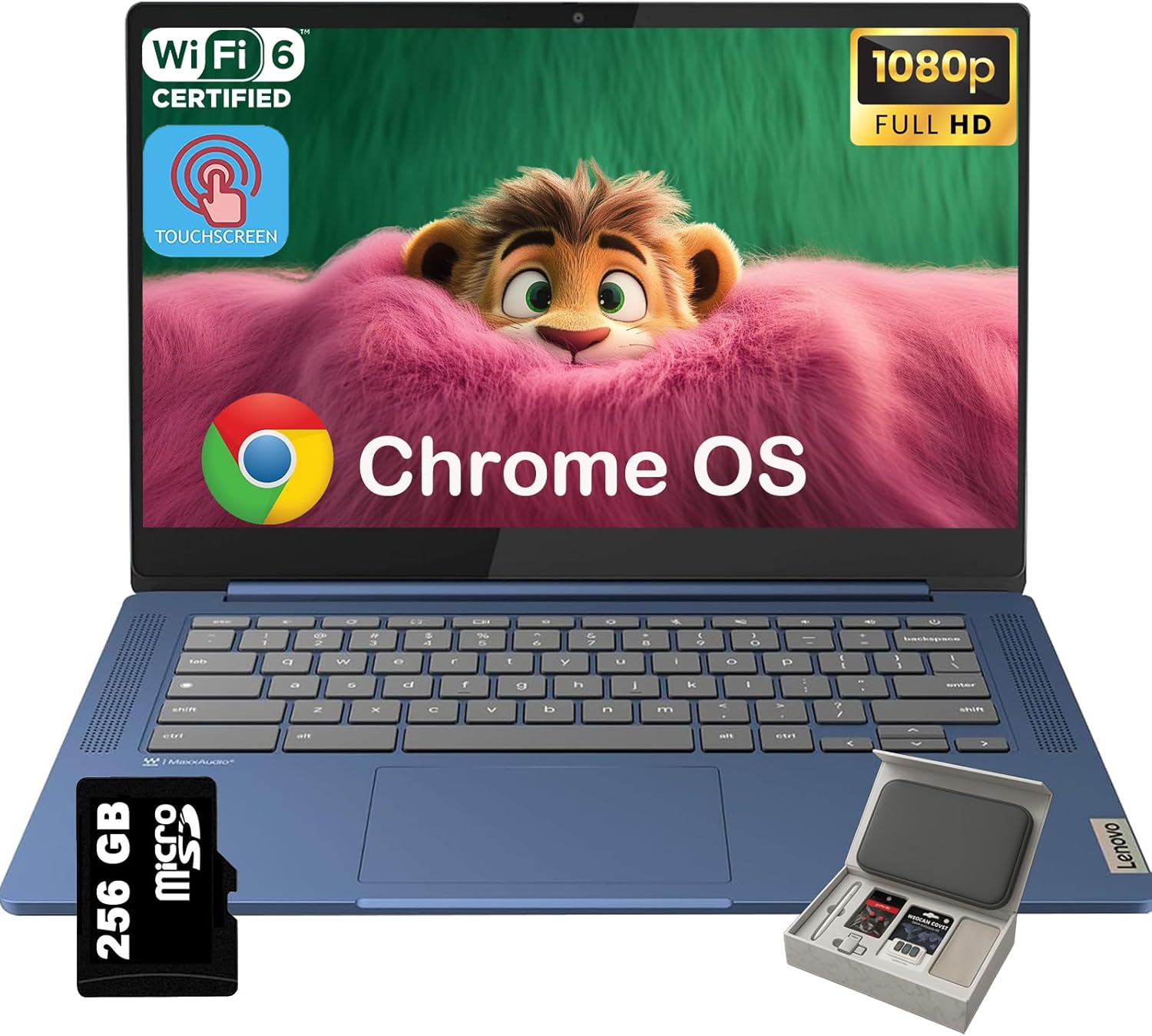
Lenovo IdeaPad Slim 3 Chromebook – 14” Touchscreen Full HD Display • 8-Core MediaTek Kompanio 520 CPU • 4GB RAM • 64GB eMMC & 256GB Micro SD Card • Wi-Fi 6 • for Business Student • Chrome OS • Blue
$1,499.99
Price: $1,499.99
(as of Sep 28, 2025 22:43:14 UTC – Details)
Statement:
Original Seal is opened for upgrade ONLY. If the computer has modifications, then the manufacturer box is opened for it to be tested and inspected and to install the upgrades to achieve the specifications as advertised
★ Lenovo – IdeaPad Slim 3 Chromebook Laptop: Business-Ready Performance in a Sleek, Portable Design ★
✔ The Lenovo – IdeaPad Slim 3 Chromebook offers a perfect balance of portability, performance, and affordability. Designed for professionals and students alike, this 14-inch Touchscreen 1920 x 1080 (Full HD) laptop is a reliable choice for business and everyday computing tasks. With its lightweight design, powerful MediaTek Kompanio 520 processor, and fast eMMC storage, it ensures seamless productivity wherever you go.
✔ The laptop comes with ChromeOS, providing an intuitive and secure workspace. A 14-inch Full HD (1920 x 1080) display ensures vibrant visuals, while features like Wi-Fi 6 and Bluetooth deliver faster connectivity and smoother device pairing.
✔ Starts fast, won’t slow you down. Chromebooks start up in under 10 seconds. And with up to 10 hours of battery life* and automatic updates, you can get things done without disruptions.
Specifications:
• Brand: Lenovo
• Series: Lenovo – IdeaPad Slim 3 Chromebook Laptop
• Operating System: Chrome OS
Processor:
• Processor Model: MediaTek Kompanio 500 Series
• Processor Model: MediaTek Kompanio 520
• Processor Cores: 8-core
Graphics & Video:
• Screen Size: 14 inches
• Screen Resolution: 1920 x 1080 (Full HD)
• Touch Screen: Yes
• Brightness: 250 nits
• GPU: ARM Mali-G52 Graphics
• Graphics Type: Integrated
Audio:
• Audio Technology: High Definition (HD) Audio
• Speaker Type: 2 x 2W
• Chrome Features: Android apps, Google Assistant
Communications:
• Wireless Networking: Wifi6 (802.11ax)
• Wireless Connectivity: Bluetooth
• Color: Abyss Blue
Ports & Slots:
• 1 x USB-A 3.2,
• 1 x USB-C 3.2
• 1 x Card reader
• 1 x Headphone / microphone combo jack (3.5mm)
• 1 x DisplayPort 1.4
Additional Information:
• Dimensions L x W x H (inches): 12.83 x 8.7 x 0.73 inches
• Product Weight: 2.87 pounds
🌟 Powerful 8-Core Performance: Lenovo IdeaPad Slim 3 Chromebook Equipped with the MediaTek Kompanio 520 processor (2.05GHz, 8 cores) for lightning-fast multitasking, smooth streaming, and effortless handling of productivity apps – perfect for work or play.
🎨 Stunning 14″ Touchscreen FHD Display: Enjoy vibrant visuals on the 14-inch Touchscreen Full HD (1920 x 1080) with crisp clarity. Arm Mali-G52 graphics deliver smooth streaming and gaming – tap, swipe, and zoom with ease!
🚀 Ultimate Connectivity + Wi-Fi 6: Work efficiently and browse the web knowing that your connection remains secure with the Wi-Fi 6 and Bluetooth Combo, 3.5mm Headphone/Microphone combo, 1 x USB-A 3.2, 1 x USB-C 3.2, 1x Card reader
☁️ ChromeOS Ready-to-Go!: Jump straight into productivity with Google’s fast, secure OS. Pre-loaded with Gmail, Gemini, Docs, YouTube, and more – switch from work to entertainment instantly!
🎁 Unboxing this laptop felt like everything I needed was already thought of; I didn’t have to buy Accessories —it was all there; that kind of care made me feel valued as a customer—for a more comfortable and happier shopping experience.
Customers say
Customers find the Chromebook to be a good quality notebook that’s easy to set up and offers great value for money, with outstanding battery life that charges quickly. The functionality receives mixed feedback – while it works well for browsing and homeschooling, some report it doesn’t work right out of the box. The touch screen and speed also get mixed reviews, with some praising its responsiveness while others report unresponsive screens and slow performance. The screen quality is mixed, with some finding it good while others note mediocre image quality.
10 reviews for Lenovo IdeaPad Slim 3 Chromebook – 14” Touchscreen Full HD Display • 8-Core MediaTek Kompanio 520 CPU • 4GB RAM • 64GB eMMC & 256GB Micro SD Card • Wi-Fi 6 • for Business Student • Chrome OS • Blue
Add a review
Related Products


$1,499.99

StevenYoung –
Great quality! Built to last! Excellent Computer!
I bought this computer when it was first released in 2021. So I’ve had it just about 3 years now. It’s works just as great as the day it arrived. It’s an excellent computer, built to last, and works perfect for everything and anything I’ve ever needed it for over the years from online school to running a business and everything in between.I really enjoy the touch screen feature. It’s not something I use very often, but it’s pretty handy. The transition from laptop to tablet is very smooth especially if you are working on a program that can use both. (I mostly use it for cricut and Netflix). I’ve never had any problems or noticed any lag in the screen when swapping over.I play a few online game and it keeps up no problem. I have never had a lagging or loading issue. Also nice that I can download the apps I have on my phone onto the computer. When I’m on the road working everything stays connected and it’s no hassle to pull up work files and programs when I get back to the computer.Its a pretty touch little machine and can handle just about anything you throw at it. I’m a general contractor and sometimes my computer has to go onto jobs sights with me. Often not a place you would want to bring a computer for risk of damaging it. But this computer can take a beating. It has fallen several times while it was open and had several things land on it while it was closed. This computer is a beast! It was definitely built tough and built to last!The battery is amazing! It says 10 hours, however that’s not true. I’m on my computer every day usually all day with multiple programs open and running. It stays charged the entire day and often has battery the next morning when I forget to plug it in over night. I’d say you can easily get close 14-18 hours of battery life on a single charger. That’s pretty impressive especially since mine is a few years old now.The sound quality and volume is plenty for me. I don’t think I’ve ever had it on max volume. It’s nice that is has the volume buttons in 2 locations: on the keyboard and on the side of the device. It’s has an AUX/headphone port, but in this day and age I’ve never needed to use it. I mostly connect external speakers via the Bluetooth capability. Very easy to do!The only downside is the lack of ports. 1 USB drive isnt always enough. I use a wireless mouse when I’m on the computer so that takes care of the 1 USB drive. No biggie normally the mouse is the only thing I have connect to it but in the off chance I need to plug something else in, I ordered a cheap USB splitter and that works just fine.Overall this computer is a really great buy! I do not think you would be disappointed in your choice if you decided to go this route. I know I definitely have not been. This computer should be able to meet all of your needs for many many years!
Jacky Deng –
Great Chromebook for everyday stuff
I’ve been really happy with this Lenovo Chromebook. It’s slim, lightweight and stylish. The screen looks sharp and touchscreen is super handy and responsive. It runs fast for browsing, streaming, and office work that is not heavy-duty. The extra microSD card storage is perfect for saving files.
D. Adams –
First Chromebook and it’s a winner
First off, the touchscreen works fine. I’m on version 100.0.4896.133 and had absolutely no issues. So whatever plagued this model previously has been resolved. Now then, lets focus on the laptop.The first thing I noticed was the screen. In an age of almost no bezels…. Holy bezel Batman! Is this a bad thing? Eh, maybe to some. For me I’m OK with it. Realize the laptop itself is about the size of a 13.3″ laptop. I haven’t looked into it but I suspect there’s a laptop in this chassis with a 12″ or 13″ screen. But in day-to-day use, it’s fine for me. The smaller screen gives a good pixel density and colors look fine. Very good viewing angles too. So all in all, I like it. Touchscreen seems very responsive as well. No issues at all there. Oh, and in the bezel there’s a webcam. 720p, does OK in low light, no physical shutter so get your stickers ready :PGoing down the laptop we have the hinge. While I’m not a fan of tablet modes that leave the keyboard exposed, it does what it sets out to do just fine. The pivoting action feels very smooth with a fair bit of resistance. Folding over into tablet mode, everything works as expected with good orientation control. So while something I won’t use much, it’s a nice feature.Down further, we get to the keyboard. Keys have a nice feel to them though travel is a bit short. Not Lenovo’s best but certain better than other keyboard I’ve used. I’m a little disappointed it doesn’t include the usual “F” keys given I use Linux on here but so far it’s not caused any issues…Finally we come to the touchpad. I must be honest, I despise most any touchpad without physical buttons. However, I must confess this one is actually very good. It’s proven to be very responsive with almost no hiccups. At times I will have a small lag if I try and use two fingers (resting one finger on the “button” and moving with the other) but it handles this better than other cheap machines I’ve dealt with. The physical action is rather mushy but taps work just as well.Finally, we come to the speakers. This is probably the weakest part of the whole machine. I find underside speakers become obstructed way too often. Of course this depends on how it’s used, but I’d much prefer top-mounted speakers. But judging what we have, they actually works pretty well. If you’re on a hard surface, they have decent sound. Nothing phenomenal, but about what you’d expect from a machine at this price point. And then if they are covered, you can still get OK sound from them.I guess the last point will be I/O. Charging is via USB-C, and yes, this port can be used for other USB devices too. You also have full-sized HDMI, a USB 3.0 and full-sized SD card slot. SD cards aren’t flush when inserted so that’s a bit disappointing, but I’m glad Lenovo at least opted for full sized ports and such. Now on the adjacent side we have power, volume and a headphone jack…not much to say there.Finally the guts of the beast. At the heart of this machine is an ARM based processor. I was very curious how performance would be using ChromeOS and more importantly the Linux dev environment. Results have been mixed but generally very good. As a Chromebook for surfing the web and watching videos, it works fine. Pages load quickly, videos play without issue, etc. The only hiccup I’ve found is playing a video in the background. The video remains frozen for a bit when returning to it, but this is only a minor quibble. I’ve not had many issues with Android apps either. My library is really only productivity software, but it’s all worked as expected. Over on the Linux side, the processor is a bit labored. Chromium under Linux is obviously slower than the baked in Chrome, but I’m sure Linux running as a VM doesn’t help.Lets end on usage, or more specifically heat and battery life. I’ve not done any specific testing, but I’d say 10 hours out of this machine wouldn’t be difficult at all. And then even while under a load and charging, there’s almost no noticeable heat generated by this laptop.If you’re looking for a good all around Chromebook and can overlook the oddly sized screen, I highly recomend this machine!
Ariel Villalon Monsalve –
A good device, finally after ChromeOS October 2021 update
It is a very affordable device. I was looking for a laptop stable, fast and cheap. I got to this and the fact that the manufacturer sells it as a 2 in 1 chromebook got up the points for making my decision. It was very disappointing when the OS got updated and the touchscreen stopped working. No more 2 in 1, fake! But 0ctober 2021 updated arrived and, finally, fixed the problem allowing me having back my 2 in 1 Chromebook. Of course, having Mediatek processor, 4 Gb RAM doesn’t make it a powerful machine but for light-work and watching stream videos and music, make this device a very decent and cheap option to use ChromeOS.
Taylor –
Laptop
Only had it for 3 years then it stopped working. I charged it and the screen wouldn’t turn back on
Julieta d. –
Excelente
JAYALAKSHMI –
Touch screen not working. it is heavy no so light as i expected
RN-58 –
It’s an item that should be removed from the site, it has a manufacturer problem with the touchscreen, we bought it in Saudi Arabia and are now in trouble of shipping it back to the USA
Danna Pao –
Muy bonito diseño, solo que el touch no funciona, me decepciona demasiado
Ednilson Santos e Silva –
Este é o meu segundo chromebook. Este é muito funcional e prático. Acredito que a entrada para cartão SD seria apropriada.