

Razer Naga V2 HyperSpeed Wireless MMO Gaming Mouse: 19 Programmable Buttons – HyperScroll Technology – Focus Pro 30K Optical Sensor – Mechanical Mouse Switches Gen-2 – Up to 400 Hr Battery Life
Original price was: $99.99.$84.99Current price is: $84.99.


Price: $99.99 - $84.99
(as of Aug 11, 2025 21:40:44 UTC – Details)
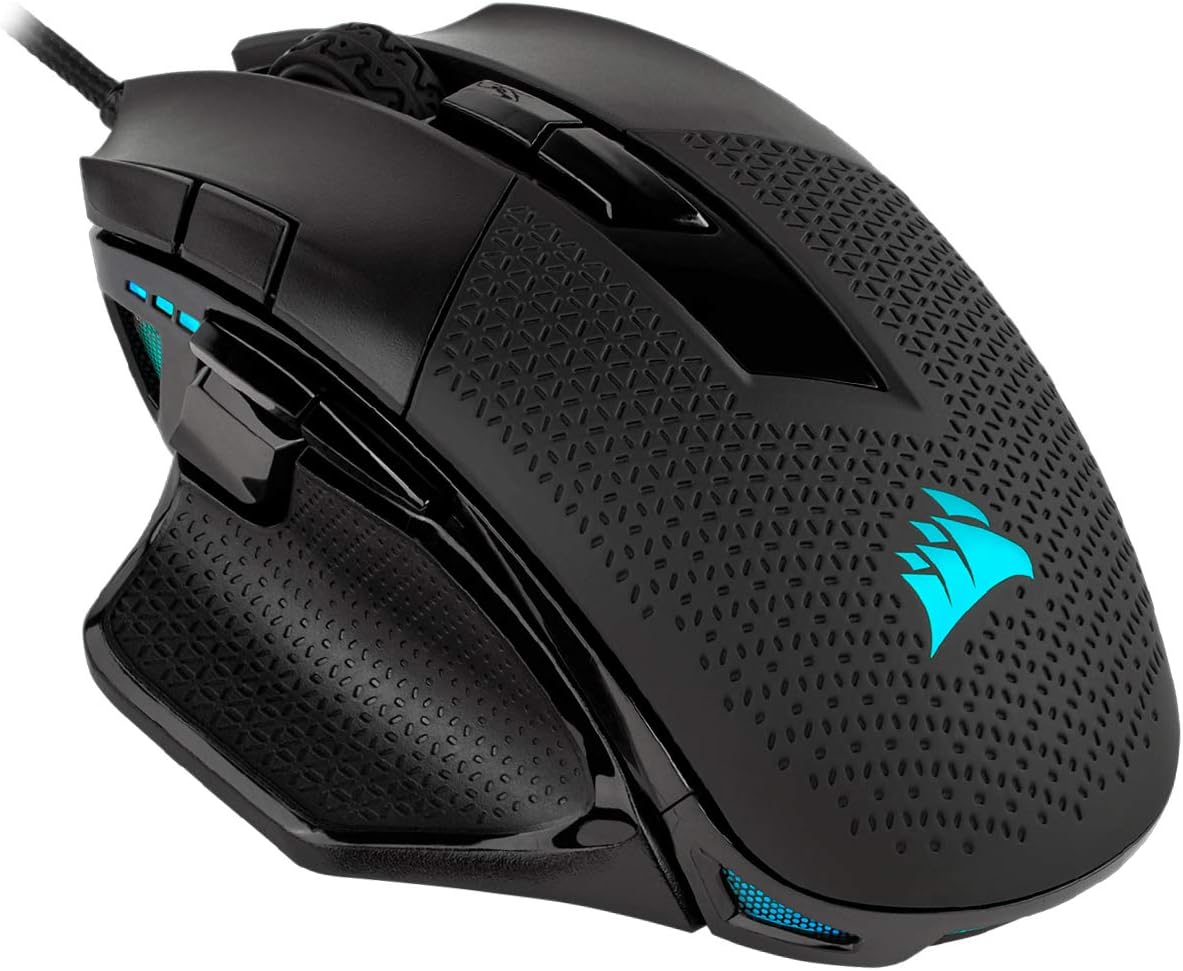
Rise to the top your guild with the Razer Naga V2 HyperSpeed—a best-in-slot wireless ergonomic MMO mouse. Optimize skill rotations with an arsenal of 19 buttons and a dual mode scroll wheel. Power through raid progression with potent wireless performance backed by up to 250 hours of battery life on HyperSpeed Wireless.
19 PROGRAMMABLE BUTTONS — Armed with ergonomically positioned buttons that provide an arsenal of commands at the fingertips for mapping out the essentials or going all out with advanced macros
RAZER HYPERSPEED WIRELESS (2.4 GHZ) AND BLUETOOTH — Unleash seamless, low-latency performance that’s 25% faster than other wireless tech or switch to Bluetooth for longer hours of gaming
POWERED BY RAZER HYPERSCROLL TECHNOLOGY — Perform repeated commands rapidly or blaze through content in free-spin mode, or activate tactile mode for enhanced precision and satisfying feedback
LONG BATTERY LIFE — With up to 400 hours on Bluetooth and 250 hours of seamless low-latency gaming on Razer HyperSpeed Wireless (2.4GHz), last longer in the heat of battle with this mouse before having to replace its battery
FOCUS PRO 30K OPTICAL SENSOR — Razer’s brand-new sensor provides flawless tracking performance on a wider variety of surfaces including glass —supported by intelligent functions for enhanced aim and control
MECHANICAL MOUSE SWITCHES GEN 2 — With gold-plated contact points, the switches are less prone to degrading and have a longer lifespan of up to 60 million clicks
#1 SELLING PC GAMING PERIPHERALS BRAND IN THE U.S. — Source — Circana, Retail Tracking Service, U.S., Dollar Sales, Gaming Designed Mice, Keyboards, and PC Headsets, Jan. 2019- Dec. 2023 combined
OPTIMIZE MOUSE ACCURACY — Improve accuracy by disabling the “Enhance pointer precision” option in the Windows mouse settings, and further optimize performance using the Razer Synapse App
Customers say
Customers find this gaming mouse to be among the best, with interchangeable side buttons and smooth scrolling. However, the build quality receives mixed feedback, with some praising its solid construction while others report it breaking within 10 hours of use. Moreover, functionality and value for money are also mixed aspects – while some say it works well and is worth the price, others report it completely stopping working and consider it cheap. Additionally, the battery life and comfort receive mixed reviews, with some praising the fantastic battery life while others note it’s non-rechargeable, and while some find it feels great in hand, others find the ergonomics weird.
11 reviews for Razer Naga V2 HyperSpeed Wireless MMO Gaming Mouse: 19 Programmable Buttons – HyperScroll Technology – Focus Pro 30K Optical Sensor – Mechanical Mouse Switches Gen-2 – Up to 400 Hr Battery Life
Add a review
Related Products



Original price was: $99.99.$84.99Current price is: $84.99.

Kindle Customer –
Naga Pro V2 review formally known as the naga Trinity.
One of the best gaming mice I have found to appreciate not that I donât love my Red Dragon mouse. This mouse is overall fantastic works better than my Basilisk pro 35k. yes has the hyperspeed scroll wheel like the other naga difficulty with getting the settings perfect the 6 button layout isnât RGB compliant unlike the 12 button layout hard to see in dim lit rooms also the 6 button layout is setup odd itâs 123top 654 bottom I love the fit as it fits my hand especially when playing cod sensitivity it stays on the surface of my metal design is nice it feels like nothing gaming ability as stated I love it for cod only game so far I have played with it. As far as durability goes thatâs going to be an updated review as I just got this today Iâm not confident enough to say more on the matter. I do wish it was available in pink black and pink setup
Chelsea –
Went from wired to wireless: love it!!!
So, I was skeptical. I had wired mouse all my life. I never wanted to be in a situation where my mouse dies halfway through an intense battle. But I had been through two Naga Trinities and both had issues after years of wear and tear. I finally got tired of my left click button not sticking when held down. It was time for a change. So I saw this mouse. I wasnât too sure about the AA battery for power instead of a charging style. But I decided to give it a shot. I love it. I love having a working mouse again! And it feels just like my Naga Trinity except no wire. Had to get used to the button placement of the two buttons on the top left of the mouse left clicker, but small change is healthy. I love the middle button behind the scroll wheel that changes the scroll wheel from a ridged click style to free-rolling. And I was able to use it plug-and-play before even installing it on my razer synapse. So thatâs cool! Iâm sad it doesnât have any lighting like my keyboard but Iâd prefer that power to go into function rather than pretty colors at this stage of my gaming life. Oh and I was able to seamlessly import my old mouseâs settings over to this new mouse without much headache at all. Very happy about that! Definitely debating buying a second mouse as a back up for the future (thatâs what I did with the naga trinity. Hahaha). But yes, highly recommend.
Stan –
A very versatile mouse for any games
The Naga V2 Pro is the mouse you’ll want if you want a all in one mouse in terms of customizable key binds. The functionally of the mouse is that you can play any game with key binds of your choosing with its detachable side panel suitable for any games ranging from MOBA RTS FPS and more.The comfort of the mouse is 9/10, nothing too special or degrading, it can be a bit large for small hands but will be perfect for most people. The design of the mouse is slick, smooth and can almost qualify as a decorative stand if your into it. It has a very high quality made body with beautiful RGB that can be changed in the razer software.Responsiveness of the mouse is less than a few miceoseconss on its wireless mode and wired, to keep a long story short, it’s so fast that you’ll not notice any latency at allIt can be a bit hard to use at first, getting used to the software that is used to program the side panels and finding which side panel fit your choice of games, but once you get used to it, you’ll know that is “click for effect”
amazoncustomer –
Pretty great
Good , long lasting battery on blue tooth , on wireless so so battery and connectivity , as the batrrry gets low it starts to not connect well if it dosent have line of sight there seems to be intermittent issuesBluetooth however is pretty solid last long time dosent need line of sight ,Software is great and even has extras that are actualy usefullGrip for gameing , it is difficult to by touch to figure out what buttons are being touched , the differences need to be a little more pronounced and it will be amazing price is ok , but good price for razer who are consistently higher cost
Consumer –
BUYER BEWARE! LOW Quality Assurance Issues / 2 Mice Scroll – Wheel Issues
I had to replace this mouse once, after the scroll wheel just randomly stopped working.Amazon was good about dealing with that issue. I’ve experienced Razer’s “customer service” before, and it’s HORRIBLE.I now have a new replacement. However, for some reason the Scroll options, the pre-sets you can choose, and modify, have completely stopped working. The ONLY scroll option I have now is a smooth scroll.I have completely shut down their Razer Synapse program, and killed all tasks in the Task Manager, to ensure it is completely shut down. I have done that, and restarted their app (Their app is bad in my opinion), and then killed the tasks, & then restarted the app. It changed nothing. For some reason, this mouse now locks me into a smooth scrolling option, constantly. It’s both annoying, and unusable at times. I’m absolutely disgusted by the path Razer has taken regarding Quality, and Customer Service, and honestly, if this type of stuff wasn’t occurring with this mouse, TWICE, i’d recommend the purchase. However, after my experiences, i’d recommend you buy from someone else.This is the SECOND exact same mouse, with “scroll wheel” issues, & all within a few months time I believe, based upon initial purchase and then replacement.This is ALSO the 2nd time a Razer mouse has completely crapped out and failed on me. I gave them another chance. This was the LAST time.I will NEVER purchase another low quality, low quality assurance tested mouse, or anything else form them. This is beyond ridiculous at this point.F Razer…i’ll go with someone else for all my pc peripherals from this point on. Not only are their products prone to absolute failure a this point, but their customer service is some of the WORST i’ve ever experienced, and that is saying A LOT.If I could give Razer, & this mouse less than 1 star, I would.They actually demand you send them a VIDEO of the issue, as if that’s going to help. All that is for is for them to try to dissuade you from returning their defective pile of crap. Also, it gives them an excuse to claim ignorance.Restarting the synapse program does nothing, even when killing it in task manager. Restarting the pc does nothing. Switching usb ports does nothing. ALL profiles are the same, and all scrolling options are the same, the mouse is STUCK in “smooth” scroll, at all times. This is a RAZER TRASH QUALITY issue, not a pc issue.Here are just a FEW of the issues i’ve found:1. https://insider.razer.com/razer-support-45/potential-bug-cycle-up-down-scroll-stages-not-working-with-onboard-profiles-414302. https://insider.razer.com/mice-and-surfaces-9/new-razer-naga-v2-proc-scroll-wheel-not-working-678043. https://www.reddit.com/r/razer/comments/17b89za/shocking_customer_service_2nd_faulty_razer_naga/4. https://www.reddit.com/r/razer/comments/17jtv87/naga_pro_v2_scroll_wheel_issues/5. https://insider.razer.com/razer-support-45/naga-v2-pro-scroll-wheel-not-working-635346. https://www.reddit.com/r/razer/comments/1eu4ayo/custom_scroll_wheel_profile_on_razer_naga_v2_pro/7. https://insider.razer.com/razer-support-45/naga-v2-pro-scrollwheel-issues-431618. https://www.reddit.com/r/razer/comments/18zhdur/naga_v2_pro_scroll_issues/9. https://www.reddit.com/r/razer/comments/12qolks/razer_naga_v2_pro_huge_on_board_profile_and/Seriously…AVOID RAZER…ESPECIALLY this mouse…
Matthew –
Great Gaming Mouse
It works very well and it honestly took a little bit to get used to because you can change the dpi, the scroll wheel click and almost every button. Great purchase
Ricardo Pacab –
Definitivamente fue una excelente compra. No soy gamer, soy programador. Lo compré principalmente por la cantidad de botones que tiene ya que requiero de accesos directos y macros para acelerar la escritura de código y otras cosas. Programar es prácticamente copiar y pegar jaja. Tengo personalizado los botones para Ctrl + C, Ctrl + V, Enter, F5, adelante, atrás, subir y bajar volumen, etc.El scroll horizontal también me ayuda cuando tengo que navegar en archivos largos a lo ancho o en hojas de excel; del mismo modo, el scroll vertical libre es de gran ayuda cuando tengo archivos de miles de lÃneas de código o en páginas web largos. Me ha servido de mucho para no tener que hacer combinaciones con el teclado ya que simplemente presiono un botón con el pulgar. Me costó un poco al principio aprender la ubicación de los botones, pero conforme se desarrolla la memoria muscular mi productividad y velocidad ha ido en aumento.Igual tengo dos empleos por lo que trabajo con dos PC distintas y con el switch que se ubica en la parte de abajo facilita cambiar entre equipos en cuestión de segundos; un equipo lo uso con bluetooth y el otro con el dongle 2.4 ghz. Eso sÃ, está limitado a solo dos equipos. Me hubiese gustado que soporte un dispositivo más.Anteriormente habÃa adquirido el Logitech mx master 3s, pero era un mouse muy grande y pesado para mi pequeña mano por lo que me resultaba incómodo trabajar. Luego adquirà el Logitech M720 Triathlon, este fue mucho más cómodo para mi mano, pero con el tiempo sentà que requerÃa de más botones y opté por compra este Razer. Este también es un poco grande y pesadito, pero no tanto como el mx master 3s. De momento, en mi opinión, considero este Razer mucho mejor que los dos anteriores de Logitech.El software de Razer Synapse brinda un mundo de configuraciones que sirven principalmente para juegos, pero le he sabido sacara provecho para productividad. Por ejemplo, se puede crear distintos perfiles para guardar la configuración de los botones. Eso es muy conveniente si tienes una configuración para un juego y una configuración distinta para otro juego y no tener que estar configurando los botones cada que cambias de juego. La configuración se guarda en el mouse, no en el equipo como con otras marcas, de modo que no es necesario volver a configurar el mouse cuando lo conectas a un nuevo equipo. Hasta ahora solo un equipo no detectó las configuraciones guardadas, pero es el único caso.Sobre la baterÃa, pensé si solo durarÃa un par de dÃas porque lo uso durante la jornada completa del dÃa, pero llevo un mes con él y apenas va en un 60 %. La baterÃa que trajo es un Energizer alcalina, eso también ayuda a la larga duración por lo que seguiré comprando baterÃas alcalinas de la misma marca o Duracell, pero no está de más adquirir baterÃas recargables para ayudar al medio ambiente jeje.Esa ha sido mi experiencia durante el primer mes. Seguiré actualizando mi reseña conforme lo siga usando.
Baderalharbi –
Work properly
ãã –
ã²ã¼ã ã§ã¯ç§»åããªããã¢ããªãã£ä½¿ããä½æ¥ã§ã¯ã³ãã¼ãã¼ã¹ãã ãã§ãªãå·¦å´ã®ãã¿ã³ãã«ã¹ã¿ãã¤ãºã§ãã¦ã·ã§ã¼ãã«ãããã¼ãç»é²ãã¦ããã¨ãã¡ãã¡ãã¼ãã¼ãã«ç®ããããªãã¦ãæä½å¯è½ãç¹ã«ããã®ãå°ç¨ã®ã«ã¹ã¿ãã¤ãºç»é¢ã§ãã³ãã¬ã¼ããåããããããã¡ãã¡ä½æ¥ã¨ã²ã¼ã ãã¨ã«ãã¿ã³ãã«ã¹ã¿ãã¤ãºããå¿ è¦ããªãã®ãããã¨ããã
Syl –
Very fast delivery, mouse is good
adam –
Quick delivery. Only problem i could see was damave to the packaging. Great deal