

P2 Plus Mini PC – Intel Core i7-12700H, 32GB DDR5 RAM, 512GB NVMe SSD, Win11 Pro, Thunderbolt 4, Dual 2.5G Ethernet, 4K Triple Display, WiFi 6E, BT 5.2 Ultra-Compact Desktop Computer
Original price was: $499.99.$419.99Current price is: $419.99.


Price: $499.99 - $419.99
(as of Oct 04, 2025 15:14:43 UTC – Details)
Product description
BOSGAME Intel Core i7 Mini PC P2 Plus 12700H with 32GB DDR5 512GB 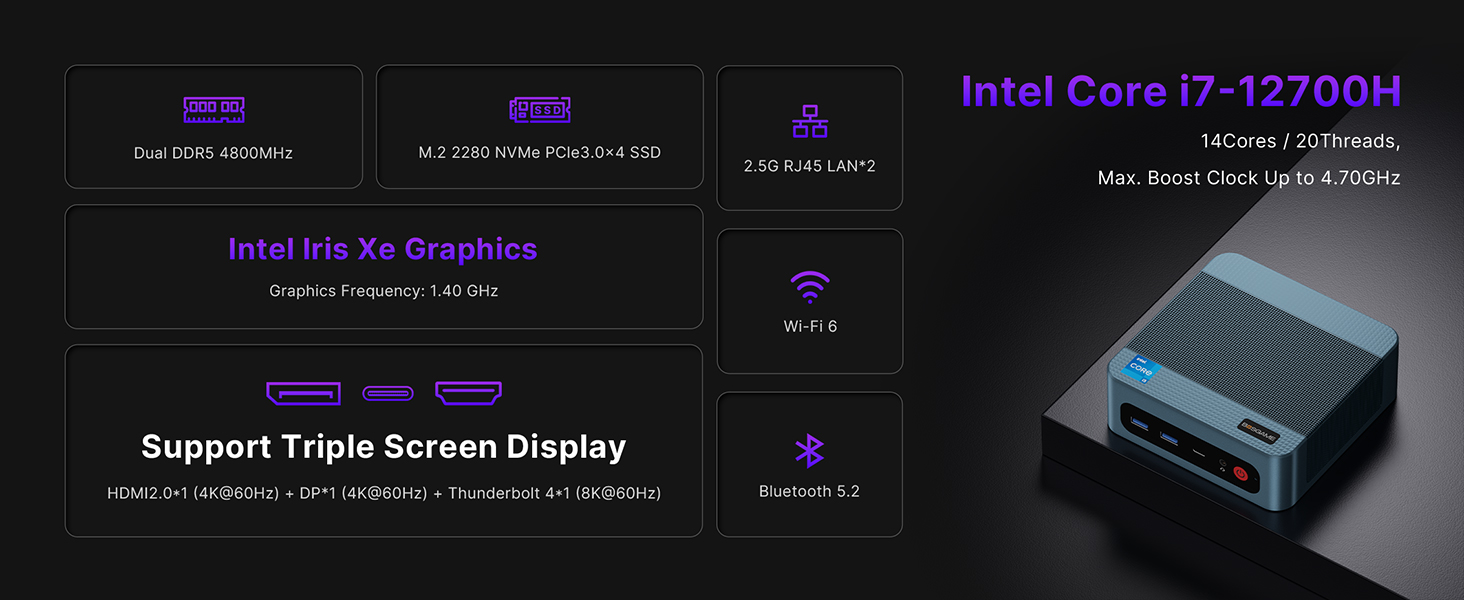
The video showcases the product in use.The video guides you through product setup.The video compares multiple products.The video shows the product being unpacked. BOSGAME Intel core i7 12700H mini pc P2Plus Merchant Video
Features a 14-core (6 performance cores + 8 efficiency cores) and 20-thread design with a base frequency of 3.5GHz and a maximum RWD frequency of 4.7 GHz.
Easily handle multitasking, complex computing, and resource-intensive applications such as video editing, 3D rendering, and gaming.


Dual SO-DIMM DDR5 Channel RAM,
One additional m.2 NVMe PCIe 4.0*4 SSD Slot


1 32GB DDR5 512GB SSD
2 Expandable Freely
3 System
4 4K Display
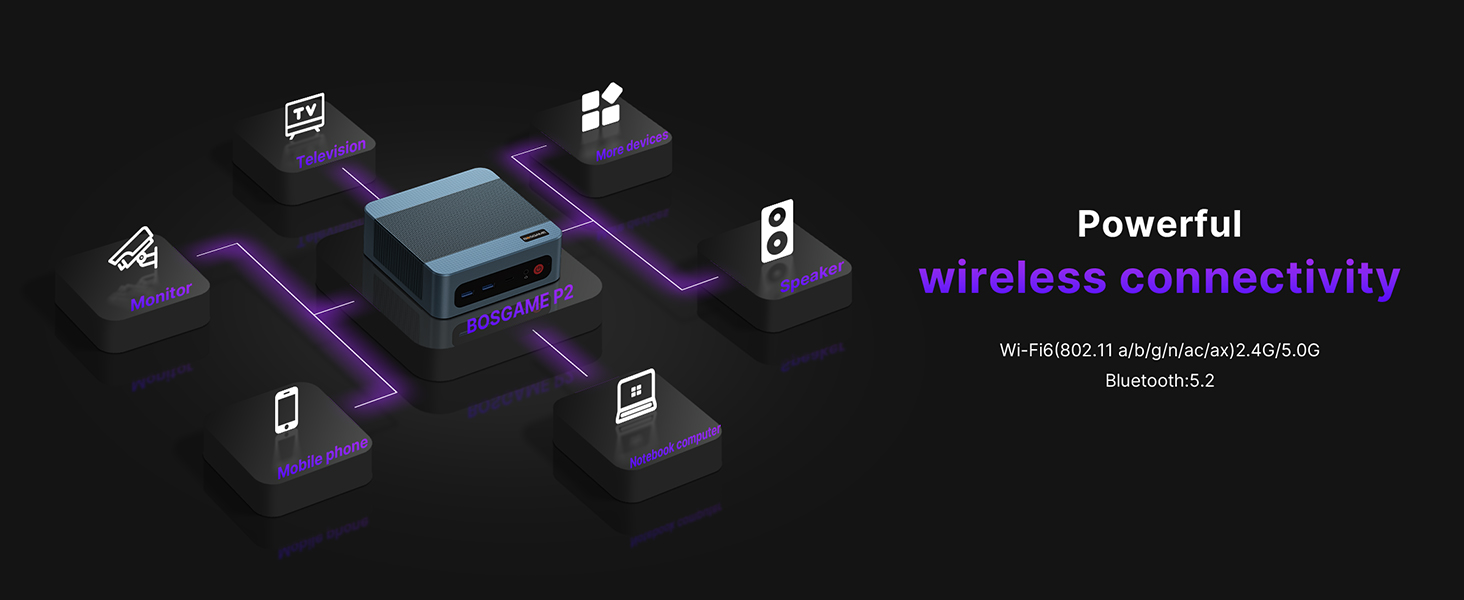
5 Wireless Connectivty

 LAN Port
2x RJ45 2.5G LAN ports on the back


 Package List

12th Gen Intel Core i7 Powerhouse: The BOSGAME P2 Plus Mini PC is fueled by the Intel Core i7-12700H processor (14C/20T, up to 4.7GHz), delivering desktop-grade performance in a compact form factor. Outperforming AMD Ryzen 7 rivals, this mini computer handles 4K video editing, 3D rendering, and heavy multitasking with ease. Perfect for professionals, gamers, and creators who demand speed without compromise.
Dual M.2 NVMe SSD Slots & DDR5 RAM: Upgrade your workflow with 32GB DDR5 RAM (4800MHz, expandable to 64GB) and a 512GB PCIe Gen3 NVMe SSD—50% faster than standard 2666MHz RAM. The secondary PCIe Gen4 x4 M.2 slot (2280) future-proofs storage, ideal for gamers, developers, and businesses needing lightning-fast load times and massive scalability.
Dual 2.5G LAN + WiFi 6 for Pro Networking: Built for IT pros and power s, this mini desktop PC features dual 2.5G Ethernet ports for firewall setups, NAS, or load balancing. WiFi 6 (Intel AX201,802.11ax) and Bluetooth 5.2 ensure lag-free gaming, 4K streaming, and seamless connections to printers, projectors, and peripherals.
Thunderbolt 4 & Triple 4K Display Support: The Thunderbolt 4 ports (40Gbps) enable 8K displays, eGPU support, and ultra-fast data transfers. With HDMI 2.0 + DisplayPort 1.4, drive three 4K monitors simultaneously—perfect for stock traders, engineers, and designers needing crisp, multi-screen workflows.
Triple 4K Display Support – The Mini Desktop PC i7 12700H harnesses Intel Iris Xe Graphics to deliver 4K UHD visuals with precision. Equipped with HDMI 2.0, DisplayPort 1.4, and Thunderblot 4 ports, it drives three simultaneous 4K displays for seamless multitasking. Ideal for designers, engineers, or professionals requiring ultra-high-resolution workflows
Worry-Free Warranty & Support: Backed by a 1-year hardware warranty and 30-day risk-free returns. 24/7 lifetime tech support ensures help is always a click away. Upgrade to the BOSGAME P2 Plus—the ultimate small form factor PC for performance, reliability, and future-proofing.
Customers say
Customers find the mini PC performs well, with one mentioning it runs Elden Ring beautifully, and they appreciate its responsiveness and quick boot-up time. The device receives positive feedback for its quality, ease of setup, and value for money, particularly noting its fast Ethernet capabilities. Customers consider it suitable for home server use and appreciate its power, with one noting it dissipates about 14.5 watts. Compatibility receives mixed reviews.
9 reviews for P2 Plus Mini PC – Intel Core i7-12700H, 32GB DDR5 RAM, 512GB NVMe SSD, Win11 Pro, Thunderbolt 4, Dual 2.5G Ethernet, 4K Triple Display, WiFi 6E, BT 5.2 Ultra-Compact Desktop Computer
Add a review
Related Products



Original price was: $499.99.$419.99Current price is: $419.99.

Tom O –
E3 N150 – Quite Impressed, Clean, Fast, Just As Advertised
Bought the E3 w/ N150. Clean upon start up and seemed bloatware free, but reimaged anyway. No problems, license obtained automatically from MS. Overall speed very good for basic home use, browsing, documents, spreadsheets, etc. Certainly exceeded most older higher end CPU’s, mainly due to higher clock rate, newer memory and SSD. This is really all anyone needs for a basic home PC. Plenty of ports, well positioned, no cable conflicts. Support site is adequate, has all drivers there, all with batch file installs, organized well. However, models change often, so be sure to download all drivers after purchase, as they may not be there one day, and are not likely to ever be updated. Without driver updates, expect 2-3 years of support only. Documentation quite poor, but adequate if you are an experienced user. No conflicts with monitor, keyboard, mouse, USB devices, network, hence base drivers work fine. A great price point for upgrading a basic home PC.
OhhWell –
NOT GOOD FOR pfSense, BUT it is a great little mini PC
I didn’t really do my research and bought this to use with PfSense. Well, the Realtek 2.5 Gbps NICs in this do not work with the default driver in the version of FreeBSD that PfSense 2.7.2 uses. There is a realtek-re-kmod driver that is supposed to support this chipset but after successfully installing it and adding the required lines to the loader.conf.local file… nothing.Ah well. So how is this little device as a mini PC? WAY better than I expected. IT appears to have a base stock windows 11 install that is activated by digital license. That is a good thing. After fighting with FreeBSD for a few hours I installed win11 back on and it activated Pro with the hardware license.This is far more responsive than I expected. My previous experience with intel low TDP SOCs was the last model of Atom. This is way better. Windows updates didn’t really take all that much longer than my i9-12900hx equipped laptop. Normal everyday tasks were snappy. Of course this thing is terrible for any 3d gaming.I ran Prime95 SmallFFT and for the heck of it browsed the web while it was running. Surprisingly responsive! There is a very small pancake fan on the SOC and it is pretty quiet. It seems to be able to dissipate about 14.5 watts as that is where the CPU hoovered while running Prime95.The RAM and NVME (yes, it is not a SATA M.2) drive are incredibly easy to access with two small screws.I don’t really know what I am going to use this thing for but it is easy to recommend for a basic computing device, say for a kid to use for school or general office tasks.I have only had it 2 days so of course I cannot comment on longevity. Some of the complaints I have read about earlier iterations seem to be addressed. there are no obstructions to the airflow.
AncientStorm –
Compact Powerhouse with One Minor Drawback!
I bought this for my office. I especially love it for Zoom meetings. It meets all the specs I wanted, san one.The BOSGAME B95 Mini PC has truly impressed me with its performance and compact design. This little powerhouse is a versatile addition to any workspace or entertainment setup.The processing speed is lightning-fast, allowing for seamless multitasking and smooth performance across various applications. The graphics capabilities are equally commendable, delivering crisp visuals for both work and play.One minor drawback is the absence of an audio outlet. While this can be worked around with alternative setups, it’s worth considering for those who heavily rely on direct audio connections.Overall, the BOSGAME B95 Mini PC offers exceptional value for its size and capabilities. Its small footprint makes it ideal for space-conscious users without compromising on power. This is definitely a product I’d recommend to anyone in need of a reliable and compact computing solution.
Xbox Gamertag –
Works with the Lenovo USB-C Dock Gen 2
My Lenovo Thinkpad X1 laptop died and I replaced it with a newer one, but now and then I still had a need to boot up the old dead machine to look up files and information that was too hard to pick out of a hard drive backup.So I bought this mini PC and swapped out the included NVMe drive with the one from my Thinkpad and it booted right up to my old desktop without any issues! This made it really easy to access stuff just like my old laptop hadn’t croaked.Most importantly it works with the Lenovo USB-C Dock Gen 2 so you only have to plug a single USB-C cable into the front port (no power supply needed!) and you can power the Mini PC and utilize the dock’s monitors, mouse, and keyboard working. This makes it SUPER easy to use.I did notice dual monitors don’t work on Windows 10 (from my old laptop’s SSD) and only Windows 11 (included with the Mini PC, but not a legitimate licensed copy) did. So for Windows 10 maybe expect single monitor output only.But there is one HUGE caveat:It’s a well known problem that these mini PCs come preloaded with viruses and may have viruses at the UEFI level, meaning a hard drive format won’t remove them. They also don’t come with real versions of Windows 11. So I use this machine in an air-gapped way; it’s NOT on the network and I never use it with a USB drive. I opened it up and removed the WiFi card as well, and my dock does NOT have the Ethernet port connected to anything.It’s strictly for read-only use; for visually checking things out on the old drive and if I need files, I can figure out where they are located and then pull files from a separate backup drive. As I get ramped up on the replacement laptop I’ll probably use Mini PC this less and less. But it’s been useful for bridging that gap.For this very narrow and specific use I think this is a great product. But I absolutely wouldn’t trust it for any other application other than operating in a fully offline environment. Don’t use it for online banking or anything serious and just assume it’s been completely compromised.
Kryptonix –
This is a good little Mini PC if you can get it at a decent price. It has lots of connections and even though it’s basic it’s still a fairly fast little PC for what it is. I have a decade old i5-4690K and this Celeron CPU is roughly equivalent to that. Keep in mind that this is single core performance where most of the action takes place anyway. Unless you use a lot of programs that utilise multi-threading, then single core speed will be what you want to focus on. Also keep in mind that that particular i5 chip is still being sold today and in its day it was a beast for gaming at the price point it was going for.This Mini PC keeps very cool and gives off no particularly worrying heat when taxed. For people who are just using it for internet or office tasks then it’s fair to say it gives off hardly any heat at all. The CPU is very energy efficient so it won’t run up your energy bill either. It looks better in real life than the photos of it on the net where it looks a little cheap. It’s actually a very bare bones basic design, but it works and is uncomplicated. Not a lot more to say. Hopefully this unit will last a couple of years at least, and even if it does pack up by that point, you’ve probably had your money’s worth as long as you didn’t spend the full whack asking price. I got mine in a sale, and the price of it made it more competitive to other similarly specced computers.It’s a nice touch that you get a HDMI cable with it to connect your monitor. There’s even a VESA mounting plate if you choose to go that route as well. You will probably want to add a second drive if you need more storage, but with plenty of USB 3.2 gen ports that shouldn’t be problem. They should provide enough speed for most people and what they will probably be using this computer for.It’s also great to have a copy of Windows 11 Pro thrown in to the bargain. I guess a lot of the people buying something like this will need the extra functionality that it will provide ‘under the hood’, and so it makes it a more attractive proposition to have it thrown in to the deal from the start. I know it was one of the things that attracted me to it anyway. I mess about with Linux sometimes, but with this box I just want something that works out of the gate and Windows 11 Pro does not disappoint. I am using it for music production and in a few hours of setup time I have installed Ableton Live and FL Studio, along with Reason and Cubase. No problems so far. Wireless speed is very good, though I have not tested out the Blueooth capabilities yet. It’s the slightly older Bluetooth protocol but it should be perfectly fine for most people who just want to run a Bluetooth mouse, say.Others have mentioned some tips for when you first fire the computer up, and I’ll just repeat these here for clarity as the instructions in the manual it comes with are a bit vague. Basically, you need to switch your wireless hub off because it will auto detect it and you will be forced in to using a Microsoft account or some other such thing which makes the whole process a lot more involved not to mention time-consuming. Most people will just want to get this up and running as quickly as they can. You still have to set a few things up of course, but switching the wireless hub OFF to begin with saves a lot of unnecessary steps – obviously skip whatever steps you are able to when setting up the OS for the first time. It still involves a bit of time and work, but you should be good to go in under half an hour if you decide to go down this road. If you want to set it up with any existing accounts you might have then by all means take that route if it suits you.When you get the Operating System set up, then you can turn your wireless router back on and just put in your password for your particular network when it is recognized. As I said, the wireless on this is pretty fast, so there’s no worries there either.All in all this is a versatile little box and if you can get it for around the £150 mark then you are getting a bargain. It’s not that it’s not worth a bit more money than that, but as with all these things, the longevity of the device is never really known, and if it does konk out sooner rather than later, you won’t feel so bad about it if you got the thing for a bargain price. Then you just buy another one. There are more expensive models on the market, but I don’t see the point in paying more for a slightly faster CPU that runs hotter and uses more power. Some of these things have Laptop CPU’s in them, that’s the kind of thing I’m talking about. The 16GB of RAM is probably more than adequate for most people and will run this OS with ease and room to spare. The 512GB system drive is also probably more than adequate for most people, but costs start to rise a lot when you go over that amount in the Mini PC world. If you do find a unit with that option it’s probably at least double the price of this little box.I have encountered a few instances of the computer suddenly going in to standby mode and the monitor cutting out, which isn’t a very encouraging sign after only a few hours of use, but hopefully these are just teething problems that will get ironed out when I finish setting it up. I’m about six hours in right now to setting up all that software I mentioned earlier, and to be fair, that is quite taxing, taking in to consideration that Windows 11 likes to update itself when you first get it going what with all the little updates it needs to do here and there and in a certain order. I’m not too worried at this point.That would be my final piece of advice if you aren’t used to setting up and building computers: don’t forget to do a few restarts here and there as Windows 11 downloads all the stuff it needs and installs it in the order in needs to be installed in. These things take a bit of time and patience, but it usually settles after a few system reboots here and there. So far I’m quite impressed for what I got for my money (around the £150 mark).
yaaaho –
This product far exceeded my expectations. The craftsmanship is excellent, and it runs quietly. It comes pre-installed with the latest version of Windows 11 Pro, and after a simple setup upon unboxing, it is ready to use. The built-in wireless card supports Wi-Fi 6, with connection speeds of up to 1700Mbps, which is very fast. Additionally, it includes a dual wired RTL8125B 2.5G network card, which can be used as a soft router. In fact, shortly after receiving it, I reinstalled the Debian system, completely saying goodbye to Windows. I configured the routing function and used it as a media playback server, running 24 hours a day with low power consumption and high performanceâtruly perfect.For most users who prefer not to tinker, the pre-installed Windows 11, 16GB of RAM, and 512GB SSD storage are sufficient for most daily office application needs.
Kwong –
This mini PC is great for small jobs such as checking emails and casual web browsing. Its small footprint saves precious space and can be mounted at the back of the monitor. The only complaint I have is that the small SATA connector on the motherboard is so tiny and cannot hold the connector tightly, making impossible to add an additional SATA disk drive.
JeffBD –
Great mini computer! I bought it because Windows 10 is coming to an end and needed something to keep me on the Net. I’m using it through my TV because I didn’t want the expence of having to buy another monitor. I already had a keyboard and mouse. So a great and cheap way of getting a new computer…Love it! I reinstalled Windows 11 before I used it tho – Heard some stories about malware. Didn’t have any on this pc but did it for piece of mind. It was an easy but time consuming operation. While installing, it wanted me to logon using a Microsoft account. Which I didnt want to do. So if you, – like me – want to reinstall Windows 11 and want use a local account. I recommend disconnecting the LAN during the reinstall when you are asked to enter your microsoft accout details. It should just revert to a local user accout page. You can then just reconnect the LAN and carry on with the instalation. Apart from that, it’s been great. I dont intend to play games on it, as I’m not a gamer. Great for playing movies from HDs and streamiming is perfect. No problems at all. Infact, I’m using the computer to write this review! I am not a computer wiz by any measure, just a user. and I found it easy to set up. So all in all, it’s a fab little Windows 11 PC at a bargin price.
laibin k v –
nice bosgame pc , good and smooth, iam using 7 months , no issues iam happy