

ASUS ROG Keris Wireless Lightweight Gaming Mouse – 16,000 DPI Sensor, Swappable Side Buttons, Aura Sync RGB Lighting
$108.00







Price: $108.00
(as of Oct 09, 2025 04:47:34 UTC – Details)
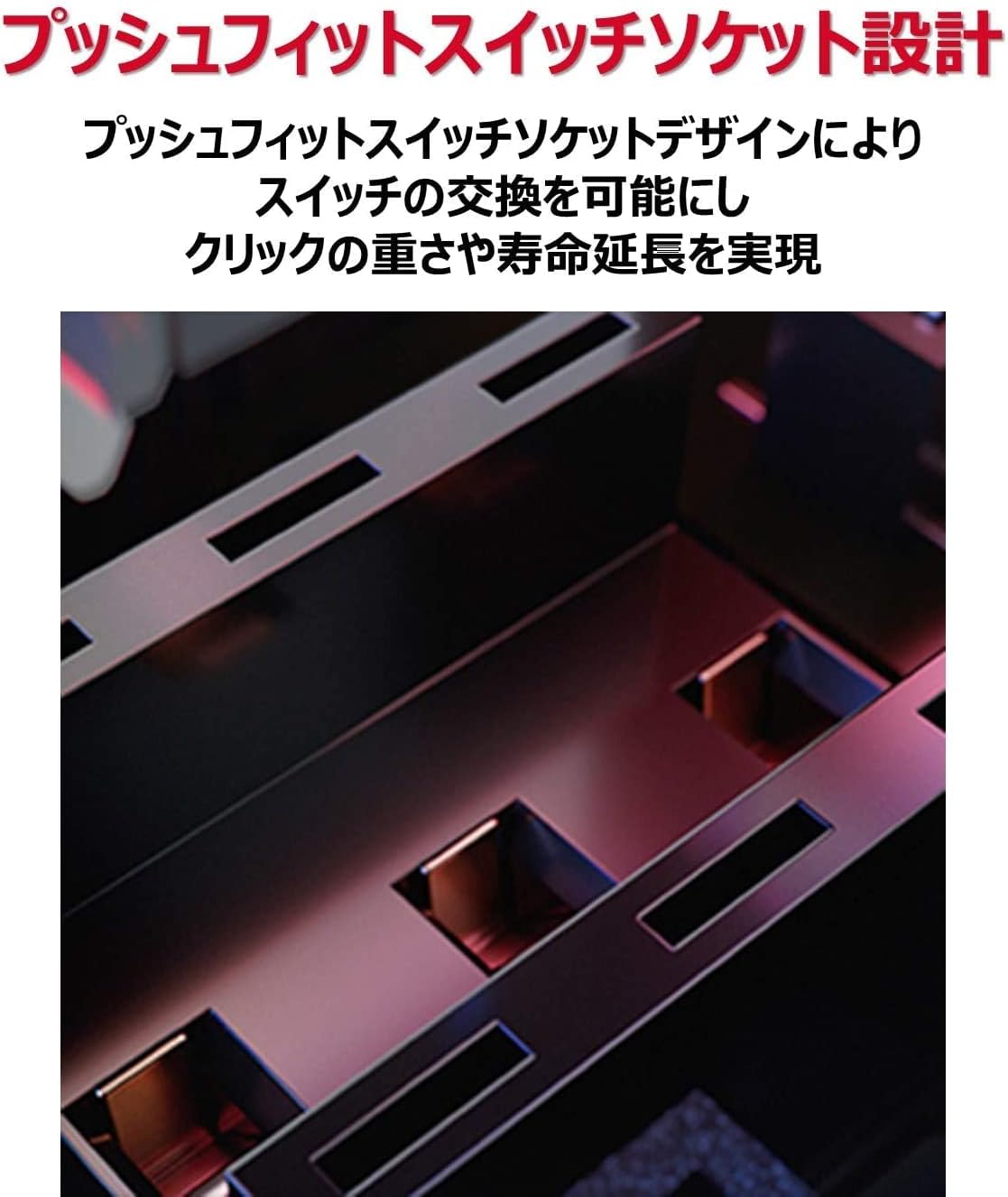
ROG MICRO SWITCH – ROG Micro Switch with 70 mil. click lifespan, gold-plated electro-junction for durability. Each switch is carefully inspected, both left/right switches paired to keep force deviation within +/- 5 gram-force for a consistent click feel.
ULTIMATE ACCURACY – Every strike is critical. At the heart of ROG Keris Wireless is an optical sensor that’s been specially-tuned by ROG, giving you unerring accuracy and precision to take down the competition.
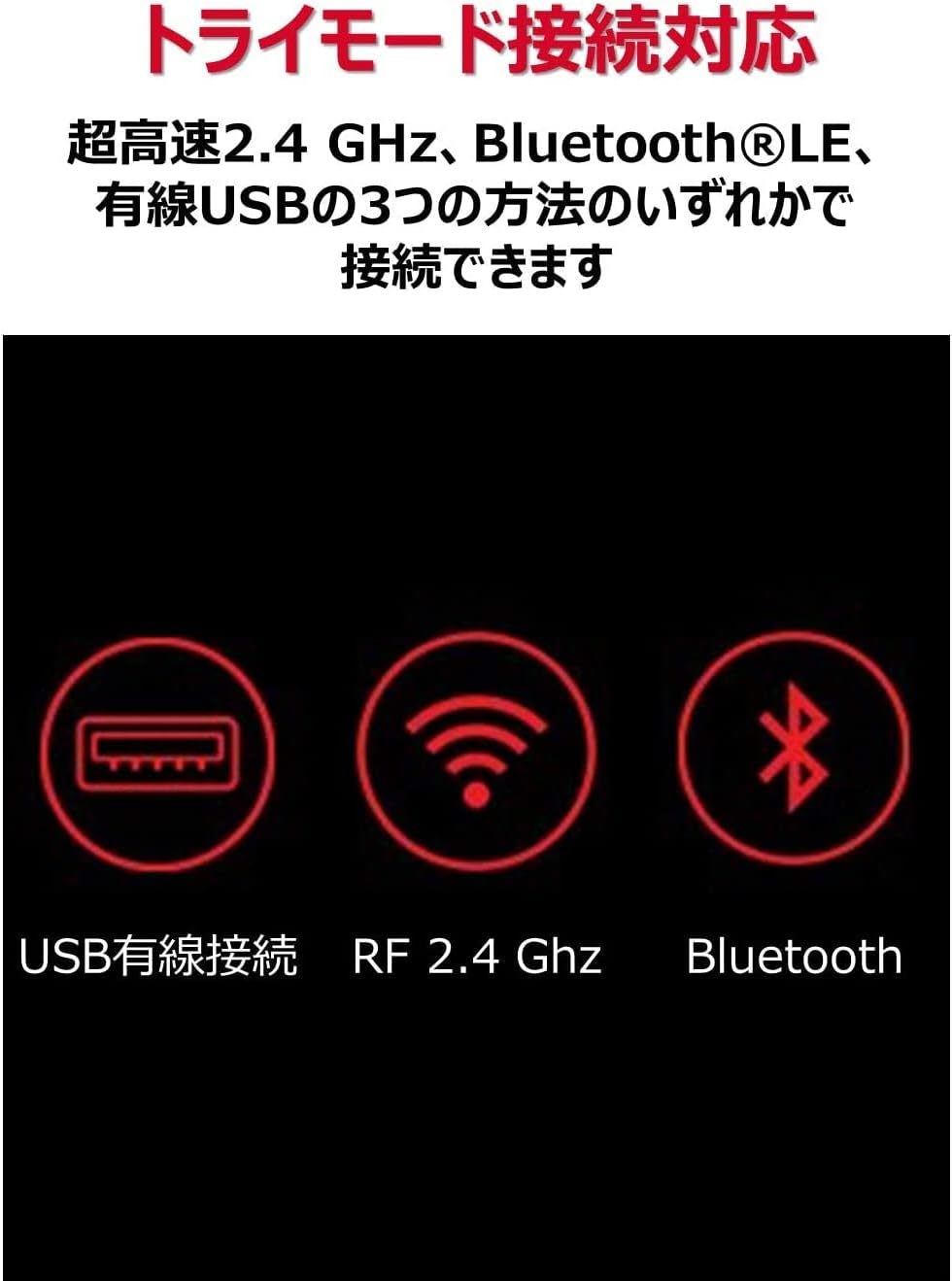
TRI-MODE CONNECTIVITY – ROG Keris Wireless can be connected in one of three ways — via ultrafast 2.4 GHz, energy-efficient Bluetooth LE, or wired USB. Use 2.4 GHz wireless for gaming, and switch to Bluetooth LE for daily tasks.
ROG PARACORD – The ROG Keris Wireless includes improved ROG Paracord. Extremely flexible & lightweight, designed to minimize snags and maximize movement. The raised port design provides space between the cable and tabletop, minimizing cable drag and noise
ADVANCED POWER SOLUTION – USB Type-C fast charging provides up to 12 hours of gameplay from just a 15-minute charge. Play wirelessly for up to 78 hours with lights off, or up to 56 hours with RGB lighting on*.
DPI ON-THE-SCROLL – A unique DPI On-The-Scroll feature lets you easily adjust mouse sensitivity without accessing software. Just press/hold the DPI button then spin the scroll wheel to set the sensitivity level. Cycle through four different DPI levels.
ROG OMNI MOUSE FEET – The 100% Teflon (PTFE) mouse feet are rounded and 25% smoother than those found in other gaming mice to ensure an effortless glide across any surface.
Customers say
Customers appreciate the wireless mouse’s Bluetooth connectivity, hot-swappable switches, lightweight design, and PBT m1/m2 material that feels great. However, the size receives mixed feedback, with some finding it good for small or medium hands while others say it’s too small. Moreover, the mouse performance and scrolling speed get mixed reviews – while it works well with laptops, the scroll wheel randomly scrolls in the opposite direction. Additionally, the click quality receives mixed feedback, with some finding the main clicks satisfying while others report issues.
11 reviews for ASUS ROG Keris Wireless Lightweight Gaming Mouse – 16,000 DPI Sensor, Swappable Side Buttons, Aura Sync RGB Lighting
Add a review
Related Products


![Redragon M602 Gaming Mouse, Ergonomic RGB Gaming Mouse Wired with 7200 Adjustable DPI, 9 Programmable Buttons, Professional Software for Gamer Office [Black]](https://m.media-amazon.com/images/I/614timipKAL._AC_SL1500_.jpg)

$108.00

Zion –
Innovative
The ROG lineup of mice have stepped up with this one.Pros:- Hotswappable switches- Small ergo (personal pref. I’m 18×9.5)- Best side buttons and main clicks I’ve ever used (optical switches are nice but the included japanese omrons are simply the best)Cons:- Slow stock skates- No dongle for USB receiver- Sharp edge on right mouse button (could be detrimental based on grip)- Scroll wheel steps are too tight- 79 grams seems a bit high for the size (~70g would’ve been perfect)The pros outweigh the cons and if the shape works for you, you’re in luck.
Dave in VA –
Very Responsive
The mouse works vey well, very responsive, and the cord does not interfere with mouse movement nor get twisted and tangled. It is also very light. The drawback for me is that in my large hand, it is a bit small. Other than that, it is very good.
Clarid Mutchler –
SOLID mouse, if the shape fits.
The overall impression that the experience offers is much more than I was expecting. Packaging and included accessories are nice, software is DETAILED. The mouse itself (wired) is SOLID, which is impressive given the fact that it easily comes apart for switch modularity. No shakes, rattles, or creaks in my copy. Paracord feels on par with XM1 RGB I had (soft, flexible and light).The shape and materials is where it kind of falls short for me, unfortunately. The primary buttons wrap around the side and directly interfere with grip, which is further burdened by the choice to use slippery PBT on specific grip surfaces. I alleviated the slip to a degree by using blue masking tape on the sides, but the awkward curve of the primary buttons still interfered with finger placement for my grip (undisciplined palm/claw). I’d have to cut away the click paddle on the right side to keep it from pinching on my ring finger.Ultimately I put it back into the box and stored it with the others in my collection, which is disappointing given the sheer quality and effort put into designing this thing. I *want* to love it but my goofy grip is just not part of what it was designed for. Mouse I’ve gravitated towards: Roccat Kone Pro as it more comfortably fits my slightly off-sized hand (7×4 inches).
WChicago –
Great mouse
Bought it specifically for the easy to swap switches. Replaced them with some browns and i finally have a silent mouse.
Kyle Hicks –
FANTASTIC entry as a budget hotswappable mouse…save for a few glaring issues.
I want to say that I WANT to love this mouse. The weight matches that of my previous Glorious Model O Wireless, without compromising on battery, in fact it improves here, structure, which is once again an improvement as it drops the honeycomb shell for a more traditional looking one, and aesthetics. This is a mouse that could really have been the endgame gaming mouse for limited budgets, when you pair the idea of hot swappable pressure fit switches and Bluetooth connectivity. And it ALMOST does this…but just falls short of the mark. One disclaimer: As the Model O Wireless from Glorious was my last mouse, I’m using it and my experience with it as a means of direct comparison for this review and is, at Glorious’s price on their site, only $5 more than the ROG Keris, so it’s also the closest mouse that I have found in terms of feature set and price.Battery life I will say is excellent. I can, with the lights on over Bluetooth and the 2.4GHz USB adapter that stores in the base of the mouse cleanly and securely, go about a full week with a 6 hour frame of time where I’m using the mouse 5 days a week, and about 12ish over the weekend, on average, before the mouse begins to flash red, telling me it’s time to plug in. Obviously if I’m playing a shooter or something where I’m pushing the mouse into overdrive, this will be different, but as I’ve been getting back into a few MMORPGs at the time of this review, among them Lost Ark, I’m not really pushing the mouse like I would in a shooter like Destiny 2, so battery lasts a bit longer. Obviously your milage may vary, but it’s safe to say that where this mouse shines the most is in balancing the amount of power the RGB LEDs shine, which is set with Armoury Crate (so if you want to change that, you’ll have to download that), with battery life when using it wirelessly.Ah yes, though, the software. The software is hands down where ASUS FAILS MISERABLY, with Armoury Crate being easily the worst client that I have ever used. I’ll not mince words here, ASUS, Armoury Crate deserves all of the hate you’ve heard given to it. It’s slow, half the time doesn’t recognize the mouse over the 2.4GHz USB receiver, and seems to fail updates that it needs to have for both the mouse and the software to interface with it. It can’t even make or see changes, power included, over Bluetooth. It’s really good that unless you’re wanting to set this, you don’t need this, and that once you do you can forget this and never look at it again, HOWEVER, if you want on the fly battery charge status as you use it…you’re stuck. The only way to get that in your Windows system tray is with the app. It’s best to set it up, and just let the mouse tell when it’s time to plug in, especially if you have RGB lighting in your system and RAM that will sync with Aura Sync, because it will take control on every boot of that lighting too whether you want it to or not.Now, as I mentioned Bluetooth, let’s talk connectivity. I have had some latency issues with it on BT5.0 that have cleared up with a BT4.0 dongle, despite this mouse supporting BT5. Now this is a disclaimer here than a point lost in this review, as this COULD have been something with my setup, so I won’t hold it too much against it-the fact that it is there is a nice to have if you’re short on USB ports like I am with my B550 Tomahawk board from MSI. Where I don’t though is that it also lacks a USB base, for lack of a better term, for plugging the dongle into the Paracord as it sits on your desk, as a form of extender or adapter, like most wireless mice, like the MOW. I DO forgive this oversight though *to an extent*, as…the mouse DOES feature adequate Bluetooth support, even though it still would be a nice to have, as not every system has BT4.0 or 5.0 to really make the latency issue in theory substantially mitigated, and it doesn’t cost that much to make such an accessory as well.The mouse is made of solid materials, but the mouse’s assembly with them is shoddy. For instance, just weeks after I bought the mouse, I had to open it up and use some of my dielectric lube that I bought for my keyboard switches to help alleviate my scroll wheel from horrifically squeaking when I used it, as it was built in such a way that the plastic teeth that hold the wheel in place was scraping along a metal rod internally, with nothing in between them to prevent from rubbing on each other. If there WAS lubrication in there, which I didn’t feel any sign of nor could I see that there was any, it was not enough to prevent this issue. I also feel like the choice of placing the PBT buttons being on the top cover of the mouse instead of using a magnetic system like the next tiered Chakram or some other system of attachment for slightly more money. I feel this would have been a fair trade for what would have translated to $5 and have been still WELL within the budget bracket for lightweight wireless mice. All this I feel leads to some of the design decisions on this mouse being very clearly a cost saving measure that left TOO much on the table, leaving what could have been a really satisfying, solid click with the ROG press fit switches instead feeling like an inconsistent mushy and gummy mess, and overall have just a really unpleasant feeling sound that feels more like something you would find from a $15 mouse in the 90s than a $75 mouse in 2022. The clicks CAN feel nice and sharp and not sound like you’re clicking through a body, but they’re too few and far between to say that ASUS and the ROG passed build quality. What’s more, the plastic also lacks any real solid finishing to allow for decent grip at times, in my experience, leading to the mouse feeling even more like a cheaply made, gimmicky mouse with little to no thought for the end user experience, only charging more as it’s from a leading name.Overall, ASUS has the right idea here. This mouse is innovative, and on the right track to being a superb budget minded mouse. I love the path that ASUS is on here, and this mouse very clearly is a STELLAR, STELLAR platform on which ROG has built their hot swap mice that they have patented at this time. This is an idea that is worth continuing to chase, unfortunately, I feel like ASUS also cheapened this mouse a bit too much in areas where it really, in the end, mattered. The idea, again, is not bad, but the execution was just…lacking enough for me to really say this mouse IN SPECIFIC is worth it. ASUS will have my attention moving forward, but this mouse will be retired to backup status, and I’m likely going to be getting myself a Model D Wireless from here, or the more likely mouse, the ROG Chakram, which…has merit to be the mouse that will be the sweet spot that the Keris could have been from what ASUS has written on it.
CDW –
great light weight mouse
Got this yesterday. been using it for one day. mouse has great grip. very light weight and responsive. palm and grip both are great. mouse is a bit on smaller size. its good for small or medium hand size. got all Asus product within my build. Aura sync and armory crate works perfect. battery life very long. last whole day and haven’t charge. for $99. will keep as my main mouse for awhile.
Jesse –
This is a great mouse for medium to smaller hands. Sadly it does not come with a dongle extension or grip tape like the aimpoint version.
David –
Wonderful Service From Seller Nice To Work With Deals2You , Rog Keris Perfect With My Asus G10 PC
Lá´É´á´ –
Llevo poco mas de 3 meses de uso con el y no he tenido ningun problema, muy buena duración de la bateria (creo que lo he cargado un total de 3-4 veces), RGB bastante personalizable, botones extra, texturizado muy agradable al tacto, sofware facil de usar, relativamente ligero, algo pequeño para mis manos pero hasta el momento no me ha resultado incomodo y muy buen desempeño en juegos y uso diario. En general, bastante mejor que mi anterior raton (Logitech g403) y la verdad es que dudo volver a necesitar otro raton en un laaaaargo tiempo.
Giorgos M –
After trying a lot of mice over the last few years, I can safely say that very few (if any) came close to the quality and features of the Keris. I, also, have the EVA edition which is wireless and I can recommend both. The features of the Keris alone are enough to warrant a recommendation:Super lighweight (62g), good pure PTFE glides, nice paracord-like cable, hot-swappable main switches which are easily accesible without removing the feet, good sensor, superb build quality, extra feet and switches (2x Japan Omron) in the box.The wireless version (79g) comes with all the above plus a detachable USB-C paracord-like cable, very good battery life, triple connection (2.4Ghz, Bluetooth, wired) and 2 extra sets of side buttons.The Keris is a small mouse. Its shape is ergonomic and is suited for small to medium sized hands. Its curves, much like those of the legendary dagger whose name it borrows, are somewhat unusual and like every mouse out there it is best to try it before you commit to it. I was impatient at first but then I gave it more time and now I have adapted to it and it feels really good and comfortable. The materials are nice, there are two types of coating: the main body is smooth ABS(?) while the main buttons and parts of the sides are textured PBT. The main clicks are crispy and have very little pre and post travel (Pre-travel is even less) and no sideplay at all. The side buttons are good (I’ve tried both worse and better) and the scroll wheel has no rattle, while it is on the smoother side but with distinguishable steps and requires a medium amount of pressure to click. No flexes, no rattles from the mouse as a whole. It feels really well built as most ASUS products do nowadays, despite not having the best reputation among ‘enthusiasts’. I do not know if it is suitable for claw grip as I use fingertip and palm grip and I can say that for the right hand size (<19.5cm) the mouse can be used with both those grip styles. I, also, use grip tape on the sides for extra 'liftability' as the shape, particularly the right side, can be a little challenging to lift at times, especially if you have dry hands.If I have to mention a negative it is the software. It is not the most intuitive piece of software I've come across and I had a really hard time trying to install it (could not install on windows 8.1). However, the good news is that the mouse has on-board memory, so your dpi and lighting settings can be stored there and once you set them you don't need Rog Armoury any more.For its current price (you can find it between 30 - 50 dollars for the wired and 60 - 70 for the wireless) there are very few gaming mice that can compete with it. Definite recommendation!
ãã«ã¼ã –
ãã£ã¨ã»ã¼ã«ã«ãªã£ãã®ã§è²·ãã¾ãããçµè«çã«ã¯ä»ã®ã¨ããæºè¶³ãã¦ã¾ããææããåã³ãããã¾ããæ¬è£½åã®ç¹å¾´ãã»æ¯è¼ç軽ãã»ãµã¤ããã¿ã³äº¤æå¯è½(å¥é2ã¤ä»å±)ã»å³å·¦ã¯ãªãã¯ã®ã¹ã¤ããã交æå¯è½(ãªã ãã³è£½ã®äº¤æç¨ã¹ã¤ãããå¥é2åä»å±)ã»æç·ãç¡ç·(Bluetooth/2.4GHz)ã®3種é¡ã§æ¥ç¶å¯è½ã»æ¥ç¶ã®åãæ¿ããã§ããã®ã§è¤æ°ç«¯æ«ã§åæ使ç¨å¯è½(PC2å°ãPCã¨ã¿ãã¬ãããªã©)ã»å é»å¼ãType-Cã±ã¼ãã«ã®å é»å¯è½ã§æ±ç¨æ§é«ã(å é»ã±ã¼ãã«ãä»å±)ã»ã²ã¼ãã³ã°ã¨ãããã¨ã§å ããç¨ããåè¯ãå ãã«ãã³ãã(ãã¤ã¼ã«ã¨ãã´ãå ãã¾ã)ã»ä¸é¨ã¯å ããã©ãã»ã³ãµã¼é¨ã¯å ããªã(invisibleã¿ã¤ã)ã»é«ãã¼ãã¬ã¼ã1000Hz(1ms)ã»ã²ã¼ãã³ã°ãªã®ã§RGBã§å ãã»2.4GHz USBã¬ã·ã¼ãã¼(USB A)ã¯æ¬ä½ã«åç´å¯è½ã»åºã«è²¼ãæ»ããã¼ããå¥é4æä»å±ç§ã¯ãã¼ãã¼ãã«ãã ãã£ã¦ãã¾ããå¤åä¸çªé«ä¾¡ãªãã¼ãã¼ãã使ã£ã¦ãã¾ãããéã«ãã¦ã¹ã¯..å®ç©ã§ããããããèãã¦ã¿ãã¨ãä»äºã§æ¯æ¥ãã½ã³ã³ã使ã£ã¦ãã¾ããããã½ã³ã³ã«è§¦ãã¦ããéã¯ãã¼ãã¼ãããã¦ã¹ããã£ã¨è§¦ãã¾ããã¤ã¾ããä»äºãããéå ·ã¨ãã¦ç¸å½éè¦ãªä½ç½®ããã¼ãã¼ãã¨ãã¦ã¹ãå ãã¦ãã¾ããã§ããã°ãã¼ãã¼ãã ãã§ãªãããã¦ã¹ããããã®ã使ããããã¨æã£ã¦ãã¡ããè³¼å ¥ãã¾ãããè¿é ã¯ä»ã«ãè²ã é«é¡ãªãã¦ã¹ã¯ããã¾ãããä¸ã®ãããªç¹å¾´ãå ¼ãåãããã¦ã¹ã¯è¦å½ããã¾ããã§ãããæå¼·èªå®ãã¦ãããã¦ã¹ã§ãããããä¾¡æ ¼ãé常1ä¸åã§ãé£ããæ¥ã¾ããæå¼·ã ãã©æé«é¡ã§ã¯ãªã.. ããã§ãããã¹ã¤ããããã¿ã³ãªã©ã交æã§ãããã¨ãããã¨ã¯é·æã¡ããã¨ãããã¨ã§ãããã¾ããæ¨å¥¨ããããã§ã¯ãªãã§ãããå解ãã§ãããããªã®ã§é»æ± 交æãªã©ãä¸å¯è½ã§ã¯ãªãã§ããããã¨ãããã¨ã§å®ç©ã«ã¯ãªãé åãå¤ããã£ããããã¦ã¹ã§é·æã¡ããããªã®ã§ãè³¼å ¥ãã¾ãããèå¿ã®ä½¿ãå¿å°ã§ãããããã¯ç¹ã«åé¡ãªããããã¾ã§ä½¿ã£ã¦ãããã¦ã¹ããå¿«é©ã«ä½¿ã£ã¦ãã¾ããæ¡ãããããæã¡ãããã§ããæã樹èã®ã©ããã«å¼ã£ããã£ã¦çãã¨ããããã¾ããã§ããããµã¤ãºçã«ã¯æ®éã®ãã¦ã¹ãµã¤ãºã§ããã³ã³ãã¯ããªã¿ã¤ãã§ã¯ããã¾ãããç§ã¯ãã©ã¡ããã¨è¨ãã°éé³ã®æ¹ã好ã¿ãã¹ã¤ããã¯äº¤æãã¦ãªãã®ã§ãããåæç¶æ ã ã¨ã¯ãªãã¯é³ã¯ãéããªããã«ãã«ããã¾ãããã¤ã¼ã«ã¯ã¹ã ã¼ãºã¿ã¤ãã§ã¯ãªããæ¢ã¾ãæè¦ã®ããã¿ã¤ãã§ãããã¡ãã®æ¹ã好ããããã¦å½ããåã§ããå é»ããªããã使ãã¾ããã追è¨ãçºå£²æ¥ 2021/3/5..æ¬æ¥6/25æç¹ã§107åã®è©ä¾¡ããããã¦ã¹ã§ã¯é«é¡ãªé¨é¡ãªã®ã§ããããªãã«ãã ãããã¦ããæ¹ã ããè²·ã£ã¦ããååã ã¨æãã¾ããããããã®ããâ 1ã¨â â 2ãã¼ããªãã¨ãçç¡ãâ â â 3以ä¸ã®ã¿ããããâ â â 3ã¯å°ãªã8%ã ããâ â â â â 5ã68%.. æ®ããâ â â â 4ãããããååã ã¨å¿ ãä¸è¯ã§ãããããå£ãããã©ãã©ããæªããªã©ã¨â 1ã¨ãåºã¦ããã®ã«ã3ã¶æ以ä¸ãã¡ããããªãã«å£²ãã¦ããé«é¡ååã§ãã®è©ä¾¡ã¯çç´ã«ãããã¨æãã¾ããããã¯ããæå¼·ãã¦ã¹ãã§ããã追è¨2ããã¦ã¹ã®åãããããããªã£ãã.. é»æ± ä¸è¶³ãããå é»ãã¦ã¿ã¦ãã ãããç§ã¯ããã§æ¹åããã¾ããã