
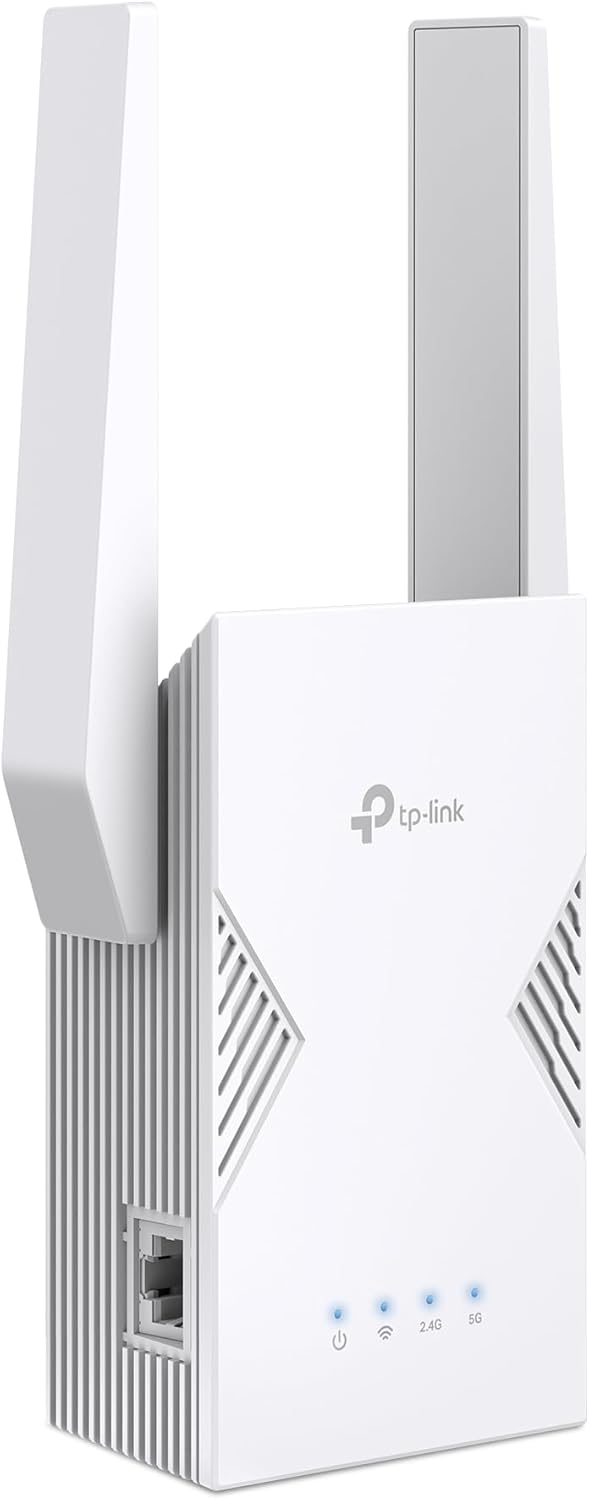
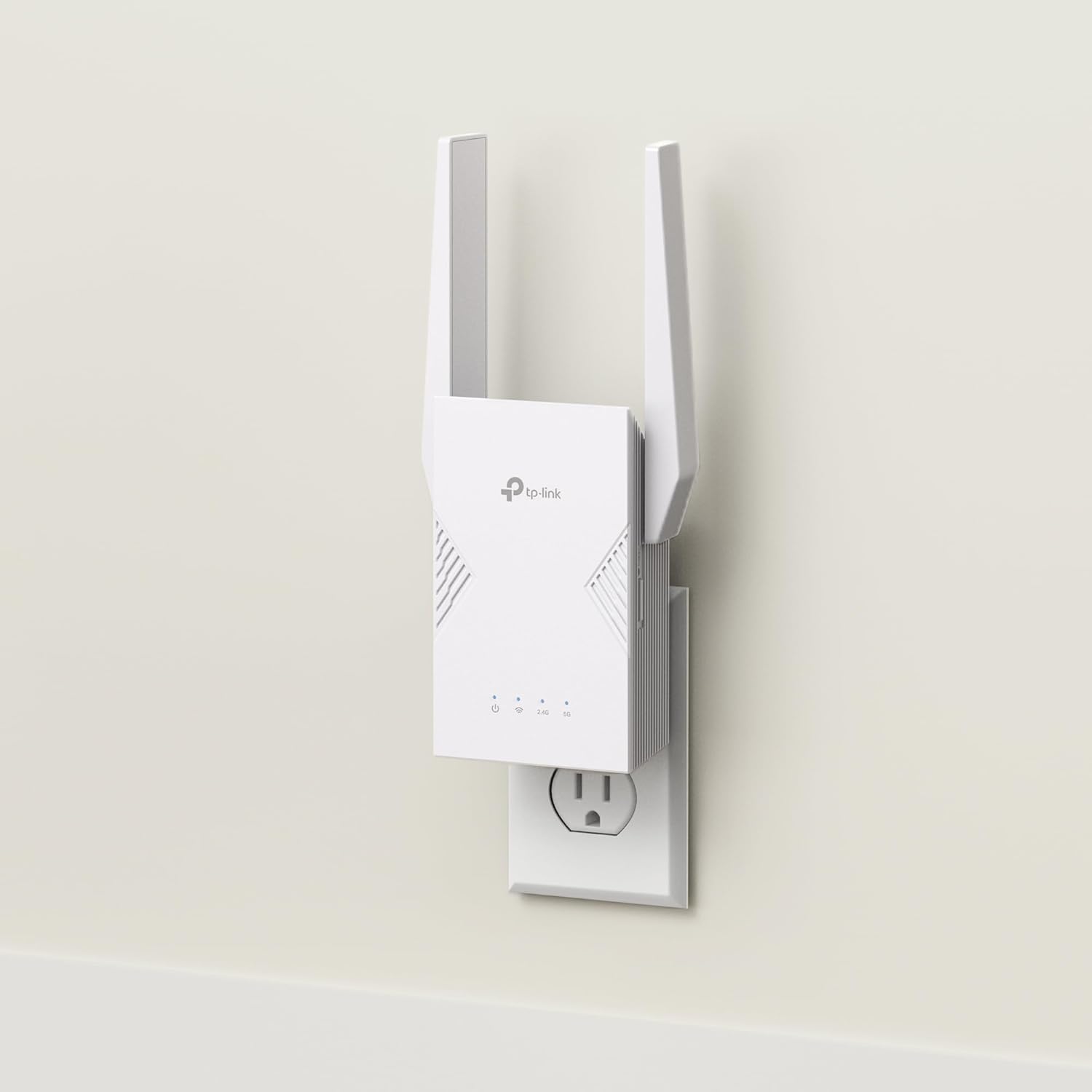
TP-Link BE3200 Wi-Fi 7 Range Extender RE223BE w/Ethernet Port | 3.2 Gbps Dual-Band Wireless Repeater | Internet Signal Booster for Home | Up to 2400 sq.ft, 64 Devices | MLO, EasyMesh | No 6 GHz Band
$119.99

Price: $119.99
(as of Aug 17, 2025 08:55:11 UTC – Details)
Every Room Reached. Every Device Powered.
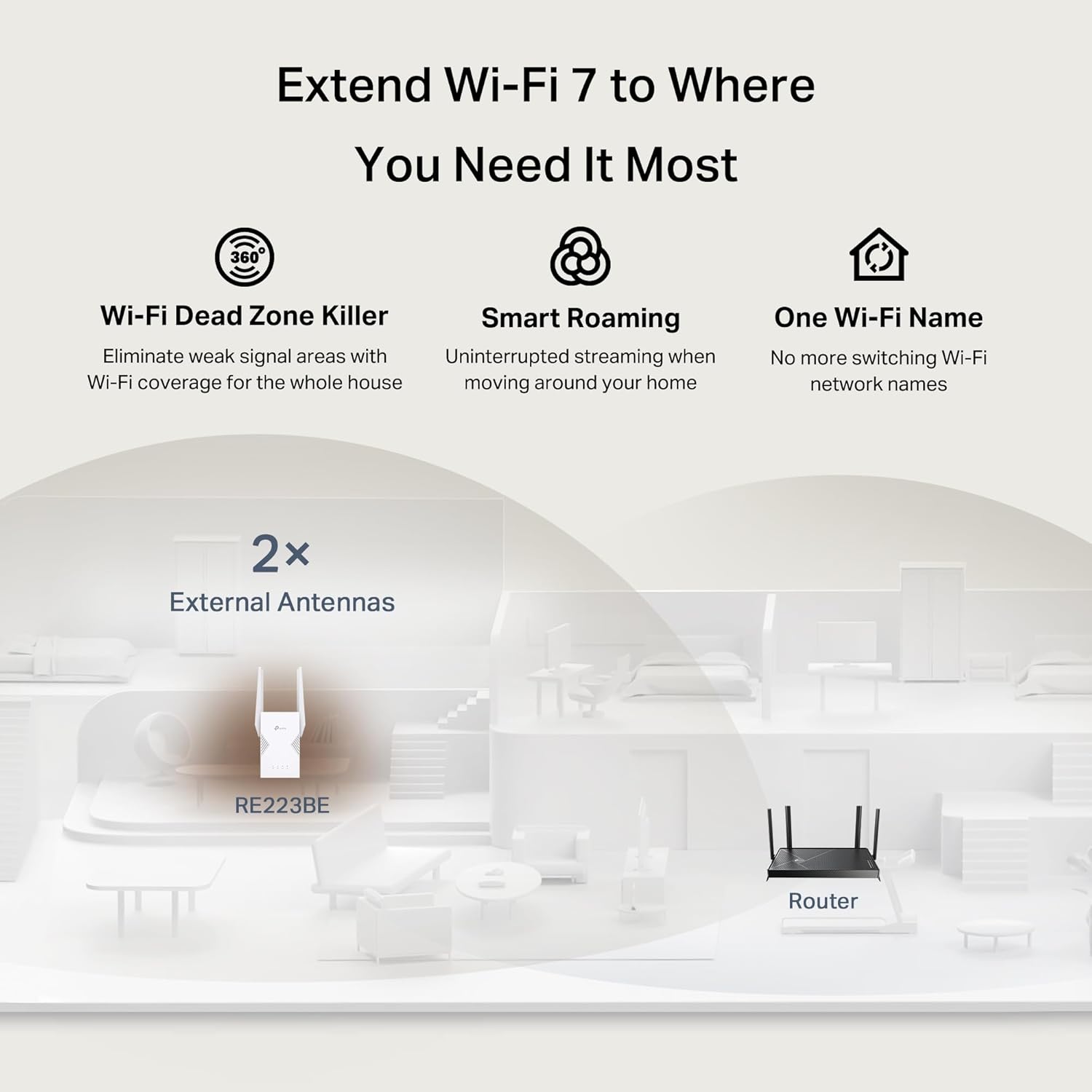
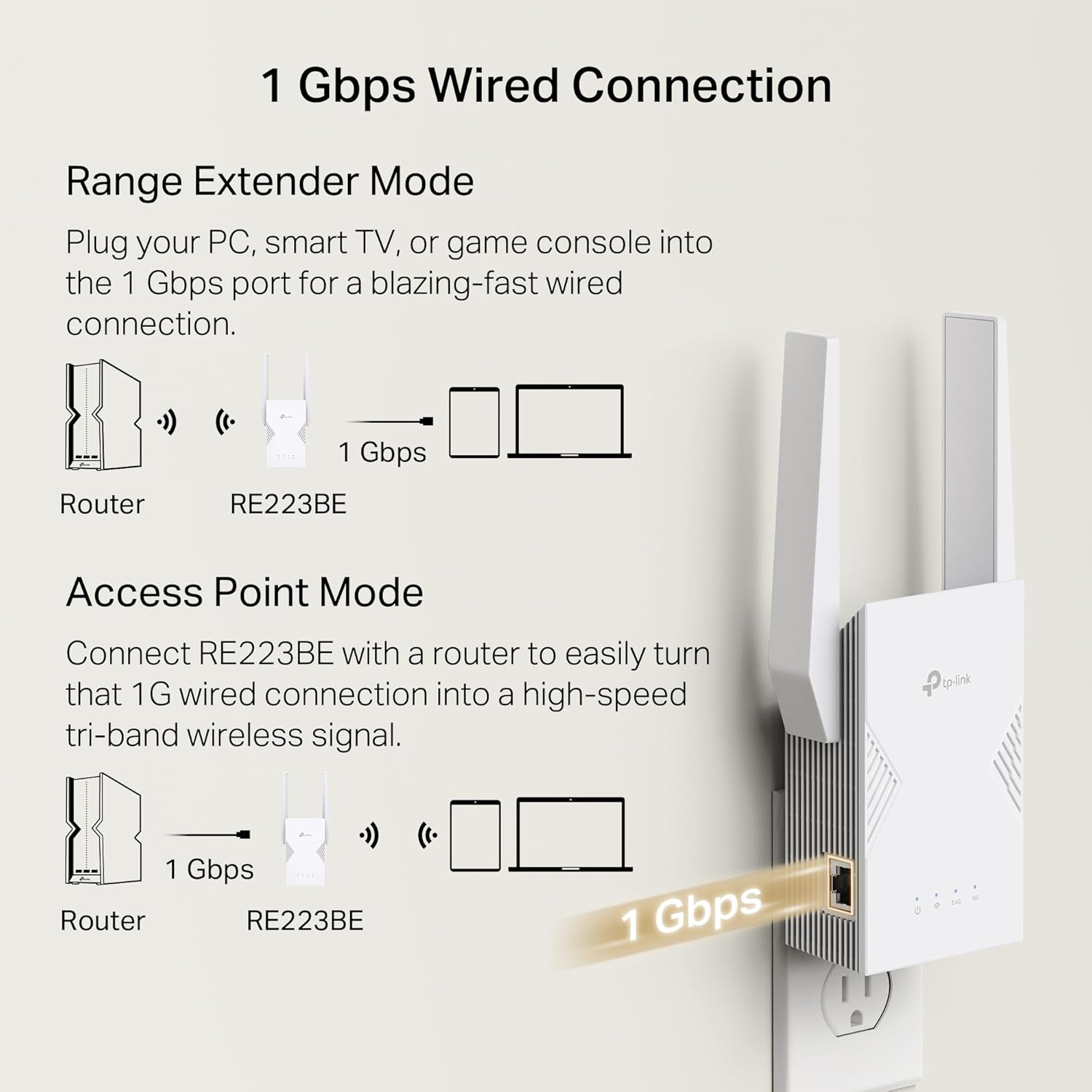
Extend your Wi-Fi performance like never before with the TP-Link BE3200 Dual-Band Wi-Fi 7 Range Extender RE223BE. When paired with a WiFi 7 router, achieve the benefits of Wi-Fi 7’s Multi-Link Operation, Multi-RUs, and 4K-QAM. Compatible with dual-band Wi-Fi total bandwidth of 3.2 Gbps. Say goodbye to Wi-Fi dead zones and enjoy seamless streaming on Netflix, Prime Video, Disney+, and more – while browsing at ultra-fast speeds on your WiFi 7 devices, like the iPhone 16 Pro, the Google Pixel 9, or PS5 Pro. RE223BE supports EasyMesh, the easiest way to create a whole-home mesh Wi-Fi network with your existing router, eliminating dead zones for seamless coverage. The 1 Gbps Ethernet port provides lightning-fast stability for direct connections to smart TVs, computers, and gaming consoles. Great for gamers, streamers, parents, professionals, or anyone managing a busy household.
This WiFi booster has dimensions of 3.8 x 1.82 x 4.9 inches. It supports advanced features such as Beamforming, MU-MIMO, OFDMA, TWT (Target Wake Time), BSS Coloring, Airtime Fairness, DFS, and HT160. Connected router must be Wi-Fi 6 and above to enable OFDMA, TWT, and BSS color features. TWT schedules the connection time of battery-powered devices to reduce their power consumption.◇ Additional functionalities include access control, IPv6, LED control, cloud management, and Smart Signal Indicator. Smart Signal Indicator discovers the ideal spot for extending your WiFi coverage.
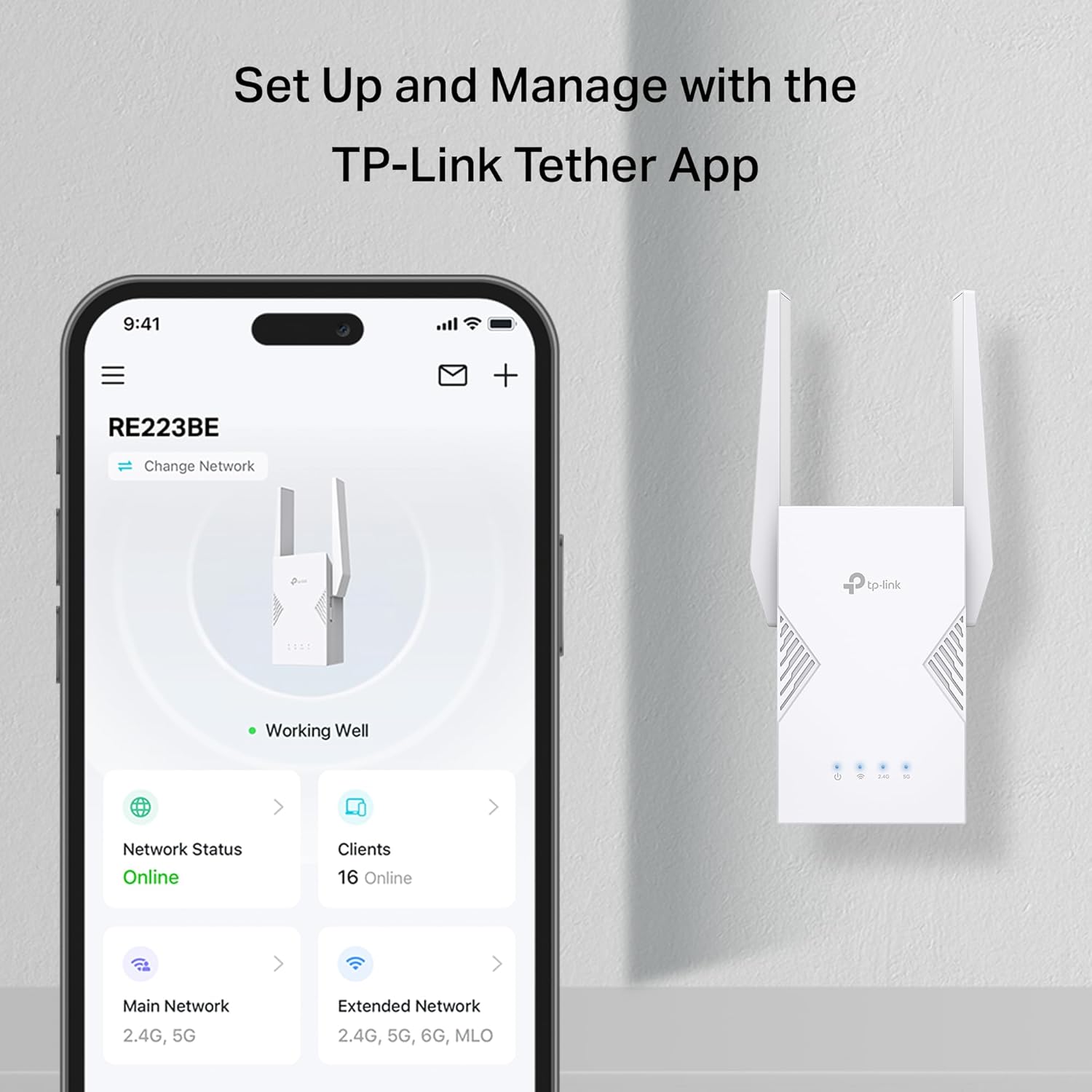
Security features for this WiFi repeater include WPA3, two-factor authentication (2FA), and IP address and MAC address filtering. The Tether app features includes the following features: Network status, Firmware Updates, Parental Controls, and Block Users. This product operates in temperatures ranging from 32°F to 104°F and humidity levels of 10%-90% non-condensing. The package / purchase includes the RE223BE and a quick installation guide. It has regulatory certifications from FCC and IC.
𝐍𝐞𝐱𝐭-𝐆𝐞𝐧 𝐖𝐢-𝐅𝐢 𝟕 𝐏𝐞𝐫𝐟𝐨𝐫𝐦𝐚𝐧𝐜𝐞 – Pair with a Wifi 7 router and achieve the benefits of Multi-Link Operation (MLO), Multi-RUs, 160 MHz and 4K-QAM. Achieve optimized signal distribution throughout your entire home, and enjoy high performance on latest WiFi 7 devices.△
𝟒-𝐒𝐭𝐫𝐞𝐚𝐦, 𝐃𝐮𝐚𝐥-𝐁𝐚𝐧𝐝 𝐖𝐢𝐅𝐢 𝐰𝐢𝐭𝐡 𝟑.𝟐 𝐆𝐛𝐩𝐬 𝐓𝐨𝐭𝐚𝐥 𝐁𝐚𝐧𝐝𝐰𝐢𝐝𝐭𝐡 – Extend your router’s performance with speeds up to 2594 Mbps (5 GHz band) and up to 688 Mbps (2.4 GHz band). Enjoy seamless 4K/8K streaming, AR/VR gaming, and fast downloads/uploads.⌂
𝐌𝐚𝐱𝐢𝐦𝐢𝐳𝐞𝐝 𝐂𝐨𝐯𝐞𝐫𝐚𝐠𝐞 𝐮𝐩 𝐭𝐨 𝟐𝟒𝟎𝟎 𝐒𝐪. 𝐅𝐭. – Four optimally positioned antennas with Beamforming technology boosts signal strength, reliability, and range, providing seamless whole-home Wi-Fi coverage and eliminating dead zones for up to 64 devices.
𝐎𝐮𝐫 𝐂𝐲𝐛𝐞𝐫𝐬𝐞𝐜𝐮𝐫𝐢𝐭𝐲 𝐂𝐨𝐦𝐦𝐢𝐭𝐦𝐞𝐧𝐭 – TP-Link is a signatory of the U.S. Cybersecurity and Infrastructure Security Agency’s (CISA) Secure-by-Design pledge. This device is designed, built, and maintained, with advanced security as a core requirement.
𝐄𝐚𝐬𝐲𝐌𝐞𝐬𝐡-𝐂𝐨𝐦𝐩𝐚𝐭𝐢𝐛𝐥𝐞 – Easily expand your network for seamless, whole-home coverage by connecting the RE223BE to any EasyMesh-compatible router. *
𝐃𝐨𝐞𝐬 𝐍𝐨𝐭 𝐒𝐮𝐩𝐩𝐨𝐫𝐭 𝟔 𝐆𝐇𝐳 𝐁𝐚𝐧𝐝– Please note This dual-band WiFi 7 range extender does not support the 6 GHz band. It operates on the 2.4 GHz and 5 GHz bands only.
𝐍𝐨𝐭 𝐓𝐨 𝐢𝐧𝐜𝐫𝐞𝐚𝐬𝐞 𝐒𝐩𝐞𝐞𝐝 – Please note that all Wireless Extenders are designed to increase or improve WiFi coverage and not to directly increase speed. In some cases improving signal reliability can affect overall throughput
𝐌𝐮𝐥𝐭𝐢-𝐋𝐢𝐧𝐤 𝐎𝐩𝐞𝐫𝐚𝐭𝐢𝐨𝐧 (𝐌𝐋𝐎) 𝐓𝐞𝐜𝐡𝐧𝐨𝐥𝐨𝐠𝐲 – When paired with a WiFi 7 router, frequency bands are combined to deliver enhanced throughput, lower latency, and improved reliability. Enjoy faster, more stable connections across applications. △
𝐒𝐦𝐚𝐫𝐭 𝐀𝐝𝐚𝐩𝐭𝐢𝐯𝐞 𝐑𝐨𝐚𝐦𝐢𝐧𝐠 – Seamlessly move throughout your home with automatic connections to the strongest signal, ensuring uninterrupted coverage and optimal performance.
𝐄𝐚𝐬𝐲 𝐒𝐞𝐭𝐮𝐩, 𝐆𝐫𝐞𝐚𝐭 𝐂𝐨𝐦𝐩𝐚𝐭𝐢𝐛𝐢𝐥𝐢𝐭𝐲 – Set up, secure, and optimize your network in minutes with the Tether app. Find the optimal location for the best WiFi connection with intelligent signal indicator. **Compatible with almost all Wi-Fi enabled devices and routers or access points. It can support new WiFi 7phones, laptops and other devices.**
8 reviews for TP-Link BE3200 Wi-Fi 7 Range Extender RE223BE w/Ethernet Port | 3.2 Gbps Dual-Band Wireless Repeater | Internet Signal Booster for Home | Up to 2400 sq.ft, 64 Devices | MLO, EasyMesh | No 6 GHz Band
Add a review
Related Products


$119.99

Cyril Mekhail –
Great wifi repeater
Hereâs a highly technical, Amazon Vineâstyle paragraph review of the TPâLink BE3200 (RE223BE) WiâFi 7 Range Extender:—From the standpoint of a WiâFi and networking enthusiast, the TPâLink BE3200 (RE223BE) emerges as a very deliberateâand technically nuancedâdesign for a WiâFi 7 range extender. Internally, it mirrors the Archer BE3600 dualâband WiâFi 7 router chipset, offering theoretical max throughput of up to 3.6â¯Gbps (2,882â¯Mbps on 5â¯GHz and 688â¯Mbps on 2.4â¯GHz) over 160â¯MHz channel width with 4KâQAM, exactly as claimed in its spec sheet . Critically, although some sources describe it as only a gigabitâEthernet device, the TPâLink site and spec pages confirm a single 1â¯Gbps port, so the device lacks multiâgig support found on its sibling RE235BE .Its support for MultiâLink Operation (MLO) means the extender can use simultaneous links across bands to reduce latency and improve reliabilityâespecially when mesh roaming is active . It also supports EasyMesh (OneMesh) compatibility, allowing it to integrate into a broader TPâLink mesh ecosystem for seamless handoff and APâlevel roaming . Setup via the Tether app or WPS is impressively frictionless, and the walkâaround signal strength tester helps position the device optimally within your home before committing to its final plug-in spot. Reviewers confirm it âwas very easy to set up and add to my networkâ and works reliably even in transformed environments once moved to its ideal location .However, realâworld performance reviewers typically achieve speeds in the 500â1,000â¯Mbps range, even when extending gigabit broadbandâfar short of the 3.6â¯Gbps ceiling. Range and performance degrade significantly with distance and wall interference, particularly beyond typical duplex ranges for dualâband devices . One detractor specifically noted poor performance when attempting EasyMesh integration outside the TPâLink Deco ecosystem: âThe speeds ⦠were atrocious ⦠it just does not like being forced to try to mesh with my existing systemâ and that the Tether app (not Deco app) handles it, limiting seamless mesh behavior for Deco users .In sum, the BE3200 (RE223BE) is a solid WiâFi 7 extender targeting users who want dualâband WiâFi 7, reliable MLO support, gigabit wired backhaul, and EasyMesh compatibility at a lower price point (~$99), provided placement conditions are favorable. Its limitationsâ1â¯Gbps LAN max, weaker longârange performance, and potential ecosystem frictionâare worthwhile compromises for costâconscious adopters seeking nearâfuture connectivity without full multiâgig hardware.—> Pros: Dualâband WiâFi 7 (up to 3.6â¯Gbps), MLO support, EasyMesh compatibility, gigabit Ethernet port, smooth appâguided setup.Cons: No 6â¯GHz support or 2.5â¯Gbps LAN, realâworld speeds far lower than spec, wallâoutlet form factor limits placement, limited mesh integration with Deco systems.
J. Hansen –
Fantastic Extender
I’ve used TP Link products off and on for years, and have come to expect, overall, a pretty easy to use and quality piece of hardware. This new RE223BE is no different. While it does feature wifi 7, the new thing seems to be with doing dual-band wifi 7 vs the tri-band wifi 7, which is where I think the most benefit comes with having the 6 ghz band. While this extender doesn’t feature the 6 ghz, it is still a quite impressive unit.You download the TP Link Tether app, and it walks you through the set up process. You simply plug in the extender into a wall socket, raise the antennas, and then begin the set up process. It can connect to any wifi network via wifi and extend it, can also, if you already have a TP Link router, connect via a mesh setup, or you can even connect directly via ethernet with the 1Gbps port. The set up process walks you through connecting to the repeater via its own wifi network, then connects you to your existing one, and then begins repeating that network.I personally tried putting this in my garage to help extend my wifi network for some of my security cameras that have been having off and on connectivity issues due to their distance from my router. While I don’t have a TP Link router, this extender did exactly as I’d hoped. I do have a fiber connection within my home exceeding 2Gbps. Adding the RE223BE allowed me to get close to 500 Mbps near my outdoor security cameras. That easily came them the speeds they needed to work properly, which I was thrilled about.There really isn’t much I can say bad about this device. TP Link has done a nice job. It hits the speeds I was hoping for, and, while it is priced on the higher-end, it is wifi 7, so should be able to be future proof to some extent.
Jonathan Demarks –
Reliable coverage with occasional hiccups
As someone who frequently experiences slow streaming speeds at home, I was eager to test this wifi range extender. My goal was to boost coverage in areas where my routerâs signal weakened, particularly my bedroom (about 30 feet away with thick walls). Setup was straightforward thanks to the website’s clear instructions.Itâs important to note that this extender doesnât support the 6 GHz band, which is increasingly relevant for newer devices. While it offers speeds up to 2594 Mbps on the 5 GHz band and 688 Mbps on the 2.4 GHz band, I didnât see a significant speed increase beyond what my router already provided.The smart roaming feature worked well when I moved around, it automatically connected to the strongest signal without dropouts. My main use case for this device is to convert wifi to ethernet for my desktop computer and it did that well, but I did notice occasional drops in performance from 400+Mbps down to less than 100Mbps where that did not happen with other devices that were in the same area and connected directly to the wifi point this device was using to extend the signal.Ultimately, this extender is best for expanding Wi-Fi coverage. It’s compatible with a wide range of devices and offers a simple solution to improve signal strength and convert to ethernet where needed. Just donât expect it to dramatically speed up your entire network, especially with many devices competing for bandwidth.
Richard –
I have used a fair few signal repeaters over the years and also have used old routers as repeaters. Recently I was lucky enough to get fibre to the premises broadband from a small supplier. This in theory gives be 300MBS upload and download. However it soon became apparent that the router supplied had pretty poor wi-fi capabilities and the signal was rather weak in the lounge. I decided to try one of these range extenders,It suits my purpose perfectly. Very easy to set up and I cant see anyone having a problem. WPS pairing worked but I then changed the SSID to match the rest of the network which worked well as roaming devices tend to pair to the strongest signal. The advice with this extender was to place it halfway between the router and the problem area. This is logical enough but I was able to place the device behind the TV in the lounge (blue light on the device shows this placement is fine) which meant I could use the ethernet socket for my PVR. This all works perfectly. Unlike previous extenders I have used this one is very stable and I have not had to reboot the device yet.Its important to realise that because of the way repeaters work you will not get the same speed as you would next to the router. There are endless clear explanations for this on the internet but in simple terms the repeater has to collect the signal and then pass it on so you might in theory half the bandwidth. So if your actual internet speed from the provider is slow this may not be the solution you are hoping for. My upload/download (just checked) is about 140 MB from the 300. What you will get though if the device is placed correctly is a very strong signal strength, exactly what wifi dongles such as the firestick require.Based on my experience of ease of setup, usefulness and importantly stability its five stars all the way from me.
retson –
Excellent , easy to setup, great wifi signal , well recommended
Marco –
The extender is big and having to use a UK plug adapter is a bit annoying but it performs as expected, providing maximum speeds from afar
Stacey –
This is amazing. The quality of this item is really good. The connectivity was really easy and straightforward to set up with my current broadband provider and routers. The range seems to be absolutely perfect. We changed over to virgin media just over a year ago and unfortunately we missed the renewal which I wouldâve changed because virgin media since having it have been an absolute nightmare in my house. We have always struggled to get a good signal in my childrenâs bedrooms at the back of the house and slightly the kitchen at the bottom back of the house we are also all people that play consoles mainly of an evening and we were forever dropping out because we just couldnât play at the same time even though I was playing for the bigger package we had two boosters already one at the top of my stairs and one downstairs from virgin media which did help a little bit but still done absolutely nothing for upstairs in my childrenâs room at the back of the house after months and months and months of trying to talk to someone at virgin media. I was getting nowhere with this so I decided to try and buy a booster or a mesh booster or something just to try and help what we were paying for I came across this one looked at the reviews and also saw that people had mentioned virgin media and thought Iâll give it a try. Itâs set up at the top of our stairs in place of one of the old ones and I have to say honest to God hand on heart we have had no problems with our Internet since we have it
M. Edney –
We ordered this as our Virgin Hub3 is shocking and can’t seem to transmit a signal beyond about a metre. We complained to Virgin and got sent a single booster pod. Despite the pod booster, we still have very poor WiFi signal upstairs and after reading reviews, decided to go for this.It works seamlessly with the Virgin router and the Pod, there are no conflicts or clashes etc. It was a simple out-the-box and plug-in experience to get set-up, took minutes.Very, very impressed with this. Our home WiFi has gone from ineffective to very strong signal and both our kids can play online games like Fortnite on two separate xboxes with no lag or break in signal. This was impossible before.We switch it off overnight, along with the TV and Xboxes etc, and it is up and running when switched on within about 30secs.I will update review in a month or so – as we’ve only had the device for a week, but so far, I can’t recommend it enough. Only minor feedback, is the unit itself is quite wide, so when you plug it in a standard UK 3-pin plug socket, you may struggle to plug in anything else right next to it (we have it on an extension lead and the sockets are very close together).