

AULA SC680 Wireless Gaming Mouse, Tri-Mode 2.4Ghz/USB-C/BT5.2, Ultra-Lightweight Mouse, PAW3395 Sensor, 8K Polling Rate, 26000 DPI, 75Hrs Battery Life, Rechargeable Gaming Mice for PC/Laptop/Mac/PS5
$49.99





Price: $49.99
(as of Sep 23, 2025 05:55:49 UTC – Details)
Product description
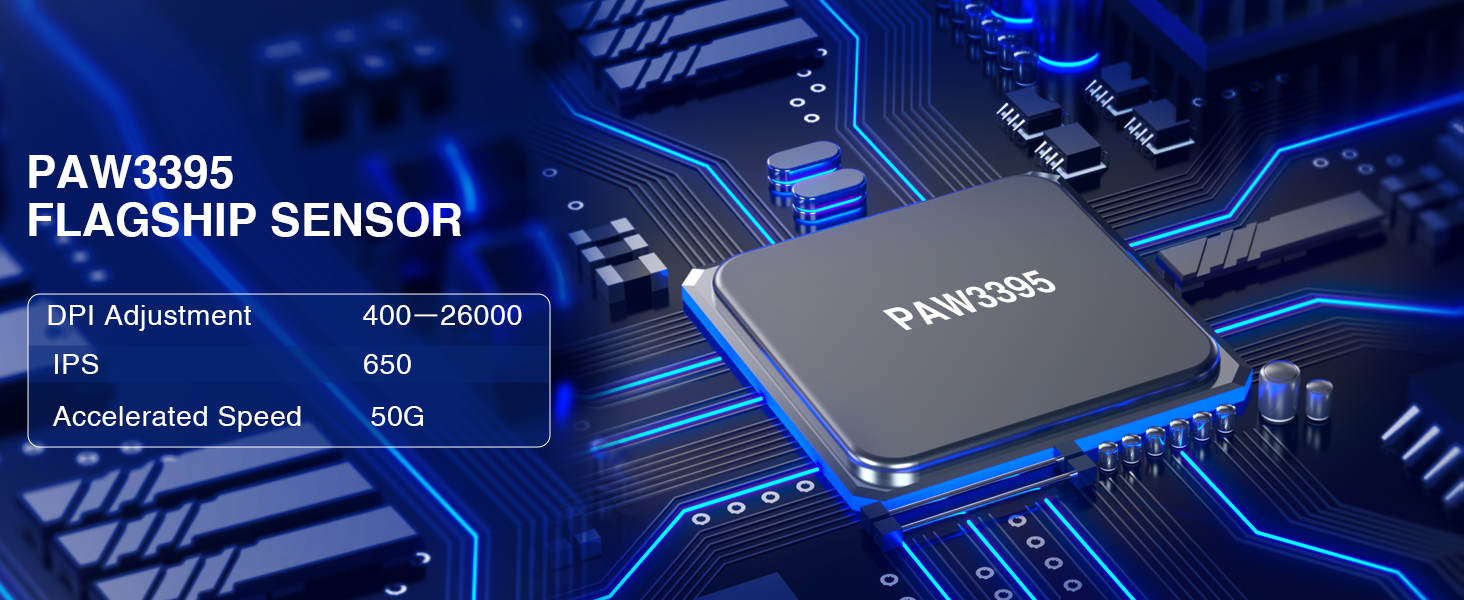
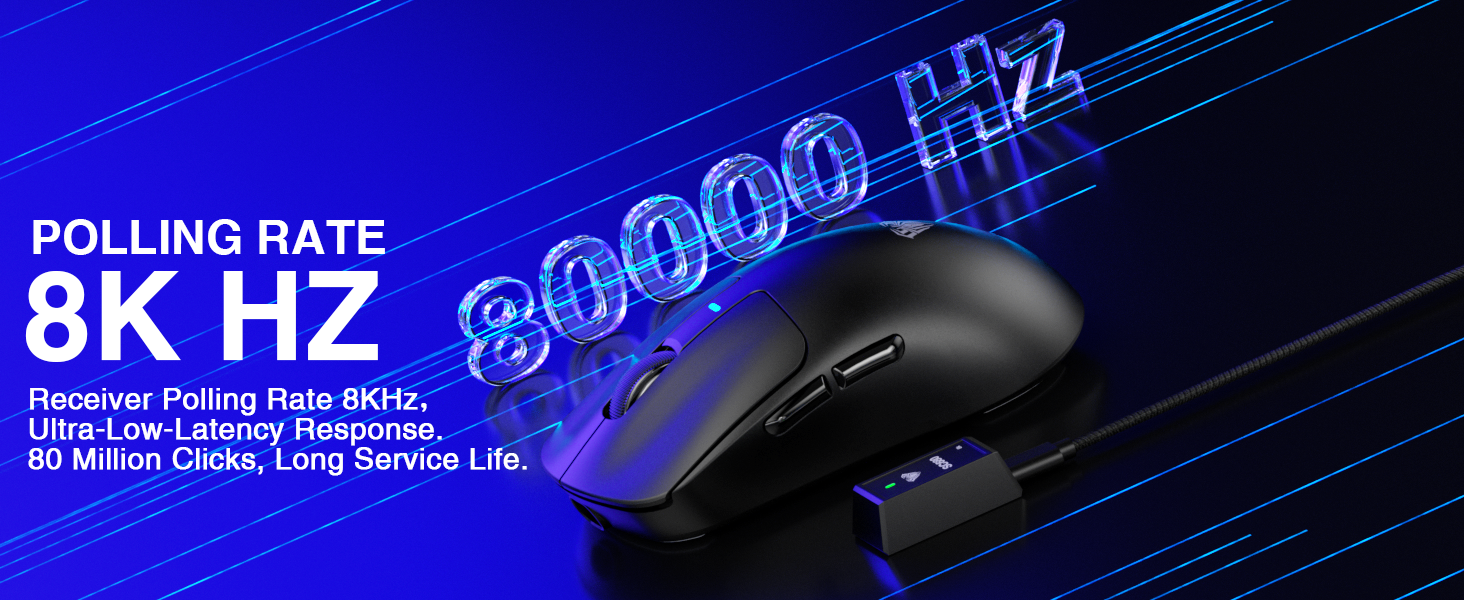
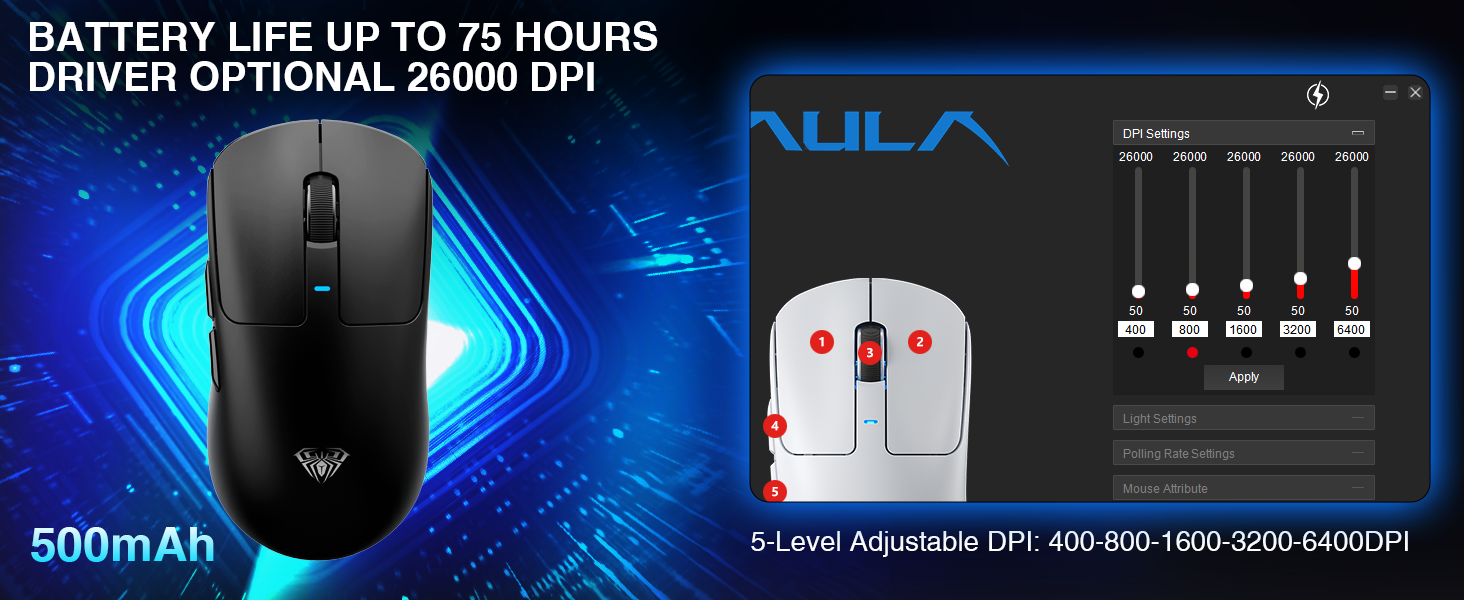
1 PAW3395 Sensor 2 8KHz Polling Rate 3 Battery & DPI
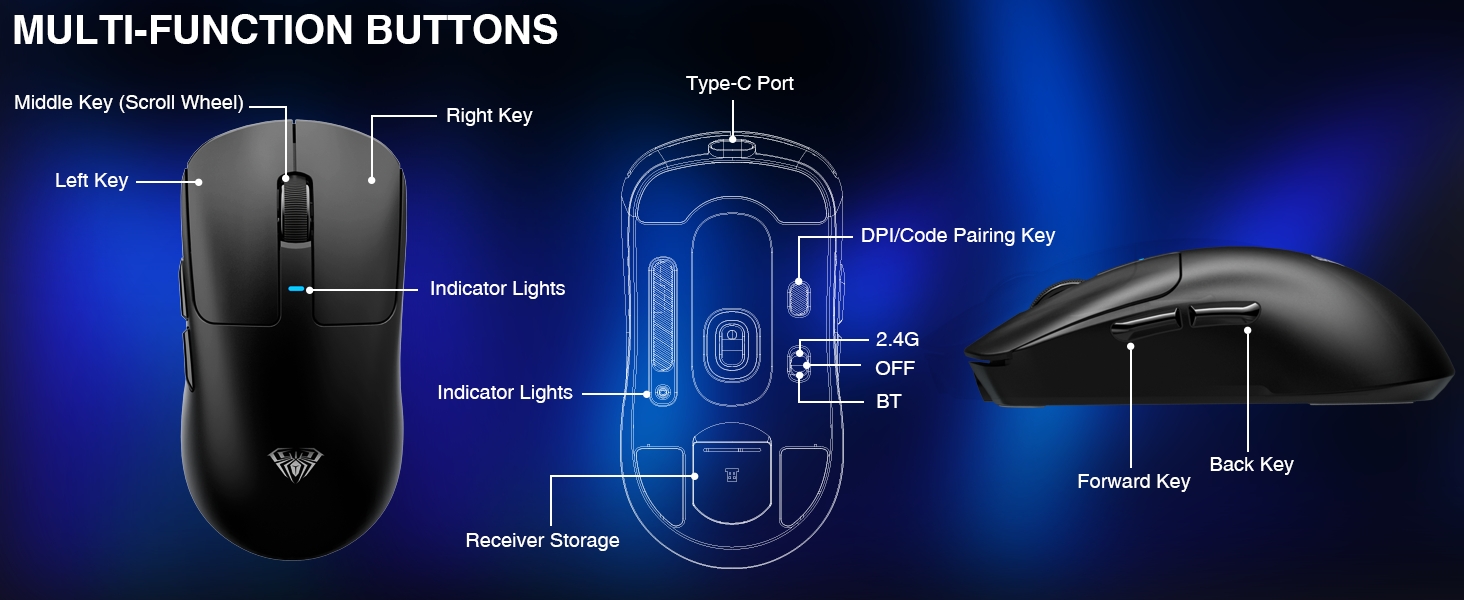
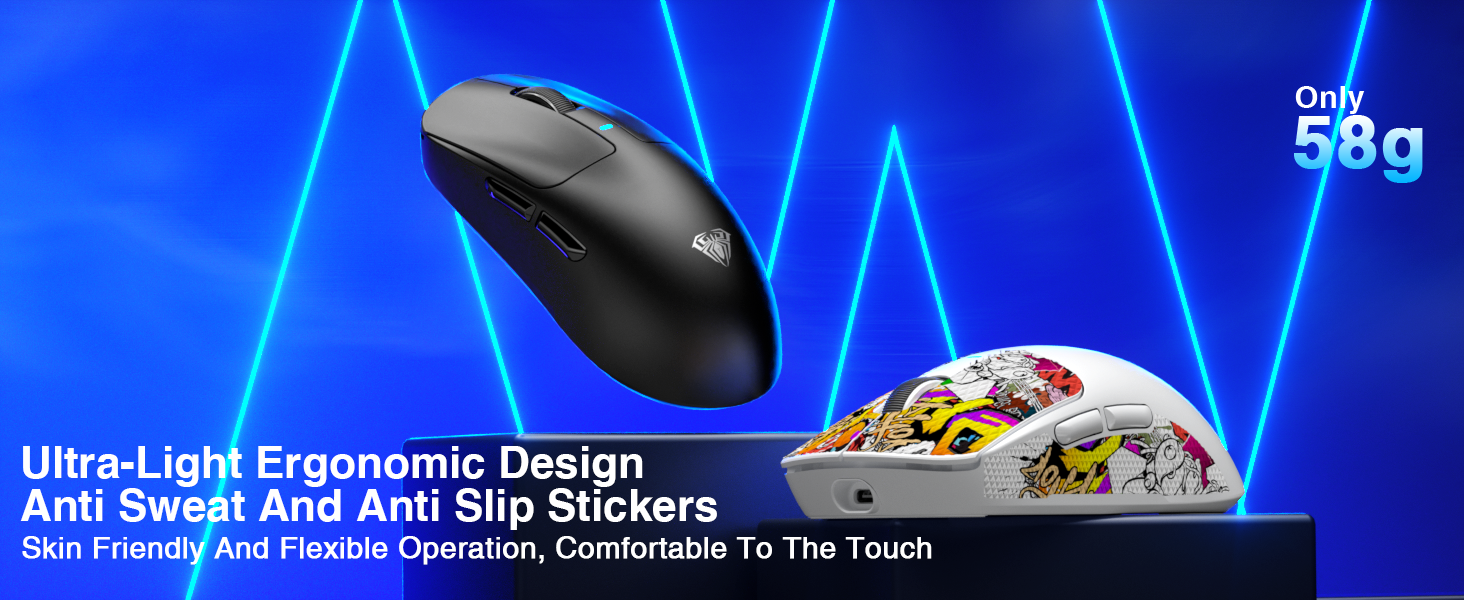
1 Ultra-lightweight
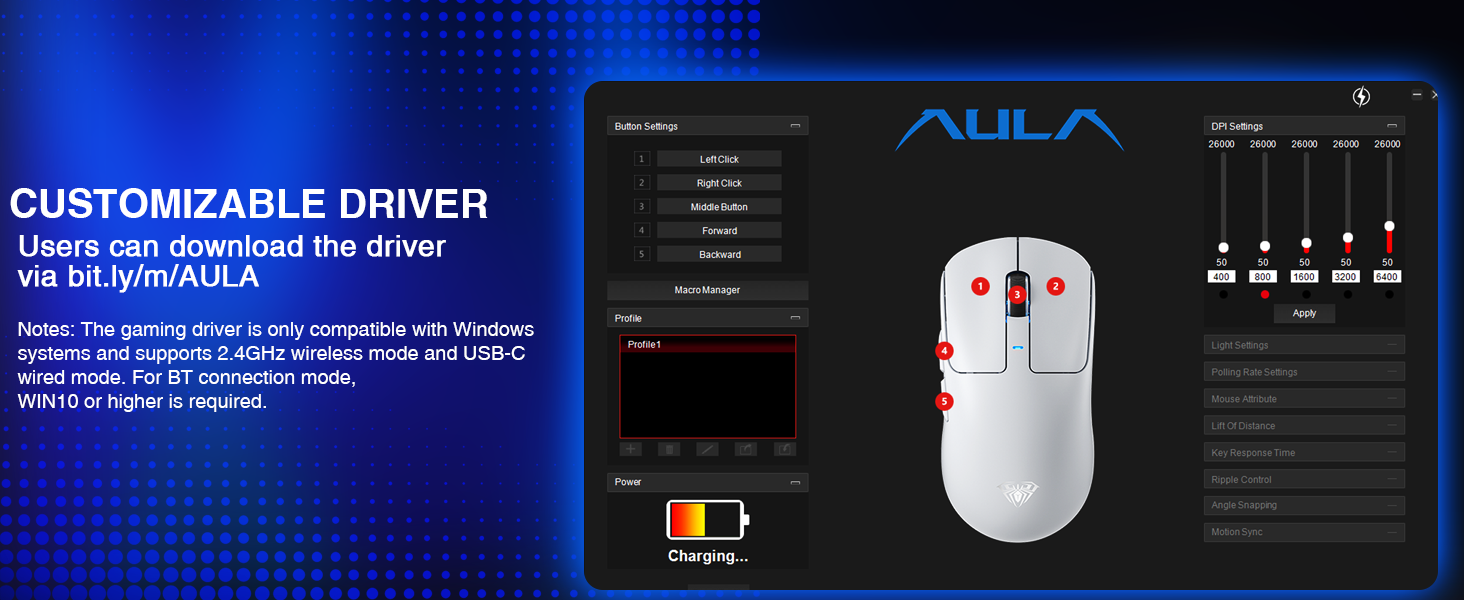
2 Programmable Software
Tri-Mode Wireless Gaming Mouse From AULA
Add to Cart
Add to Cart
Add to Cart
Add to Cart
Add to Cart
Add to Cart
Add to Cart
Customer Reviews
4.8 out of 5 stars 5
4.8 out of 5 stars 5
4.2 out of 5 stars 8
4.2 out of 5 stars 8
4.2 out of 5 stars 8
4.6 out of 5 stars 356
4.4 out of 5 stars 6
Price
$49.99$49.99
$49.99$49.99
$54.14$54.14
$54.14$54.14
$59.84$59.84
$26.90$26.90
$47.59$47.59
Connection Method
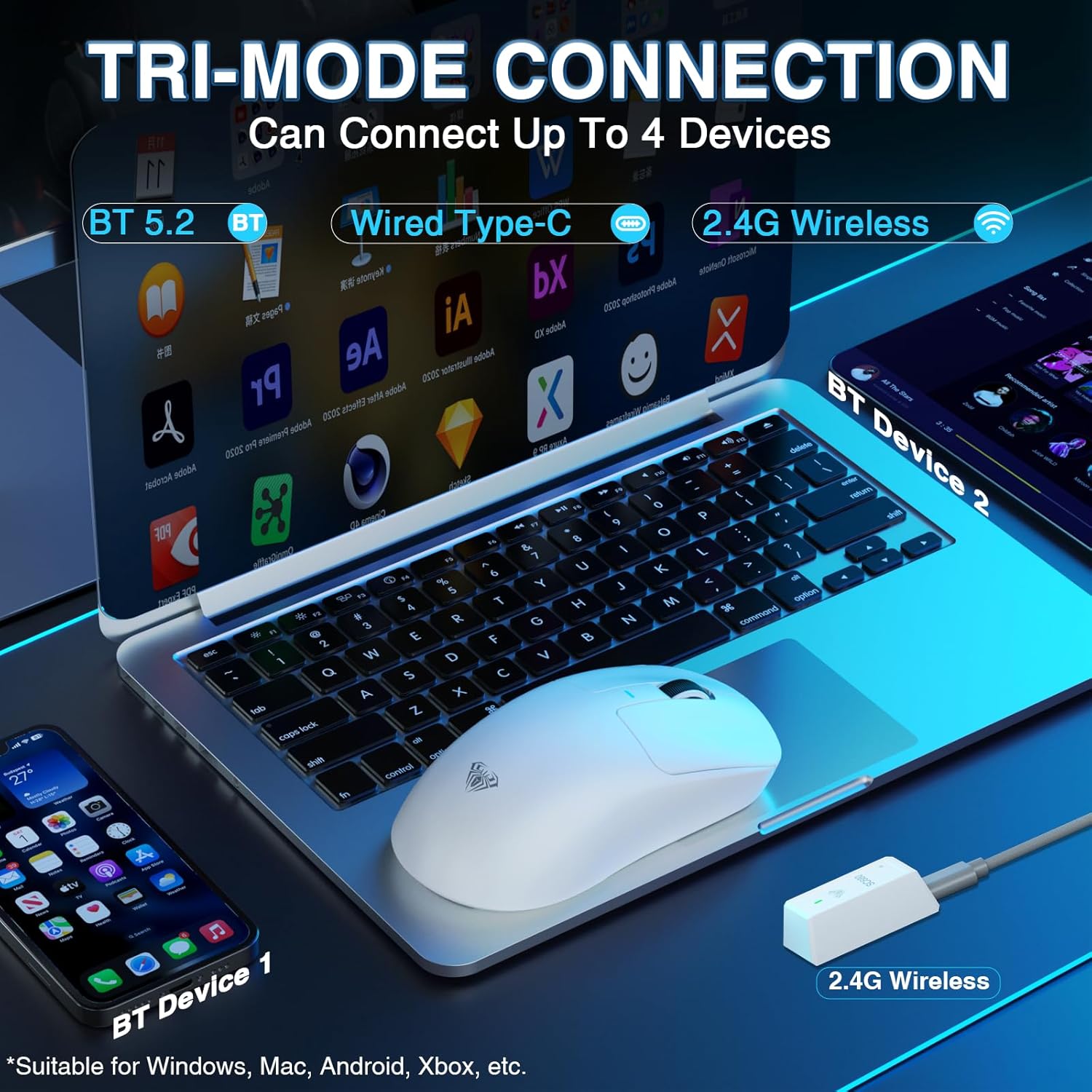
BT/2.4GHz Wireless/USB-C
BT/2.4GHz Wireless/USB-C
BT/2.4GHz Wireless/USB-C
BT/2.4GHz Wireless/USB-C
BT/2.4GHz Wireless/USB-C
BT/2.4GHz Wireless/USB-C
BT/2.4GHz Wireless/USB-C
Advanced Sensor
PAW3395
PAW3395
PAW3395
PAW3395
PAW3950
PAW3311
PAW3395
Adjustable DPI
5-level, up to 26K
5-level, up to 26K
5-level, up to 26K
5-level, up to 26K
5-level, up to 30K
5-level, up to 12K
5-level, up to 26K
Battery
500mAh rechargeable
500mAh rechargeable
2*400mAh rechargeable
2*400mAh rechargeable
2*400mAh rechargeable
500mAh rechargeable
250mAh rechargeable
Polling Rate
2.4G(8KHz)Wired(1KHz)BT(125Hz)
2.4G(8KHz)Wired(1KHz)BT(125Hz)
2.4G(8KHz)Wired(8KHz)BT(125Hz)
2.4G(8KHz)Wired(8KHz)BT(125Hz)
2.4G(8KHz)Wired(8KHz)BT(125Hz)
2.4G(1KHz)Wired(1KHz)BT(125Hz)
2.4G(8KHz)Wired(1KHz)BT(125Hz)
Programmable Driver
✔
✔
✔
✔
✔
✔
✔
How to connect BT?
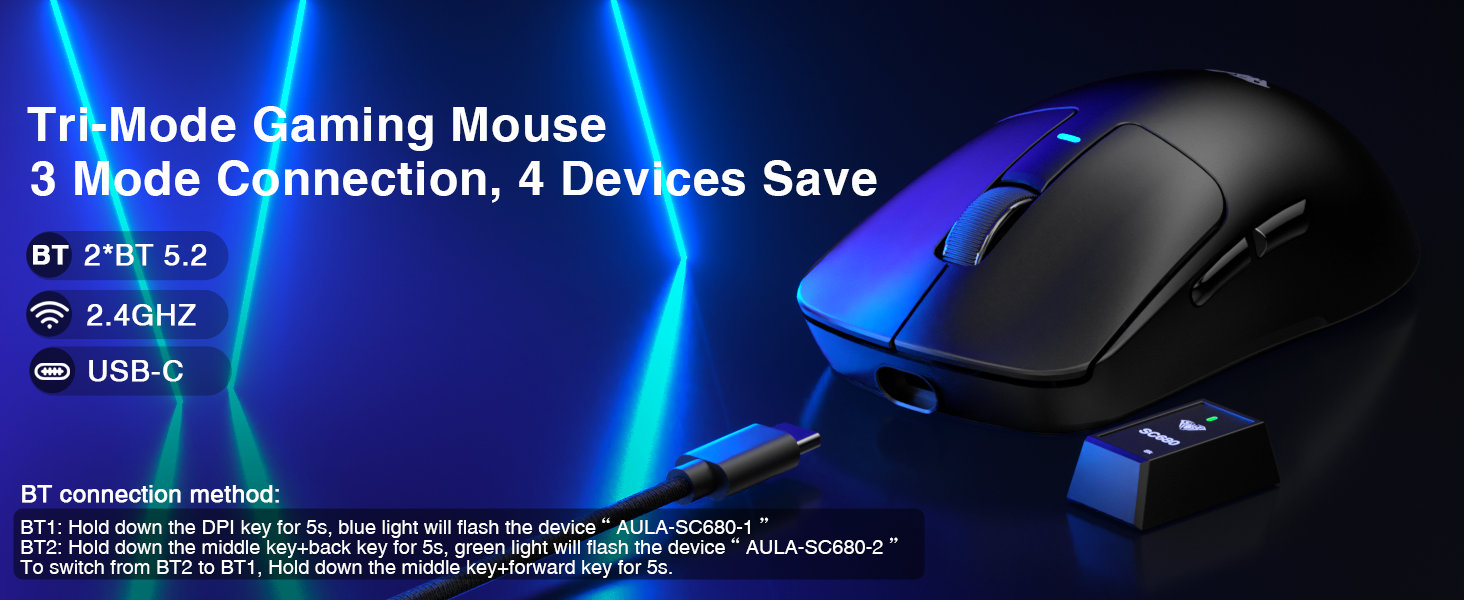
BT1: Hold down the DPI key for 5s, blue light will flash the device“AULA-SC680-1”
BT2: Hold down the middle key+back key for 5s, green light will flash the device“AULA-SC680-2”
To switch from BT2 to BT1, Hold down the middle key+forward key for 5s.
How do I know if the mouse needs charging?
Low voltage alarm: The mouse indicator flashes red to remind you to charge.
When charging, the red light flashes, and when fully charged, the light turns off and the light effect returns.
What precautions should be taken when charging?
Please use the original mouse cable and a computer USB port to charge the mouse. Do not use fast-charging phone chargers or wall chargers for direct charging.
How to download the software?
1.Download the software via bit.ly/m/AULA
2.Compatible with Windows systems and supports 2.4GHz wireless mode and USB-C wired mode. For BT connection mode, WIN10 or higher is required.
Tri-Mode Wireless Mouse: This gaming mouse supports connecting USB-C, 2.4GHz wireless, and 2*BT5.2 devices, Seamlessly switch between devices such as PCs, laptops, and tablets, allowing you to use it flexibly in various scenarios. It is also compatible with multiple systems such as Windows 7/8/10, Vista, XP, Mac, Windows 2000, and Linux
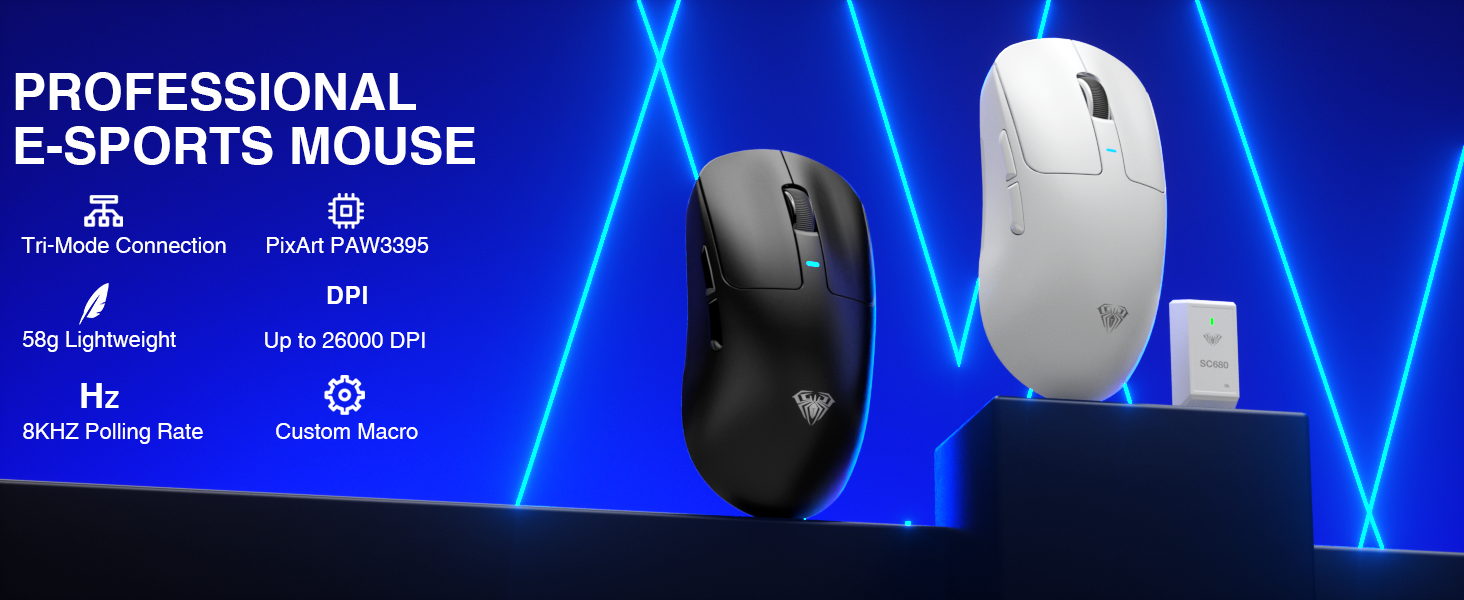
High Performance Sensors: This gaming mouse is equipped with a powerful PAW3395 sensor, 26000 programmable DPI, 650 IPS speed, 50g acceleration, and 8000Hz polling rate, ensuring precise cursor movement, enabling gamers to perform precise operations and office workers to easily handle work
Durable & Responsive Buttons: The SC680 wireless gaming mouse comes with a click life of up to 8 billion times, making it super durable. Its responsive button design aims to achieve quick operation, enhancing your gaming experience and improving work efficiency perfect for gamers and office workers
Lightweight & Rechargeable Mouse: This Lightweight mouse is easy to carry and has a comfortable touch. The accompanying stickers and spare foot pads are non slip, sweat proof, soft and skin friendly, providing more comfortable operation while reducing hand fatigue caused by long-term use. It has a built-in 500mAh rechargeable battery that provides long-lasting power, solving the annoyance of frequent battery replacement
Customizable Software: This computer mouse supports customizable software, allowing users to customize DPI, button functions, macro files, and return rates to meet different needs. Notes: The gaming driver is only compatible with Windows systems and supports 2.4GHz wireless mode and USB-C wired mode. For BT connection mode, WIN10 or higher is required. Driver download: bit.ly/m/AULA
3 reviews for AULA SC680 Wireless Gaming Mouse, Tri-Mode 2.4Ghz/USB-C/BT5.2, Ultra-Lightweight Mouse, PAW3395 Sensor, 8K Polling Rate, 26000 DPI, 75Hrs Battery Life, Rechargeable Gaming Mice for PC/Laptop/Mac/PS5
Add a review
Related Products


$49.99

Liltrouble –
Nice wireless mouse. Light weight, colorful grip stickers.
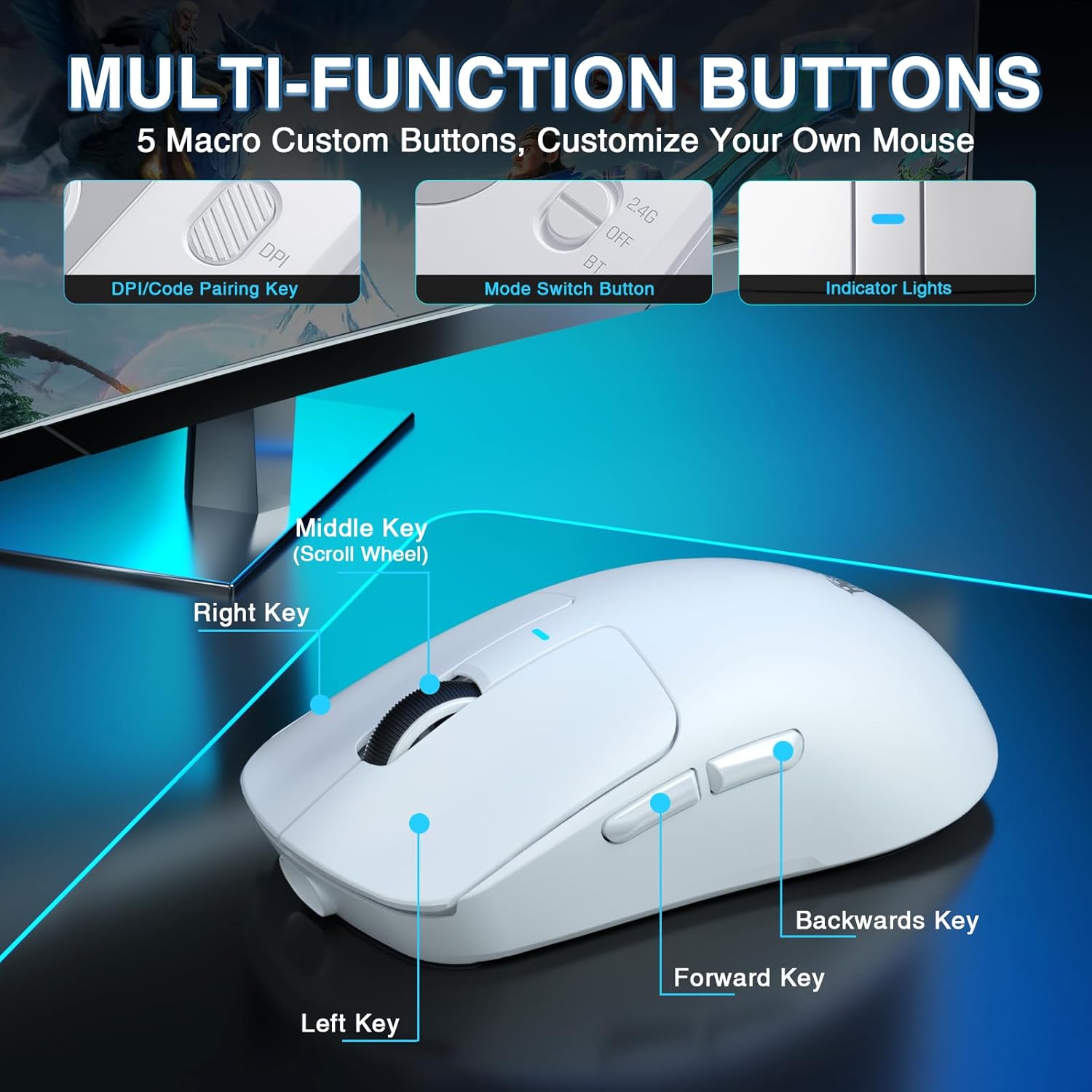
This arrived in a very descriptive box that had the specs of the mouse on the outside. Inside and well protected by what I think is open cell foam was the mouse, the USB cord and wireless dongle, some grip stickers and extra skates, and a small manual. Everything was in perfect shape.My first impressions was that this is an amazingly light weight mouse. You can use it wired or wirelessly via 2.4 ghz dongle or blue tooth. Despite it being so light it feels durable.The buttons have a nice sound and feel to them. The scroll wheel has the tactile feel and little clicks as you scroll. The mouse uses a very good PAW3395 sensor, which worked great for gaming and regular desktop use. I had no issues using it in wired or wired mode on Windows 11.There is a small button to switch the dpi on the bottom of the mouse. There is an LED light on both the top and bottom of the mouse that will indicate what dpi you have it set at. When you first plug in the mouse with the USB cord, the LED light on top will blink red until it is fully charged. There is software you can install to change dpi, do macro’s, and other customization’s, but it works fine without doing this.The included USB cable is quite long and the nice soft kind that is almost like its not there. It is my favorite type of USB cable to use for mice, since your moving them so much.The included grip tape has a fun gaming oriented design. You do not have to use it but it would help your grip and give the mouse some colors. The mouse is fairly smooth without the grip tape but I had no issues using it that way. Surprisingly it did not seem prone to finger prints or shine.Overall I like the mouse and had zero issues using it while gaming or on the desktop in Windows 11. It is easy to setup and use, gives you options on how you want to do that, and performs well thanks to the PAW3395 sensor. The only minor con is that it lacks RGB, but for some that is a plus.
Jeffrey Spooner –
Maybe a touch over priced when compared to other 50$ mice
Ill start by saying it is a very lightweight mouse, but it does feel cheap. Has a very hollow sound to it- The plastics used feel pretty cheap and light. The mouse itself is fairly solid, i don’t notice any flexing in the body or anything like that while using it. Mb 1,2, & 3 are all pretty normal feeling and sounding, however the side mouse buttons have a very pronounced click and a bit of travel compared to my old Corsair Harpoon. Putting them side by side, the corsair is the winner as far as built quality and feel go, this aula mouse is not bad though. The polling rate seems fairly accurate to what is advertised, it has a 2.4ghz usb dongle on a rather long cord (which is nice) though i have yet to try it wired or bt, the mouse responds very well and has zero noticeable lag on 2.4g. The shape of this mouse is actually quite nice, reminds me of Logitech gaming mice. Id say they should use higher quality plastic or add some sort of rubber dampener behind the side mouse buttons to reduce the cheap feel ( or use quieter switches) but for 50$ it isnt a bad buy, maybe a little above what it should be but im sure since it uses a decent pixart sensor that adds a chunk to manufacturing costs. I will end by reiterating that it certainly has a very cheap build quality/feel but that is really my only gripe so far. I like the shape, speeds, and weight.
Rick –
Well Designed Gaming Mouse – Tri-Mode 2.4Ghz/USB-C/BT5.2 – Wired or Wireless – Lightweight
Ordered this Wireless Gaming Mouse – White – Tri-Mode 2.4Ghz/USB-C/BT5.2 – Lightweight Mouse – PAW3395 Sensor – for PC/Laptop/Mac – for mainly my laptop use while working and doing my daily & weekly reports. I’ve always used a wired mouse for work and have used it for 5-6 yrs. Recently it started acting up and not working correctly as it appeared there may be a short in the wire or inside mouse. So I started shopping online for something new and up to date. While comparing various types of mouses, wired & wireless, I saw this wireless gaming mouse and started reading about it. After reading about how it’s designed for multiple uses and is equipped with a powerful PAW3395 sensor, 26000 programmable DPI, 650 IPS speed, 50g acceleration, and 8000Hz polling rate, designed for high speed gaming, I knew it had to be a quick response mouse and great for my work and placed my order for the white one.This is a very nice and quick response mouse. So far, I’m liking the “wireless” part and “no wires” to mess with and getting tangled up on my desk. It has a long battery life. It came with a long life built in battery and charging USB cord and can actually be used as wired mouse as well. Also like that It is also compatible with multiple systems such as Windows 7/8/10, Vista, XP, Mac, Windows 2000, Linux and it works good while using it for work away from home and also at home use. It’s way more lightweight than my old mouse as it was made of heavy bamboo material and a bit heavy. The housing seems a bit thin material, but it works like a charm for me. It’s actually lots easier to use than my old one and over time will be less stress on my hand as I use it several hours everyday. Since it’s designed to last up to 8 billion clicks, it should last me many years to come. Happy with order