

OTTOCAST Mini 2025 Wireless Carplay Adapter & Android Auto Wireless Adapter for Apple iPhone Samsung Android Phone 2-in-1, USB Car Accessories with 5 GHz Wi‑Fi Bluetooth 5.0 Voice Control Plug & Play
$64.99




Price: $64.99
(as of Oct 07, 2025 02:56:14 UTC – Details)
Product description
2 in 1 Wireless Adapter for Apple iPhone or Samsung or other Android Phone 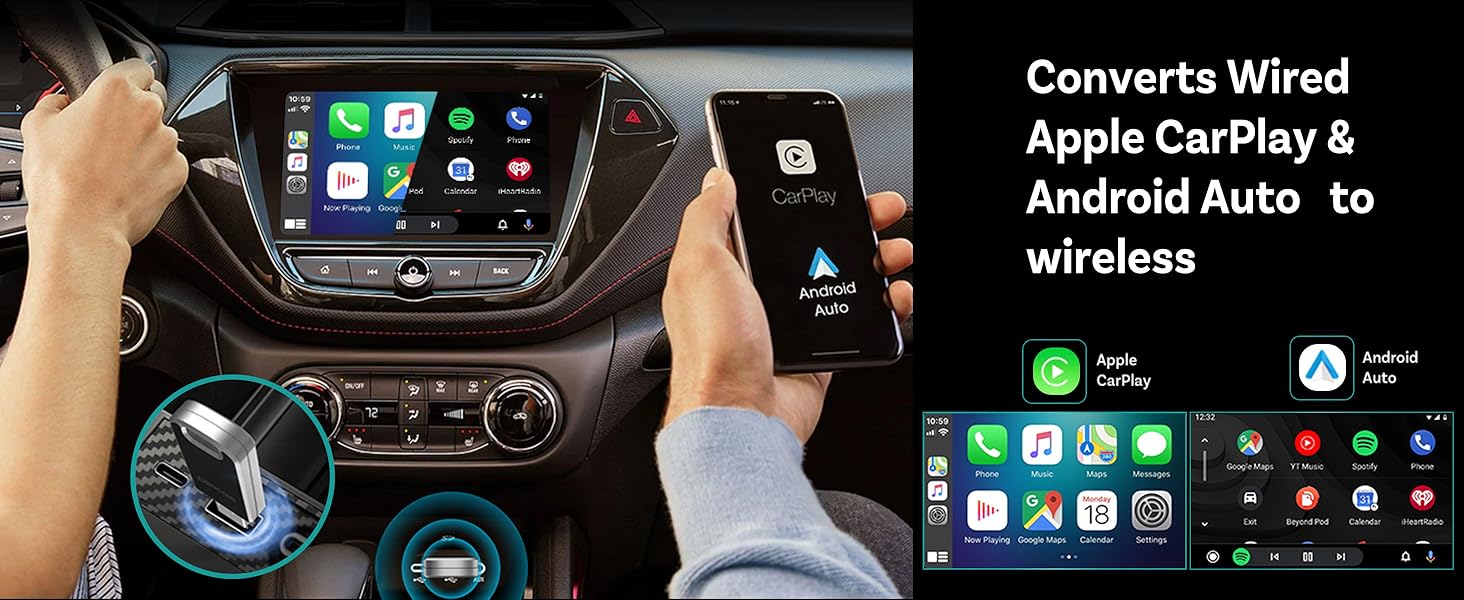


 How to change GPS signal source


 Car models and phones it works with

Step-by-Step Guide


Will one wireless adapter work for everyone in the family?
Yes. iPhones connect via CarPlay, while Samsung or other Android phones use Android Auto.
If my car only has wired CarPlay or only Android Auto, can I use this wireless adapter?
Yes, it should work with either system.
Can I use the wireless adapter without connecting my phone?
No, your phone must be paired to use it. But you only need to set it up once—after that, it’ll auto-connect when you start your car.
Can it connect to multiple phones?
The Ottocast Mini 2 supports two phone connections. It’ll automatically reconnect to the last phone you used. If it can’t find that phone’s Bluetooth, it will auto-reconnect to the other phone instead.
Comparison of main product functions of OTTOCAST
Add to Cart
Add to Cart
Add to Cart
Add to Cart
Customer Reviews
3.9 out of 5 stars 153
3.6 out of 5 stars 155
3.7 out of 5 stars 92
4.0 out of 5 stars 45
3.3 out of 5 stars 19
Price
$64.99$64.99
$69.00$69.00
—
$128.05$128.05
$239.00$239.00
Wireless Carplay Adapter
✔
✔
✔
✔
✔
Wireless Android Auto Adapter
✔
✘
✔
✘
✔
Mini Design
✔
✘
✘
✘
✘
Navigation and Music Come from
Carplay / Android Auto
Carplay
Carplay / Android Auto
Phone / Carplay
APP / Carplay / Android Auto
Supported Phones
iPhone/Samsung/Android Phone
iPhone
iPhone/Samsung/Android Phone
iPhone/Samsung/Android Phone
iPhone/Samsung/Android Phone
Watching Movies on Car Screen
Not Supported
Videos from TV Stick
Videos from TV Stick
Videos from Phone
Videos from downloaded APP
Download and install the APP
Not Supported
Check if TV stick supports it
Check if TV stick supports it
APP from Phone
Supported
Compatible with car models
Wired Carplay or Android Auto
with Wired Carplay
with Wired Carplay
with Wired Carplay
with Wired Carplay
Tesla / BMW
Not Compatible
Not Compatible
Not Compatible
Not Compatible
Not Compatible
【Dual‑System Compatibility: iOS & Android】 Our wireless CarPlay adapter doubles as an Android Auto wireless adapter, so you never have to swap devices. Whether you drive with an iPhone, Samsung, or any other Android phone, one adapter has you covered—perfect for households with mixed phones and seamless source switching.
【Ultra‑Compact “U‑Disk” Form Factor】This OTTOCAST Mini 2 wireless Car adapter is about the size of a USB stick. Tuck your USB CarPlay/Android Auto wireless adapter behind the dash for a clean, factory‑fresh look—no bulky dongles sticking out.
【5 GHz Wi‑Fi + Bluetooth 5.0 for Unshakable Connectivity】 Built‑in dual‑band Wi‑Fi and Bluetooth 5.0 keep your navigation fluid, music streaming rock‑solid, and hands‑free calls crystal clear—no dropouts, ever.
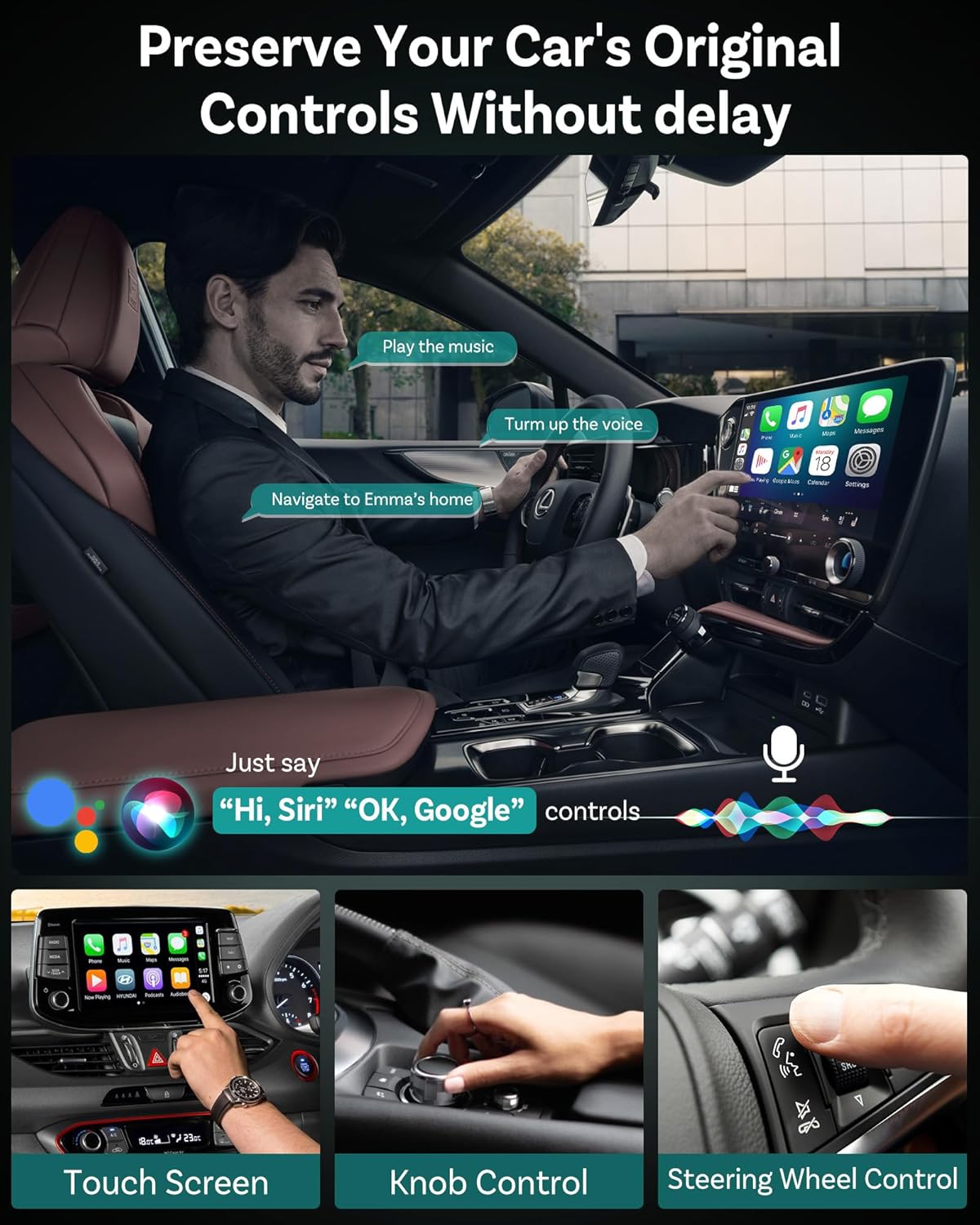
【1080p HD A/V & Zero‑Latency Controls】 Featuring a high‑speed 5 GHz chipset for lossless audio and 1080p video mirroring, plus support for steering‑wheel button control (skip tracks, answer calls), your wireless CarPlay adapter for iPhone and android auto wireless adapter makes every drive smoother and safer.
【Smarter Journeys: Voice Control + Split‑Screen】 Activate Siri or Google Assistant hands‑free to navigate, play tunes, or send messages on the fly. The wireless CarPlay adapter and wireless Android Auto car adapter also supports split‑screen mode—view maps and media controls side by side.
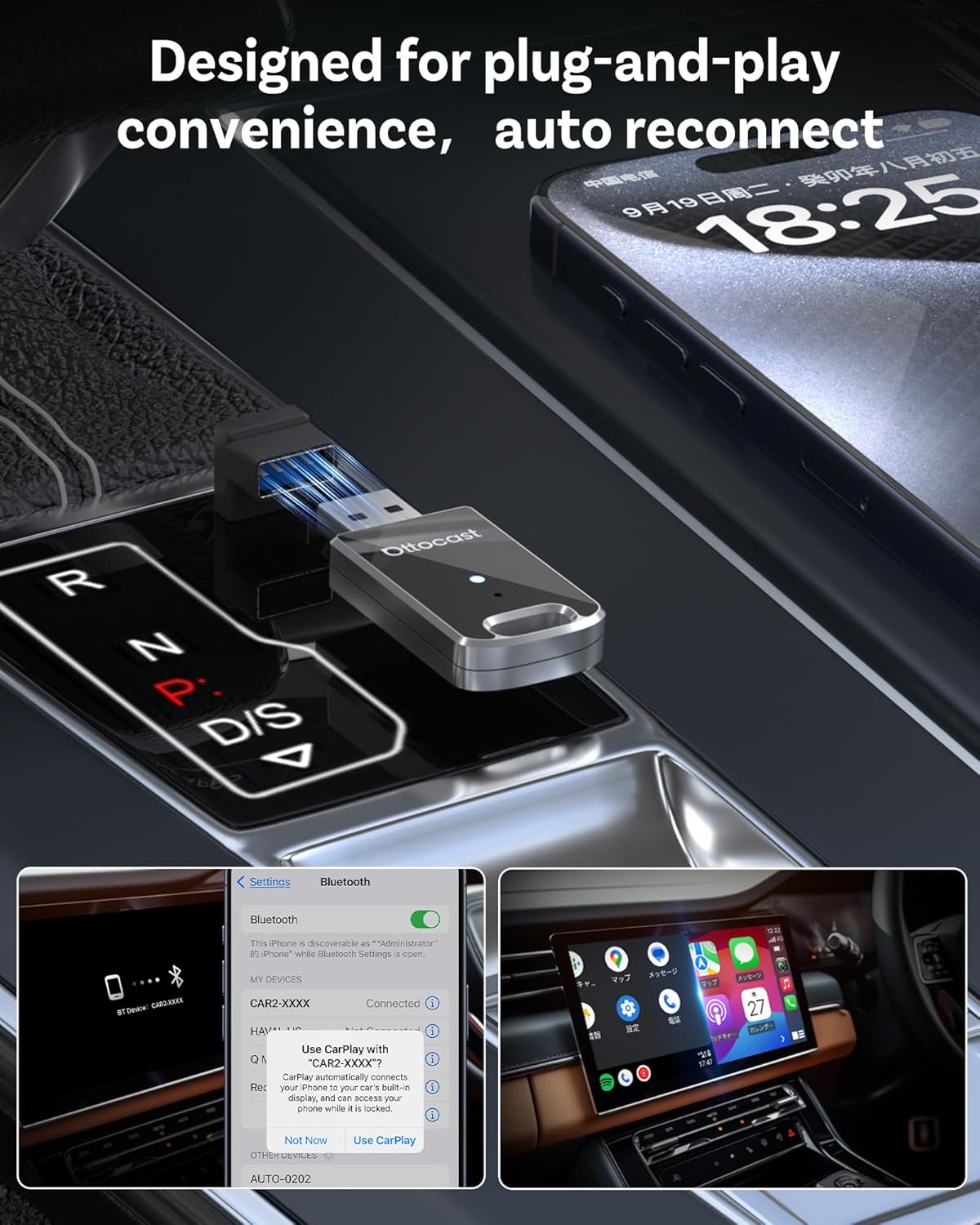
【Plug‑and‑Play & Lightning‑Fast Connection】 Just plug this OTTOCAST Mini 2 wireless CarPlay/Android Auto Car adapter into your car’s USB port, and it auto‑pairs at every ignition—no re‑pairing required. Thanks to our Gen‑4 PCB design, CarPlay connects in ~9 seconds and Android Auto in ~12 seconds.
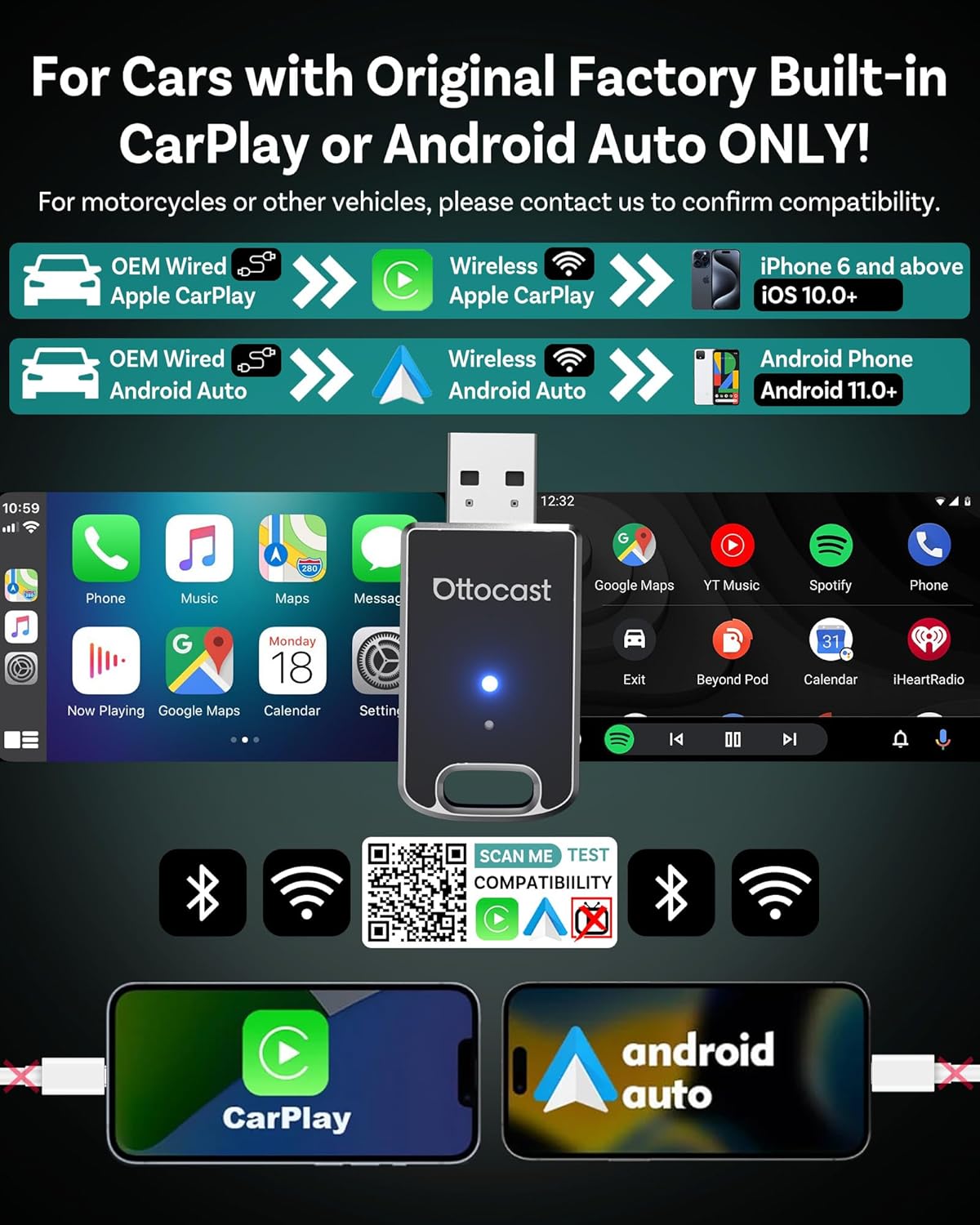
【99% Vehicle Compatibility】 Works with nearly all cars (2015+) that support wired CarPlay/Android Auto and feature a USB or Type‑C port. Instantly upgrade your older ride into a smart cockpit—no dash mods needed. (Not compatible with BMW, Tesla.)
Customers say
Customers find the car adapter easy to set up and appreciate its wireless capabilities for Android Auto and CarPlay. The audio quality is good, and customers find it convenient to use. The functionality and connectivity receive mixed feedback – while some report perfect performance, others experience connection issues. Moreover, the adapter’s lag performance is also mixed, with some reporting no delays while others find it slow and laggy. Additionally, customers note that the device gets hot to the touch during use.
13 reviews for OTTOCAST Mini 2025 Wireless Carplay Adapter & Android Auto Wireless Adapter for Apple iPhone Samsung Android Phone 2-in-1, USB Car Accessories with 5 GHz Wi‑Fi Bluetooth 5.0 Voice Control Plug & Play
Add a review
Related Products


$64.99

ireview –
Works well and doesn’t take up much room
OTTOCAST Mini 2025 Wireless Carplay Adapter & Android Auto Wireless Adapter for Apple iPhone Samsung Android Phone 2-in-1, USB Car Accessories with 5â¯GHz WiâFi Bluetoothâ¯5.0 Voice Control Plug & PlayWorked well, easy to set up, quick pairing each time I turn on the car. Its small and stylish. Honda Passport 2022, S25 Ultra.Issues include when another Bluetooth device is already connected you may have to turn off the device before the Ottocast works. But I think that is more of a Bluetooth issue than an Ottocasy issue. The Ottocast gets a bit warm, I wouldn’t say hot, but because I’m paranoid I decided to return it.I recommend this product at less than 50. I know this contradicts me returning the product, but a part of me feels like I was too hasty in returning it.
RolandVsevenone –
Boss Audio Elite Radio and OTTOCAST Wireless Adapter.
This product will work with Boss Audio Elite BE10ACP Radio. I added this touchscreen radio to my 2014 Chevy Express van. The OTTOCAST adds effortlessly to this radio! No more disconnecting while using USB cord from my phone to my Boss Radio. I can use my WAZE GPS maps without connecting the USB cable to my phone!
John R. –
Disables hands-free calling. DO NOT PURCHASE!
DO NOT BUY THIS PRODUCT!!!!!!!I cannot believe that this device requires the use of Wi-Fi and the car’s exclusive-use Bluetooth connection.I successfully connected to Android Auto–but it required for me to disconnect my vehicle’s hands-free connection. This is a safety issue!! You will be required to manually use your phone for calls. While I like the concept of this wireless adapter, I positively abhor the requirement to disable a safety feature of your vehicle in order to use Android Auto. That is a non-starter. I am immediately returning the two adapters I purchased, as this is absurd. I am now convinced that the reviews have been manipulated for this product to boost its ratings, because, had I known about this limitation, I would have NEVER purchased it. Buyer beware.
Online Shoppers –
Works Great 2020 Chrysler Pacifica
Only used for a week but so far itâs been great on the 2020 Chrysler Pacifica (ofcoarse wireless came out in the 2021 model) using the CarPlay usb port with included 90 degree usb extension. These devices can error for various reasons but no issues with connections for my vehicle. I do know to always wait to plug phone into usb power until after wireless CarPlay loads.
John D. Kuhnlein –
good producr, with phone delays
Good product. Links just fine. 4 stars because there is a noticeable delay in telephone calls.
Rob Davis –
Fast setup, working great so far.
I literally just got this delivered. It took 15 seconds to get setup and running. Just amazing. After YEARS of trying to get another similar product to work, I thought it might just be my aftermarket head unit. Nope. I got this on sale but thinking of the frustration with the other product, I should have bought this a long time ago.We’ll see long term but so far I love it.
Marcos –
Definitely works for wireless Android Auto.
Finally a wireless adapter for Android Auto that actually works. I had to return the last 3 because they wouldn’t connect to Android Auto. This one is a winner!
Mr. Eric L. Shafer –
Don’t bother with the litany of troubleshooting tips!
It didn’t work for me. Let me save you hours of pairing, unpairing, restarting, updating, and factory resetting, and say that it’s either going to work or it’s not. Don’t bother with the endless list of troubleshooting provided. None of it works, and I should have known when the first step was checking if my phone needed updates. Who needs to manually update their phone these days? However, I went down their rabbit hole of troubleshooting tips and wasted a few hours on it. Can’t wait to return it now.
Kris B. –
The OTTOCAST Mini 2025 Wireless CarPlay & Android Auto Adapter is a game-changer for anyone looking to upgrade their vehicle’s infotainment system. This compact device effortlessly transforms your car’s wired CarPlay or Android Auto into a seamless wireless experience.Setup & PerformanceInstallation is a breezeâsimply plug the adapter into your car’s USB port, enable Bluetooth and Wi-Fi on your phone, and pair with the device. Within seconds, your phone connects, and you’re ready to go. The adapter supports both CarPlay and Android Auto, automatically detecting your device and launching the appropriate interface without manual switching.Equipped with Bluetooth 4.2 for initial pairing and a 5GHz Wi-Fi connection for data transfer, the OTTOCAST Mini ensures a stable and fast connection. This dual-connection method minimizes latency and maintains performance, making voice commands, real-time navigation, and music streaming smooth and responsive.Design & CompatibilityThe OTTOCAST Mini boasts an incredibly tiny sizeâsmaller than many car key fobs or even a one-dollar coin. It plugs directly into your car’s USB port designed for wired CarPlay/Android Auto, often fitting so discreetly it’s barely noticeable and requires no extra mounting. This sleek design keeps your car’s interior clutter-free while delivering powerful wireless connectivity without compromising aesthetics.Compatible with over 800 vehicle models that feature wired CarPlay or Android Auto, the adapter supports iPhones (iOS 10+) and Android phones (Android 11+ with 5GHz Wi-Fi required for Android Auto). However, it’s not compatible with BMW and Tesla vehicles.User ExperienceIn real-world use, the OTTOCAST Mini becomes virtually invisible after the initial setup. Once paired, it auto-reconnects every time you start your car, providing immediate access to your apps without any hassle. Whether you’re navigating a new route, jumping between playlists, or taking a call, everything feels just as responsive as it would with a wired connection.ConclusionThe OTTOCAST Mini 2025 Wireless CarPlay & Android Auto Adapter is a must-have for anyone seeking to eliminate the clutter of cables and enjoy a seamless, wireless connection in their vehicle. With its easy setup, compact design, and reliable performance, it enhances your driving experience without breaking the bank. For those with compatible vehicles, this adapter offers a significant upgrade to your in-car technology.
Jeff –
For the past 6 months or so, I’ve been using an older Ottocast wireless adapter with apple carplay. That older version worked very well except for one thing. My music would occasionally cut out for half a second or so, then reconnect. Regardless, the earlier version of the Ottocast adapter was still the best one I’d used up to that point.When this new Ottocast Mini came up in my feed I was really looking forward to testing it out and seeing if they’d improved on what was already a very good adapter.I’ve been using this adapter for the last few weeks and have finally decided I’ve used it enough to give it an honest review. My car supports wired carplay through plugging in my phone, so this adapter is a great option to go wireless.Included with the mini is a small instruction manual, a USB-A to USB-C adapter, and a 90 degree USB-A adapter.Setup is extremely simple. Plug in the mini with or without any of the included adapters, to a port that is specifically for carplay use. Some ports only supply power and are not connected to the car’s computer so be sure you’re plugging into the correct port! Once plugged in, with the car on, an LED on the front lights up red indicating power, but no cell connection. Your cars display will show a Bluetooth icon and the adapters Bluetooth name. On the iPhone, go into your Bluetooth settings and wait for the adapter name to pop up. Select it and click connect. Wait a few seconds and the carplay display should pop up. I don’t have an android so of course I can’t comment on connecting with an android, but as far as I can tell, the process is pretty much the same.The interface is quick and responsive. Screen swiping is quick, button presses are quick. Reconnecting to the mini when turning my vehicle on takes about 12 seconds or so. I think this is dependent on the way the car boots up more than anything. The connection occurs automatically without having to touch the phone at all.On the down side there is one issue, which is a hold over from the previous Ottocast I used, when you turn your vehicle off, the mini stays on for a certain amount of time, and this is related to how your vehicle sends power to the USB port. Because it’s still on, your phone will stay connected within a certain range of the car. So if my car is parked in a driveway, and I go inside, every once in a while I get a connection notification or the music tries to start playing as the phone is trying to connect to the live connection. The only solution seems to be to manually disconnect the Bluetooth connection (which will reconnect on it’s own!) or what I now do is unplug the adapter when I get out of the car if I know I’m going to be within Bluetooth range. It’s not ideal. If I know I’m going to be further from the car I don’t worry about it. I haven’t found any issues with battery drain keeping the adapter plugged in with the car off. It does eventually shut off on it’s own if it stays disconnected form your phone. It can just be a bit persnickety.Finally, the big question…. Does it cut out while streaming music from my phone?? Nope! In the 3 weeks I’ve been using it, it has not cut out or skipped at all while playing music. Which is a very welcome change from the earlier version I was using.In conclusion, the connection has been rock solid, interface is quick and responsive, music playback is excellent, reconnecting is quick. The Ottocast Mini is an excellent wireless Carplay interface. You can’t go wrong with this one. Definitely worthy of consideration.
Beaxir –
Okay, so Iâve been using this OTTOCAST Mini for my car (with Android phone) for a couple of months now, replacing an older wireless adapter. Hereâs the real deal based on my daily driving:The good stuff:1. Connection speed is a Win: Hands down, the biggest improvement for me is how fast it connects. Seriously, I get in, start the car, and by the time Iâve backed out of my driveway, Android Auto is usually up and running on my head unit. My old adapter took longer. This one is noticeably quicker and way less frustrating. Just leave the phone in my pocket when I turn on the engine, 20 -30 seconds later it hooks up.2. Zero lag in use: Once connected, itâs smooth sailing. Maps update instantly, scrolling through playlists feels responsive, and voice commands kick in without that annoying pause. I havenât experienced any noticeable delay while using it, which is crucial for navigation and music.3. Convenience factor: It does exactly what it promises, making Android Auto truly wireless. No more fumbling with cables. That “get in and go” feeling is real, and it works reliably for that 95% of the time.The not-so-perfect bits:1. It gets warm, keep it breezy is important: Yeah, this little puck definitely generates some heat. Itâs not scorching hot, but itâs warm enough that I make sure itâs not buried under stuff or right next to a heat vent. I leave it plugged in where thereâs some airflow around it, and that seems to keep things happy. Just something to be aware of for placement.2. Occasional blips: Itâs been solid most days, but I have experienced it completely drop connection maybe two or three times total. Each time, I need to unplug it and reset (without reconfiguring). It wasnât frequent enough to be a dealbreaker for me, just a minor hiccup. Maybe it was a bad signal spot or phone glitch? Not sure.Overall Verdict:Despite getting a bit toasty and those very rare disconnects, this OTTOCAST Mini is a keeper for me. The fast connection and completely lag-free performance during use are massive upgrades over what I had before. The convenience of true wireless Android Auto is fantastic. As long as you give it a little room to breathe, itâs been a really reliable and practical addition to my car. If your main car supports it (wired Android Auto or Apple Caplay required), itâs a solid pick based on my actual experience. It just works, quickly and smoothly.
Edward LO –
As a member of the Amazon Vine Program, I had the opportunity to test the OTTOCAST Mini 2025 Wireless CarPlay & Android Auto Adapter, and it left a strong impression both in design and performance.First Impressions & UnboxingThe packaging was sleek and professional, providing a premium feel right from the start.The adapter itself is impressively compactâroughly the size of a USB stickâwhich means it fits discreetly in your car without any clutter.Included are two thoughtful adapters (standard and 90-degree, as well as USB-C), making it versatile and truly plug-and-play for different USB port types.Set-Up and CompatibilityInstallation is effortlessâjust plug the Mini into your carâs USB or USB-C port and itâs good to go. No apps or complicated configurations required.Within seconds of starting the car, the device connects wirelessly to a phone. In my experience, CarPlay was ready in about 9 seconds and Android Auto in about 12 seconds, which matches the brandâs bold claims.The adapter supports both iOS and Android systems, making it perfect for households with a mix of phone users. Switching between devices is straightforward and reliable.Connectivity and PerformanceThe 5GHz Wi-Fi and Bluetooth 5.0 integration ensure a stable connection with no noticeable dropouts, whether streaming music, navigating, or making hands-free calls.Audio and visual quality are top-notch. Calls are clear and navigation updates are timely.The steering wheel button support and voice controls worked seamlessly in my tests, adding real convenience and safety to daily driving.The device supports split-screen mode, keeping maps and media controls side-by-side for an efficient user experience.Everyday UseThe compact âU-Diskâ form factor keeps your dash tidy, with no bulky dongles in sight.I especially appreciated the fast pairing and reconnectâeach time the car started, everything was ready without manual setup.The inclusion of two different adapters is a very considerate touch, allowing for flexible installation regardless of your vehicleâs port orientation.SummaryPros:Super compact and discreet designEasy plug-and-play installationFast, stable wireless connection for both CarPlay & Android AutoHigh compatibility and automatic device reconnectionDual male adapters included (USB-A/USB-C and right-angle design)Crystal clear calling and zero-latency music streamingCons:Not compatible with BMW or Tesla modelsDevice-switching button disconnects rather than fully switches between paired devices (the device reconnects to the last-used phone).If youâre looking to upgrade your vehicleâs tech with a nearly invisible, fast, and versatile wireless solution, the OTTOCAST Mini 2025 is an excellent choice. It blends usability, performance, and design, making each drive a smarter and more enjoyable experience.
Skip –
I’ve tried a number of these wireless CarPlay and Android Auto adapters. Some have had issues staying connected and some haven’t. This one is working well so far. I have a 2021 Honda and I used to have to plug in a USB cord to use Android Auto with my Samsung Galaxy phone. But my phone would charge very slowly when connected to this port. That’s because it was only a 2.5 amp charging port, and it would share that with Android Auto. Now with this wireless adapter connected, I can charge my phone at Samsung “Super-Fast” speeds using a separate charger plugged into my cigarette lighter port.I particularly like how tiny this one is. Some of the other ones I’ve tried have been a larger box connected by a USB cord. This one I just plug directly into the USB port, it doesn’t get in my way or dangle off the side Etc. Another issue I had with one of these devices by another manufacturer was that it would get very very hot. I’m happy to say that this one only gets a little bit warm, nothing to be concerned about at all.Connecting it to my phone for the first time was straightforward. Now when I start up the car, my phone automatically connects to it quickly and Android Auto is displayed on the screen. One problem I did have, which was the fault of my phone and not this adapter, was that “mobile hotspot” would turn off if it was not in range of any previously connected devices. I imagine this is for security reasons. So in the morning when I got in the car, Android Auto would not connect to my phone automatically. I would have to manually turn on “mobile hotspot”. But I dug around in the settings on my phone and found the option to not automatically turn it off. Now everything automatically connects quickly and smoothly without issues.The Android Auto interface responds snappily when navigating in it and the voice commands work correctly, just like it’s supposed to.Even though it’s clearly stated in the ad, I’ll point out that it does not play YouTube or Netflix, Prime Video, etc. I’m okay with that though. On the surface, it sounds like that would be great to have, but in practical terms, I probably wouldn’t watch any of those when I’m in the car anyway.If you have a fairly recent car that has a screen and accepts wired Android Auto or Apple CarPlay, and you are tired of having to plug it in and want faster charging, then this is a great little inexpensive upgrade. I think most people will be happy with this device.